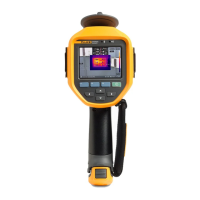
Ti90, Ti95, Ti100, Ti105, Ti110, Ti125, TiR105, TiR110, TiR125
Users Manual
16
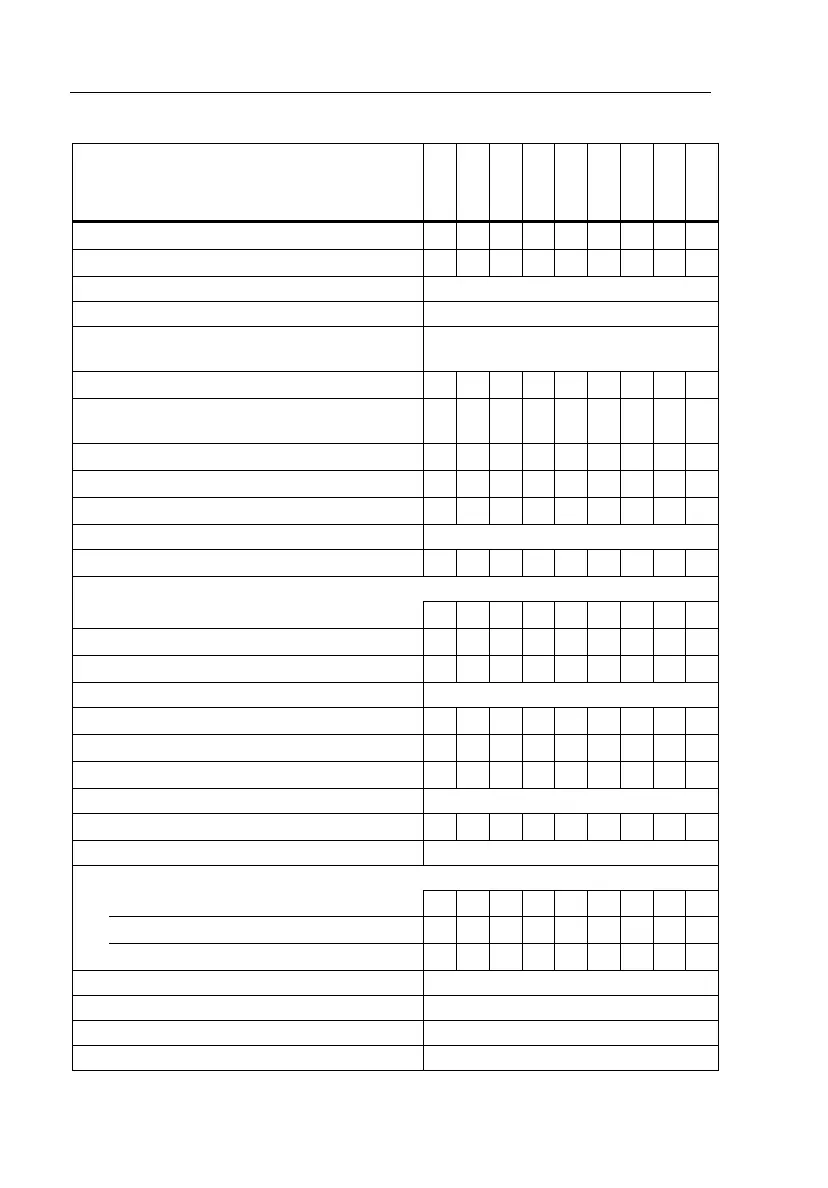
Table 6. Menu Overview
Menu Features and Adjustments
Ti90
Ti95
Ti100
Ti105
Ti110
Ti125
TiR105
TiR110
TiR125
IR-PhotoNotes™
• •
• •
Voice Annotation
• •
• •
Level and Span All Models
Emissivity Selection All Models
Reflected Background Temperature
Compensation
All Models
Transmission Correction
• •
• •
Spot Temperatures (hot and cold spot
markers)
• • •
User-definable Spot Markers
• • • •
Expand/Contract Center Box (MIN/MAX/AVG)
• • • • • •
Fixed-Size Center Box (MIN/MAX/AVG)
•
Color Palettes All Models
IR-Fusion
®
• •
• • • • • •
Color Alarms (Temperature Alarms)
High Temperature
• • • • • •
Low Temperature (Dewpoint)
• •
• •
Isotherm
•
•
User-selectable Display Graphics All Models
Cardinal Compass
• •
• •
Laser Pointer (on/off)
• • • • • • •
LED Light (Torch)
• • • • • •
Fluke Connect™ Wireless System All Models
CNX™ Wireless System
• • • • • • •
User-selectable Temperature Scale (°C/°F) All Models
User-selectable File Format
.IS2, .JPG, .BMP
• • • • • • • • •
.IS3
• •
.AVI
• • • •
User-selectable Sleep/Auto Off All Models
Time and Date Settings All Models
Language Selection All Models
Center Point Temperature All Models
Shop for Fluke products online at:
1.877.766.5412
www.MyFlukeStore.com



 To Next Page