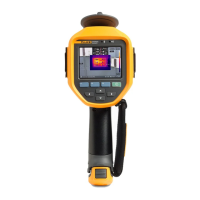
Ti90, Ti95, Ti100, Ti105, Ti110, Ti125, TiR105, TiR110, TiR125
Users Manual
36
5. Push or to view the menu.
6. Push / to highlight Palette.
7. Push or to view the menu.
8. Push / to highlight Standard or Ultra Contrast.
9. Push / to select a palette.
10. Push:
• to set the change and go back to the live view.
• or to set the change and go back to the previous menu.
• to cancel the change and go back to the live view.
IR-Fusion
®
IR-Fusion
®
makes it easier to understand infrared images through the use of an
aligned visible image and infrared image. The Imager automatically captures a
visible image with every infrared image to show you exactly what you see and
then allows you to more effectively show it to others.
IR-Fusion has different modes that vary by model, see Table 8. Full Visible
mode is also available. (The Fluke Ti100 does not have IR-Fusion and can only
display a full infrared image.)
Table 8. Infrared and IR-Fusion Modes by Model
Ti90
Ti95
Ti100
Ti105
Ti110
Ti125
TiR105
TiR110
TiR125
Full AutoBlend (min IR mode)
• • • •
Full AutoBlend (mid IR mode)
• • • • • •
Max IR (Full Thermal)
• • • • • • • • •
Full Visible
• • • • • • • •
Picture-in-Picture AutoBlend (min)
• • • •
Picture-in-Picture AutoBlend (mid)
• • • • • •
Picture-in-Picture AutoBlend (max)
• • • • • • •
Note: Ti105 and TiR105 models have aligned IR-Fusion from 1.2 m to 4.6 m (4 ft to 15 ft).
Shop for Fluke products online at:
1.877.766.5412
www.MyFlukeStore.com



 To Next Page