TiS20+
Users Manual
20
Connection Icons
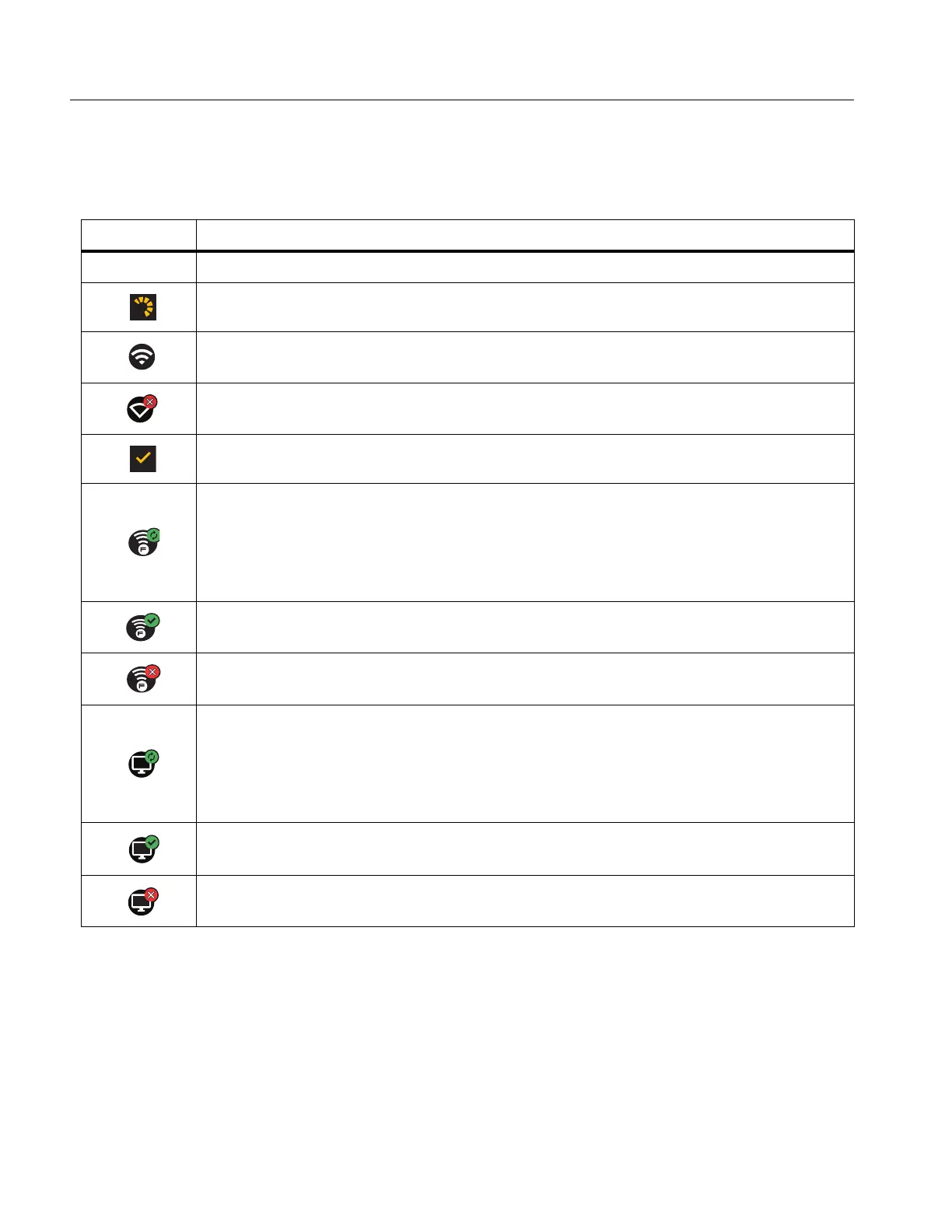
Icons show the status of the Product connection. Table 12 explains the icons.
Table 12. Connection Icons
Icon Description
No icon WiFi is not on.
In a menu, the Product is attempting to connect to a WiFi network.
The Product is connected to a WiFi network.
WiFi is on, but the Product is not connected to a WiFi network.
In a menu, shows beside the network name that the Product is connected to.
WiFi is on, and the Product is attempting to connect to a Fluke Connect
account.
Or,
Images are saving to a Fluke Connect account.
WiFi is on, and the Product is connected to a Fluke Connect account.
The Product is not connected to a Fluke Connect account.
WiFi is on, and the Product is attempting to connect to a shared folder on a
network server.
Or,
Images are saving to a shared folder.
WiFi is on, and the Product is connected to a shared folder on a network
server.
The Product is not connected to a shared folder on a network server.



 To Next Page