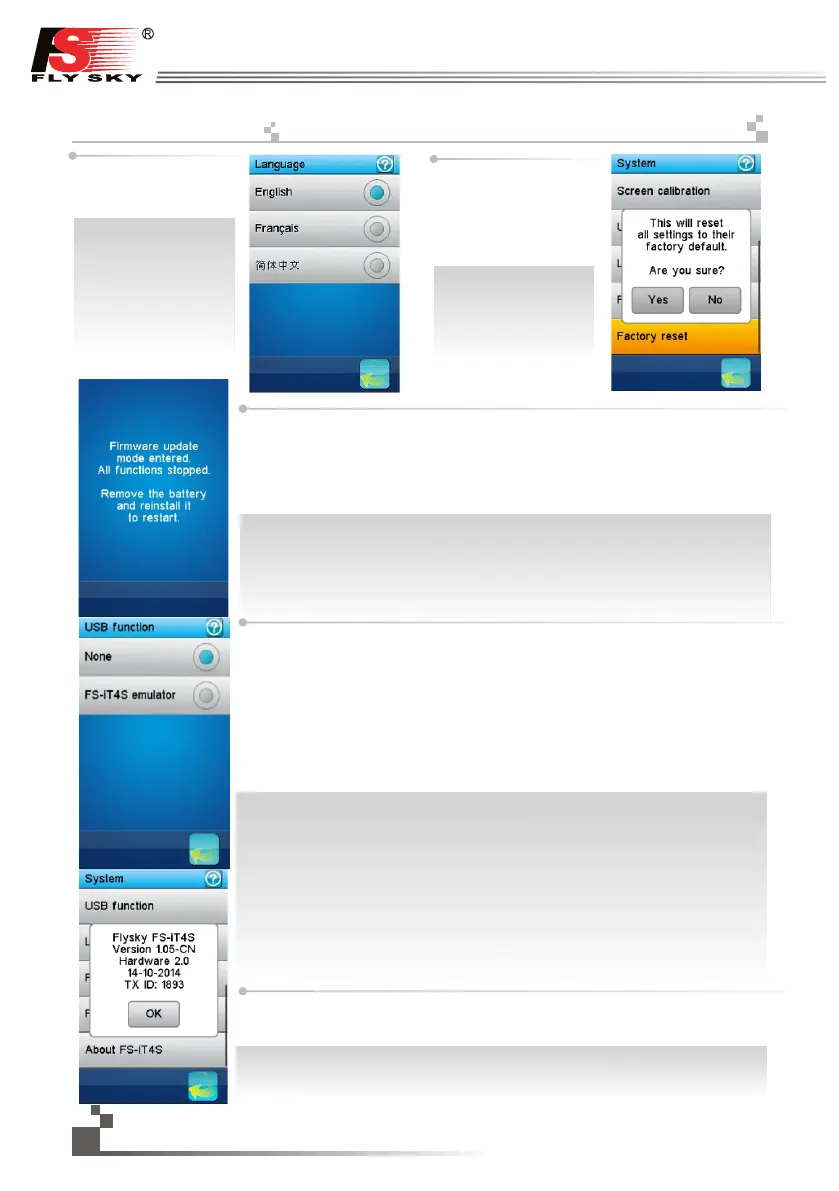
Factory reset:
reset the whole configuration
of the transmitter to its default.
All model configurations and
other settings are lost and
reset to their default.
A confirmation is requested.
공장초기화:
전체 구성을 초기 상태로
되돌립니다.
모든 구성 및 기타 설정이
손실되고 기본값으로
초기화됩니다.실행시
확인창이 뜹니다.
Firmware update:
the internal software (firmware) of the transmitter can be updated using the USB interface
connected to a PC computer. Once this function is activated, all functions of the transmitter
stop. To avoid any loss of control of the vehicle, turn its receiver off before entering this
mode. A confirmation is requested.
When the firmware is updating, never disconnect the USB cable or remove the battery or the
transmitter will become unusable.
업데이트:PC에 USB로 연결하여 조종기 내부소프트웨어(펌웨어)를 업데이트할 수 있습니다.
이 기능을 실행중에는 조종기의 모든기능이 중지됩니다.차량제어의 손실을 방지하기위해 이
기능을 실행하기전 수신기의 전원을 끄십시오.
실행하기전 확인창이 뜹니다.업데이트중 USB 케이블 제거,배터리 분리시 수신기를 사용할 수
없습니다.
시스
USB기능: USB단자는 컴퓨터게임과 송신기배터리만 충전가능합니다.
FS-iT4S컴퓨터게임:컴퓨터에 연결되어 있을때,조종기는 4개의 축(각채널당 하나)및
3개의스위치(SW1,SW2,SW3)를 사용하여 컴퓨터 시뮬레이터 사용이 가능합니다.
1.마이크로 USB 케이블로 컴퓨터에 송신기를 연결합니다.
2.송신기를 켠 후 환경설정→USB기능→FS-IT4S 컴퓨터게임 을 터치하십시오.
그 후 컴퓨터는 자동으로 조종기를 식별합니다.
3.컴퓨터 제어판에서 게임컨트롤러→FS-iT4S 컴퓨터게임 을 차례로 더블클릭후
시뮬레이션 기능이 사용 가능한지 확인합니다.
USB function:
Description:
None: the USB interface can be used only to charge the battery of the transmitter.
FS-iT4S emulator: when connectedto a computer, the transmitter acts as a standard HID
with 4 axes (one for each channel) and 3 switches (SW1, SW2 and SW3) and can be used
as the main controller in any compatible simulation software.
Operation:
1. Connect the transmitter to the computer by the Micro USB cable.
2. Switch on the transmitter, then touch “system”-----“USB function”------“FS-IT4S simulator”.
After that, the computer will automatic identify the HID.
3. In the computer control panel, double click “ ”game controller
--------“FS-IT4S emulator” to test whether the simulating function is ok.
38
http://www.flysky-cn.com
Language:
the user interface can be
displayed in several
languages.
언어 :
사용자의 환경에 따라 몇
가지 언어가 표시됩니다
About FS-iT4S
Touch 'About FS-iT4S', and the version of the current firmware as shown on the left .
Touch the "OK" button to go back.
FS- iT4S 정보
FS- iT4S 대해 왼쪽 그림과 같이 현재 의 펌웨어 버전 확인이 가능합니다.돌아가려면
" 확인 " 버튼을 누릅니다.
17.23:
System


 To Next Page