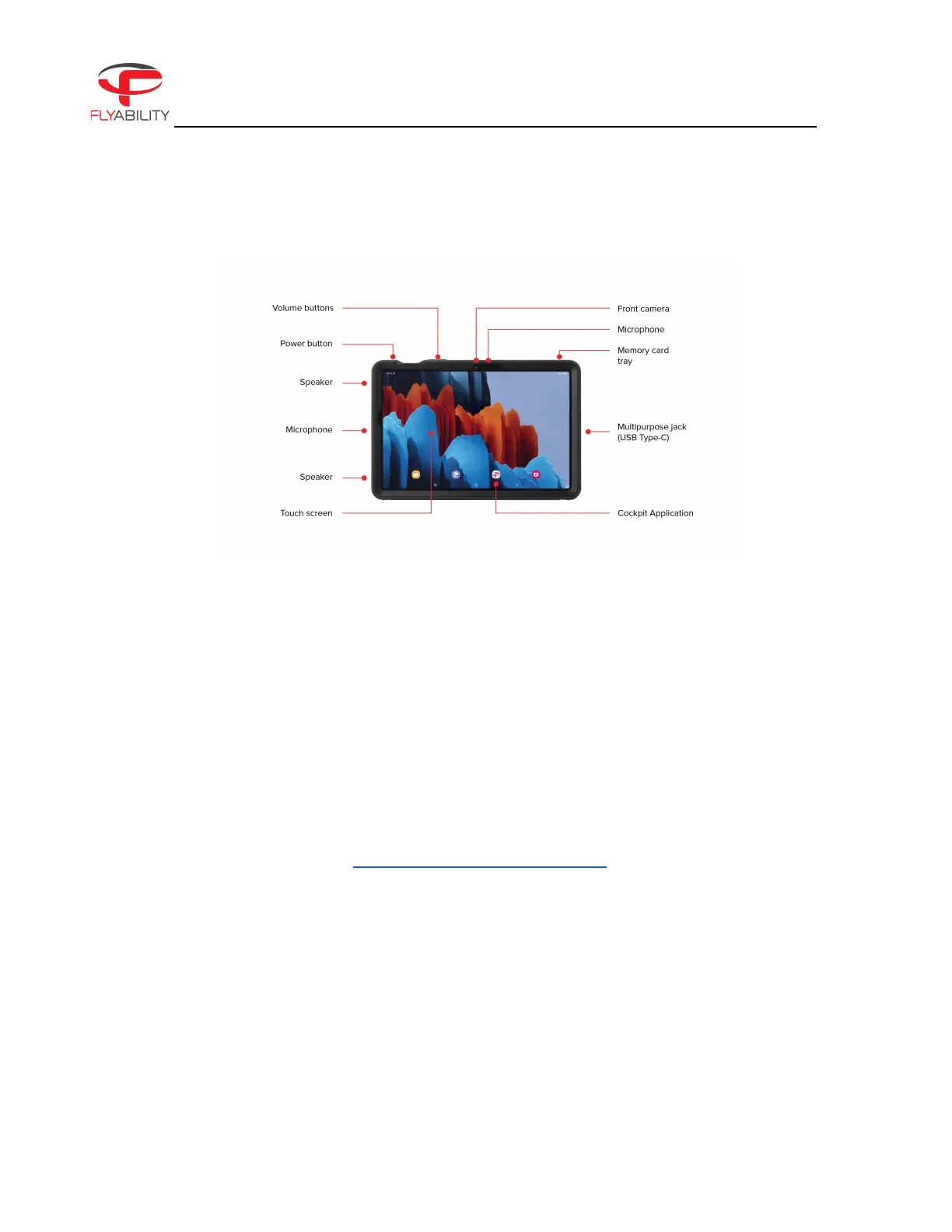
Figure 2.10: Tablet overview
TOUCH SCREEN
Displays information and allows the user to interact with the applications.
STYLUS
Allows precise operation on the touchscreen. Useful while wearing gloves.
USB PORT
Used as a communication port with the controller, and to recharge the tablet’s battery.
MICROPHONE
Records the surrounding sounds, such as the voice of the inspector, for reporting.
COCKPIT APPLICATION
This app is developed by Flyability and functions as an interface with the aircraft. It displays the video
stream from the aircraft, as well as essential flight parameters and settings. For a complete overview of
its functions, please refer to the Flyability Cockpit part of the Manual.
2.3.2. Controller
The controller gives the pilot full control of the aircraft. It is also used to change the camera and lighting
settings.



 To Next Page