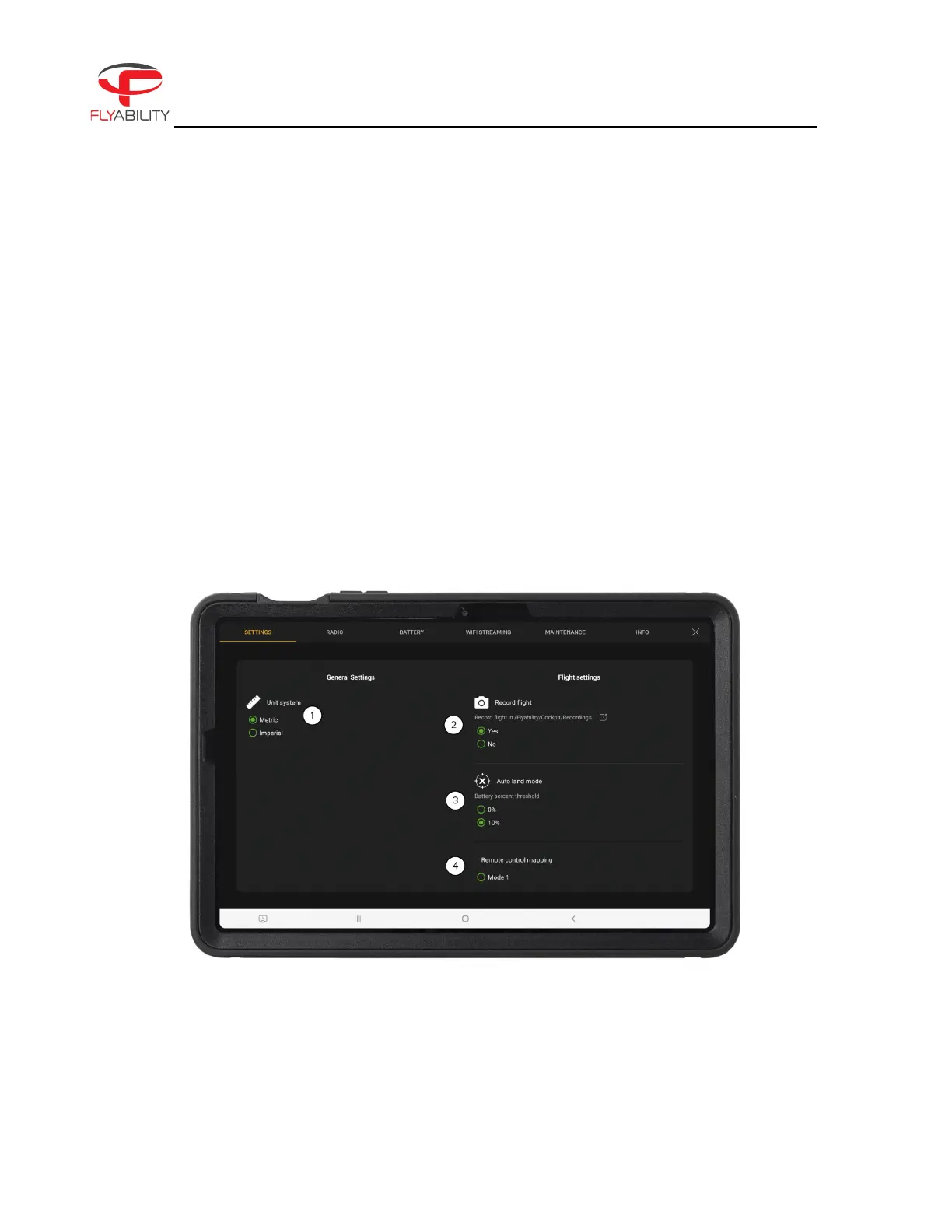
6.3 Settings menu
The settings button opens the settings menu, allowing you to change various settings and parameters for the
drone.
To close the settings screen and go back to the main screen, press the back button of the tablet, or the close
button in the top right corner of the screen.
The content of the settings is organized in multiple tabs. Swipe the tabs horizontally to browse through the
panels and tap on the tabs to view their contents.
Settings
Figure 6.5: ELIOS 3 Settings



 To Next Page