4. Pairing button. Press this button to start the pairing procedure. Press the start button on the drone for
seven seconds to complete the pairing.
.
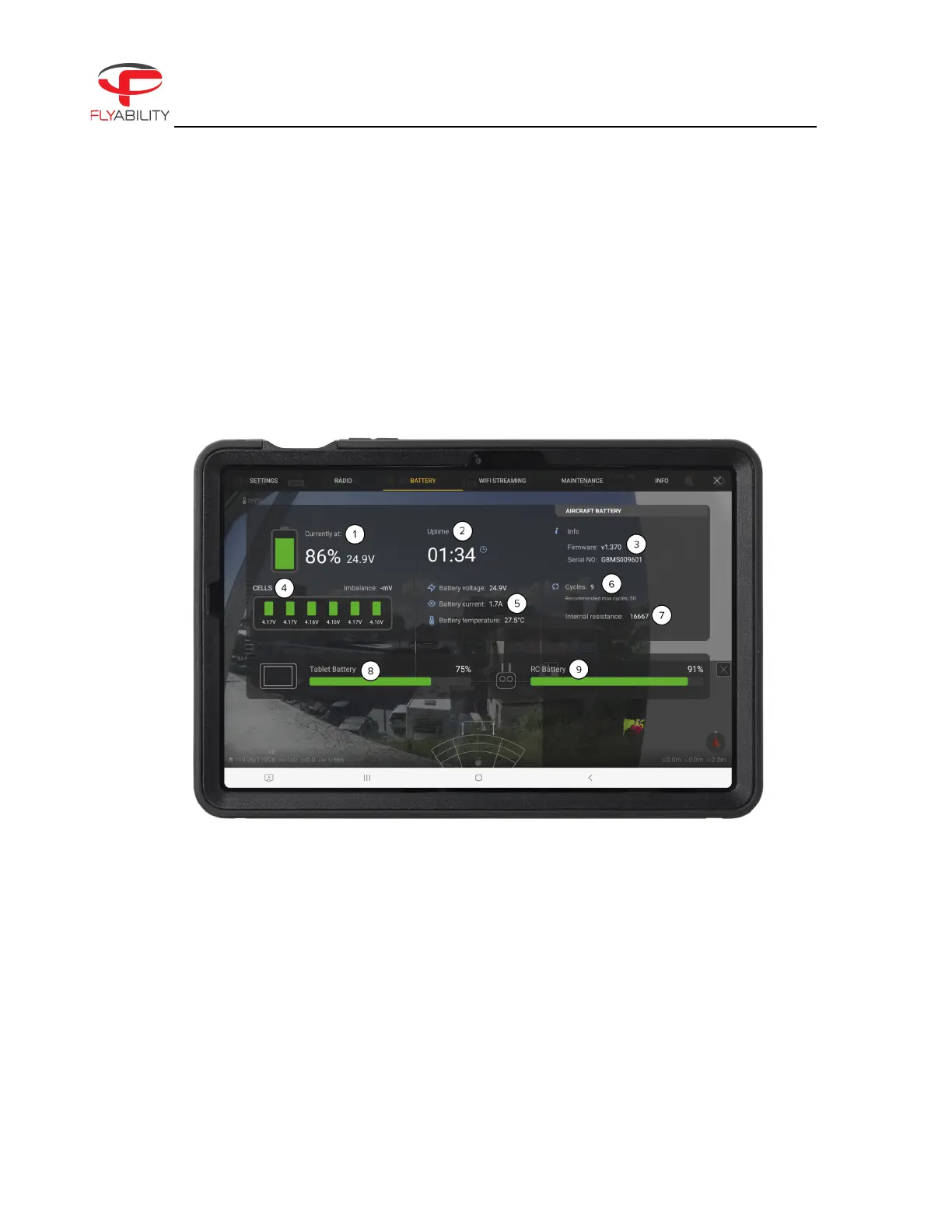
Battery panel
Figure 6.7: ELIOS 3 Battery Panel
This panel shows data about the current battery status of the ELIOS 3 System
1. Aircraft battery remaining charge and voltage.
2. Uptime—the elapsed time since the battery was plugged in.
3. Battery firmware version and serial number.



 To Next Page