ELIOS 2 USER MANUAL Page 40 of 106
When signal quality becomes low, a warning appears to inform you. Make sure to fly closer to the remote
control to regain some signal quality and reduce the risk of losing communication. Alternatively, for your next
flight, use a range extender to increase the obtainable range.
For detailed data about the signal quality, refer to the radio settings panel.
6.2.2.2
BATTERY STATUS
When the aircraft is not able to estimate its own percentage of battery charge left, question marks "???" are
shown instead. In such situations, keep attention to the readings nearby to estimate remaining flight time. You
should rely on voltage reading to know when it is time to finish the current flight; please refer to Elios
instructions for information about the appropriate voltage levels to watch out for. Aircraft running up-to-date
Avionics firmware still notifies you when the battery is critically low in this case.
Battery charge indicator changes colors to warn when the charge becomes too low.
White Battery charge is good
Battery charge is low. If in flight, consider finishing the current flight.
Red Battery charge is critically low. Land immediately to avoid damaging the battery.
The voltage level can raise warnings as well, independently from the battery charge level.
If the voltage indicator is red, you should land immediately.
6.2.2.3
CAMERA AND VIDEO RECORDING
Only on ELIOS 1, Camera mode indicator (11) is related to the current mode set by the pilot using the camera
mode switch marked (C2-C1-A) on the remote controller.
Auto mode
Manual low / high ISO
Thermal camera
Both Cockpit and aircraft begin recording the video stream as soon as the arming sequence is performed.
When recording is active, an indicator on-screen shows a timer in red and a recording symbol. The time shown
corresponds to the aircraft video recorder; the Android device is also recording a backup video for immediate
review and backup purposes. You can view the backup videos in Flyability/Cockpit/Recordings; this process is
detailed in Checking video recordings.
Please note: The best video quality is always found on the onboard video SD-card. Due to the nature of the
transmission link, the video received by the Android device has a higher compression rate, which adversely
impacts the video quality.
6.2.2.4
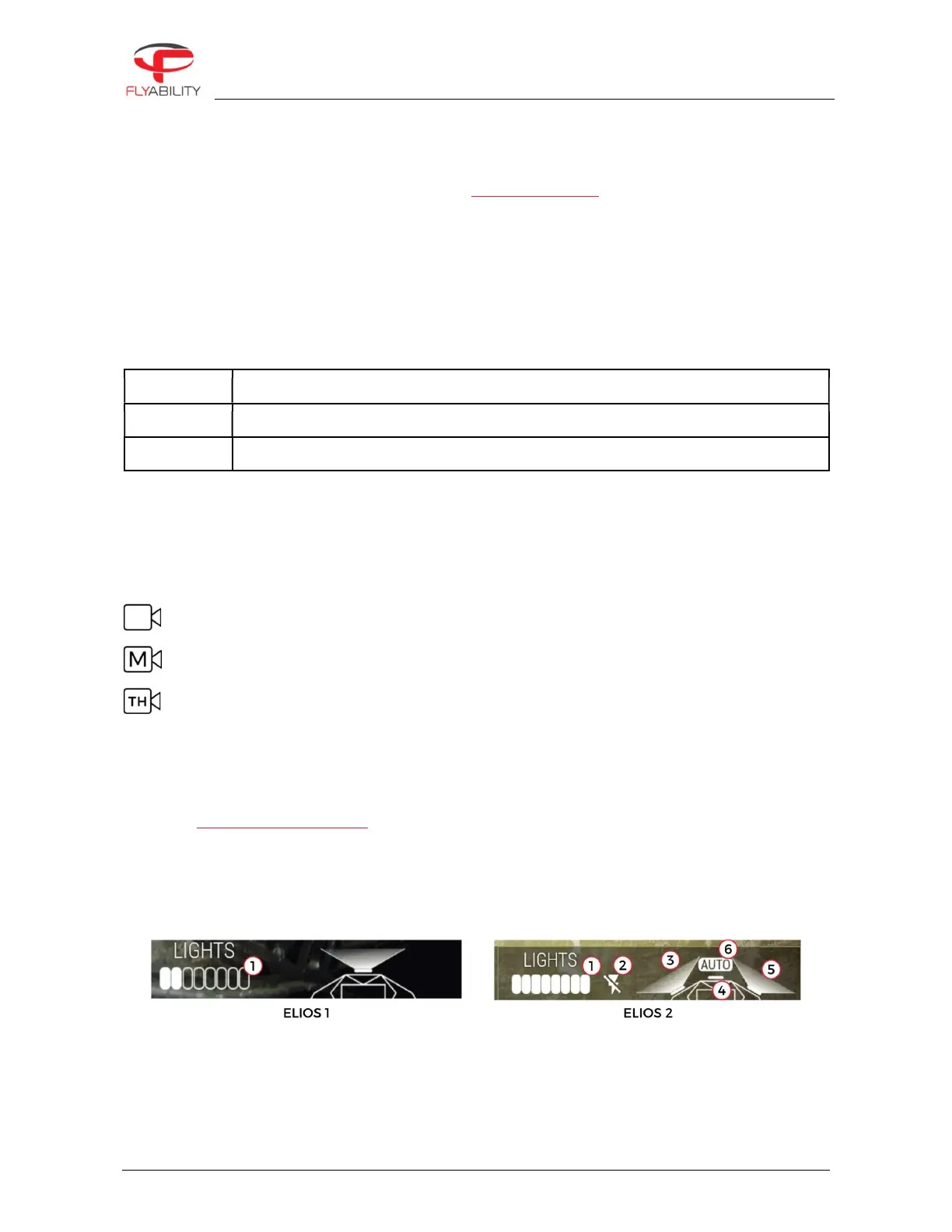
LED LIGHTS STATUS
The LED lights status displays the power level of the lighting system and which panels are lit on ELIOS 2.
1.
Light power
2.
Strobing light is disabled
3.
Left panel is ON
4.
Close up panel is OFF



 To Next Page