ELIOS 2 USER MANUAL Page 51 of 106
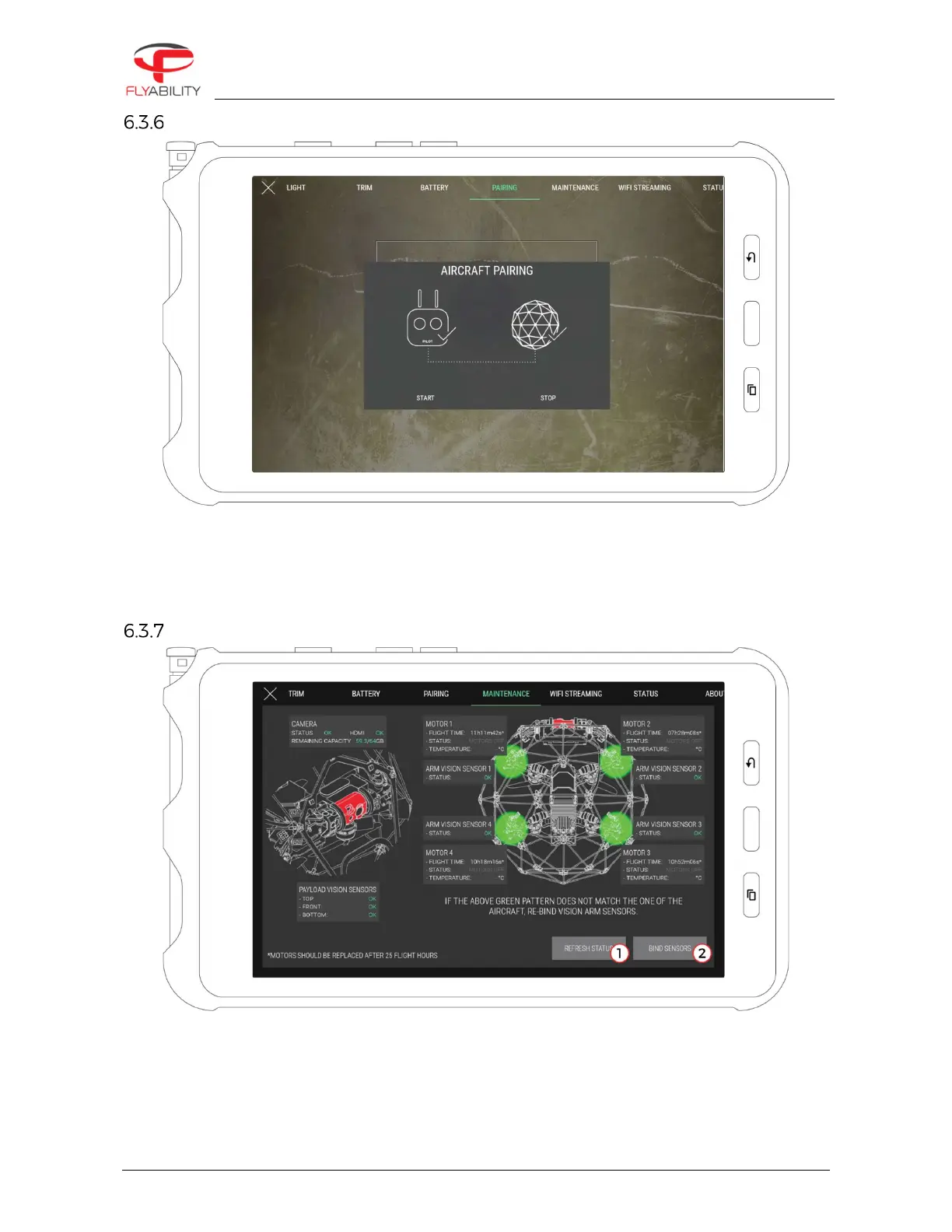
Pairing panel
This panel contains the commands to perform pairing operations between a controller and an aircraft.
To initiate a pairing sequence, press “start”. The ground unit starts beeping; push on the pairing button on
aircraft. Pairing is complete when continuous beeping ends. Use the Stop button to interrupt the process
manually. Refer to the aircraft manual to locate the pairing button.
Maintenance panel
Available only on ELIOS 2, the Maintenance panel gives an overview of the status of:
–
The optical and distance sensors
–
Motors
–
Camera/SD card



 To Next Page