13.1.4 Setting desktops 1/2/3/4 (fields visible on desktops 1, 2, 3, 4)
In this setting you can define fields that will be visible on MotoMonitor text desktops. You can change
position of given fields on each screen.
Each desktop can contain up to 6 information set in table (2 rows, 3 columns), as per below schema:
first-left first-right
second-left second-right
third-left third-right
Use below fields to edit positions:
- Change+ (top left) and Change- (bottom left) – change the field displayed on given position,
- Next Pos. (top right) and Back (bottom right) – go to another position/desktop,
User should navigate through the table using right hand side buttons to reach the position that is about to
be changed. Then, use left hand side buttons to find the field that suits in particular place on desktop.
To save settings, press button labeled as Save. In case the changes should be cancelled, move back to the
first position on the screen and press bottom right button - Back.
13.1.5 Name of input temperature
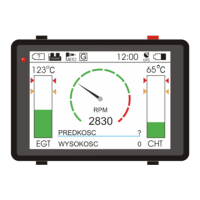
To help personalizing the device for each individual, default names of temperature fields (T1, T2) can be
replaced with logical names - CHT, EGT. User can choose one of following options:
T1=T1,T2=T2 – default temperature names,
T1=EGT,T2=CHT – Temperature T1 will be labeled as EGT,
Temperature T2 will be labeled as CHT,
T1=CHT,T2=EGT – Temperature T1 will be labeled as CHT,
Temperature T2 will be labeled as EGT,
FLYelectronics All Rights Reserved Page 14


 To Next Page