6. LAUNCHING THE DEVICE
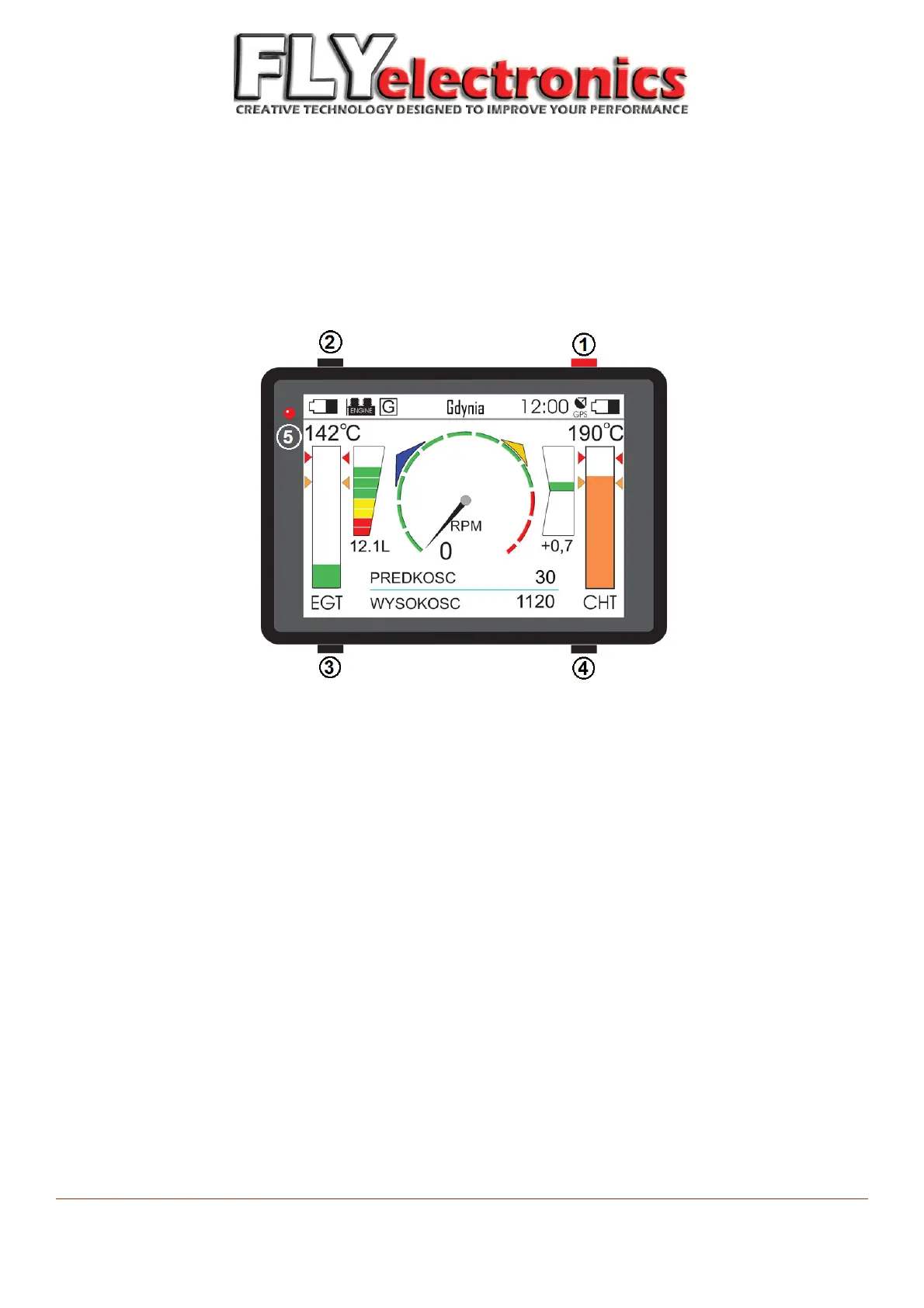
To turn the device on, press the top right button. In the top left corner, a diode will start flashing – hold top
right button pressed until the diode fades. When correctly launched, user should see the main screen.
7. OPERATING THE DEVICE
Turning on:
Press and hold button (1) until diode (5) fades.
Turning off:
When on one of main screens, press and hold button (4) until device vibrates.
When device is turned on:
Press (1) to switch to next screen
Pressing (2) switches to previous screen
Press and hold (2) to select location and start navigation
Press (3) to start/stop the stopwatch
Press and hold (3) to clear stopwatch
Press (4) to refresh the screen
Press and hold (4) to turn the device off
Press and hold both (2) and (3) to go to the settings menu.
FLYelectronics All Rights Reserved Page 7


 To Next Page