124
Checking the battery before its rst use
Check the battery before you charge it or use it
with your e-bike for the rst time. Press the A2
on/off button to switch on the battery. The battery
may be damaged when no LED on the charge
status indicator A1 lights up. Fully charge the bat
-
tery before its rst use when one but not all LEDs
of the charge status indicator A1 light up.
The battery may not be recharged when
it indicates a fault. The battery might be
damaged after being dropped or due to
mechanical impact, even when there is
no visible external damage. Such batter
-
ies must therefore be inspected by a
FLYER specialist retailer. Never try to
open a battery or to repair it.
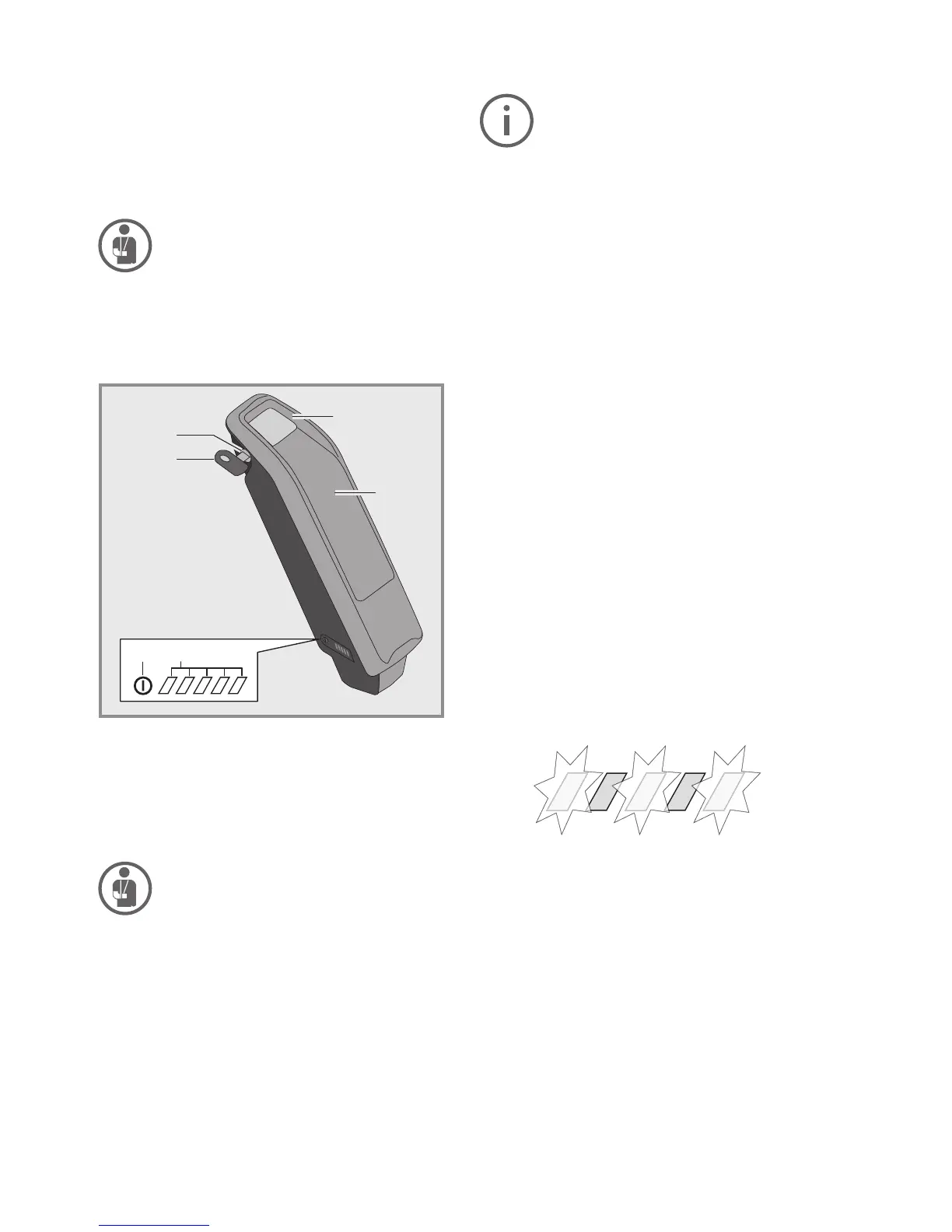
A1 Operating and charge status display
A2 On/Off button
A3 Key to the battery pack holster
A4 Battery lock
A5 Top holder for standard battery
A6 Standard battery
Do not charge a damaged battery and
do not use it. Contact an authorised
FLYER bicycle dealer.
A4
A3
A5
A6
A1A2
5.2 Loading the battery
1. Do not connect the charger to the
mains socket immediately after a sud
-
den temperature change from cold to
warm. It is possible that condensed
water has collected on the contacts
and this will lead to a short circuit. Do
not connect the battery to the charger
immediately after a sudden tempera
-
ture change from cold to warm. Wait
until both devices have reached room
temperature before connecting the
charger or the battery. Always charge
and store the battery and the charger
in a dry and clean environment.
2. Use only the original Bosch charger
supplied along with your e-bike.
Only this charger is designed for the
lithium-ion battery used on your e-bike.
3. Completely charge the battery using
the charger before the rst ride to en
-
sure full battery performance. Read
and adhere to the operating instruc
-
tions for the charger when loading the
battery.
The battery can at any time be charged outside
or installed in the bicycle without reducing its life
span. Interrupting the charging process does not
damage the battery.
The battery is equipped with a temperature moni
-
tor that permits charging only within a tempera-
ture range of 0 °C to 40 °C. Three of the charging
status indicator LEDs will ash when the battery is
outside the charging temperature range A1.
In this case, separate the battery from the charg
-
er and wait until it has reached operating tem-
perature. Only reconnect the charger when it has
reached the permitted operating temperature.



 To Next Page