13
EN
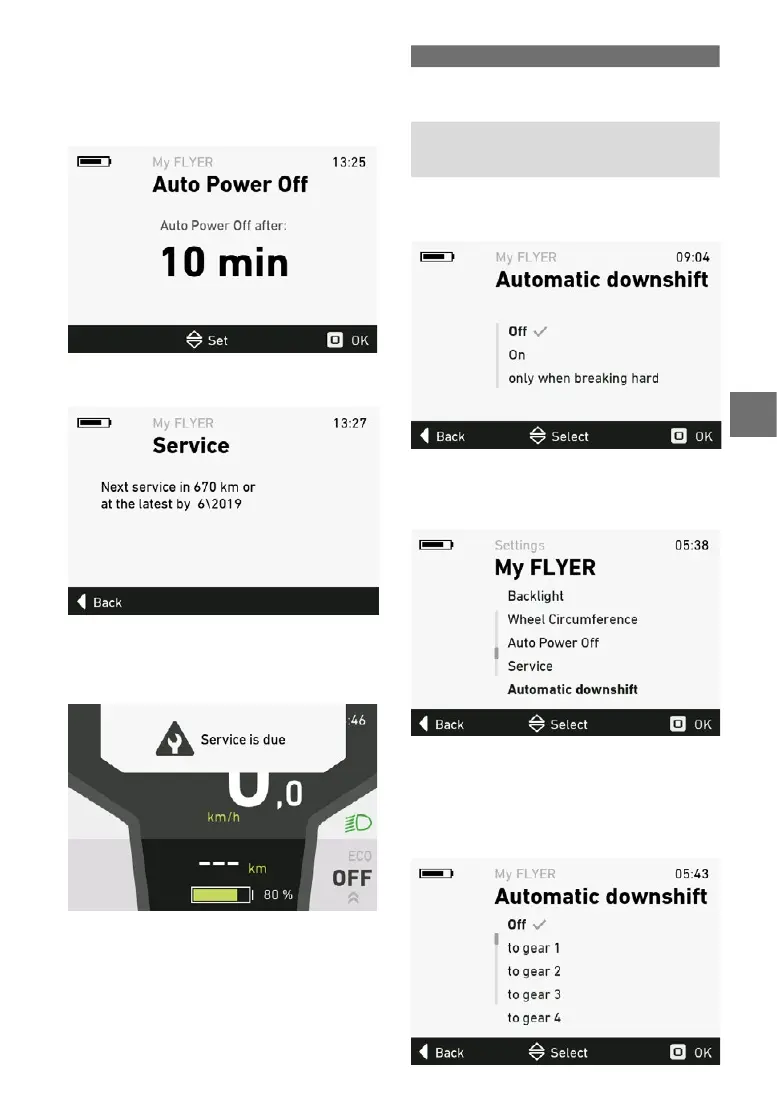
5.5.12 Automaticpoweromenu
Intheautomaticpoweromenu,youcansetthe
automaticpowerotimeintherangefrom10to
60minutes.Thesystemwillswitchoautomati
-
cally if the bicycle is not moved and no button is
pressed within the chosen time.
Press the joystick to apply the new settings after
conrmation.
5.5.13 Service menu
The service menu shows you when your FLYER
dealer next recommends that your bike be ser
-
viced.
If the interval between services as recommended
byyourspecialistretailerhasbeenexceeded,a
message indicating that a service is due appears
when the system starts up.
5.5.14 Automatic gear changes
If your FLYER e-bike has an “enviolo TR auto
-
matiQ integrated” gear hub, the automatic gear
changes can be adjusted in manual mode. The
following settings can be selected:
Selection Description
O The gears have to be changed
manually (to a lower gear) at
all times.
Onlywhen
braking hard
The e-bike will only change to
a lower gear when automati
-
cally breaking very hard.
On When braking, the e-bike will
automatically change to a
lower gear.
If your FLYER e-bike has an electronic Rohlo
gear shift system, the menu item “Auto downshift”
is displayed under “My FLYER”.
Youcanselect“O”or“Gear1”to“Gear10”.
If“Autodownshift”isnotswitchedto“O”,thege
-
ars will automatically shift to the preset gear when
you stop.



 To Next Page