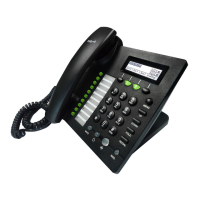
These keys are used as soft keys. These can be
used for item selection or control on the LCD
The softkey’ function depends on their
corresponding content displayed on the LCD at
Press it to access to menu items: such as
phonebook, multi-functional key, and call
UP To scroll up or turn up the volume
DOWN To scroll down or turn down the volume
The Hold key is used to hold the current call,
press it again to release the hold function.
The Redial key is used to redial the last dialed
During an active call, press it to mute the
When input text, press it to delete a digit or
Headset Press it to use headset.
Handsfree Press it to use Handsfree
The key can be used for voicemail selection,
press it to access voicemail (must be set up
by your phone administrator)
The LED is to indicate voicemail status.
Please refer to 3.3 LCD indicator
Enters numeric digits for initiating a call or for
entering configuration information.


 To Next Page