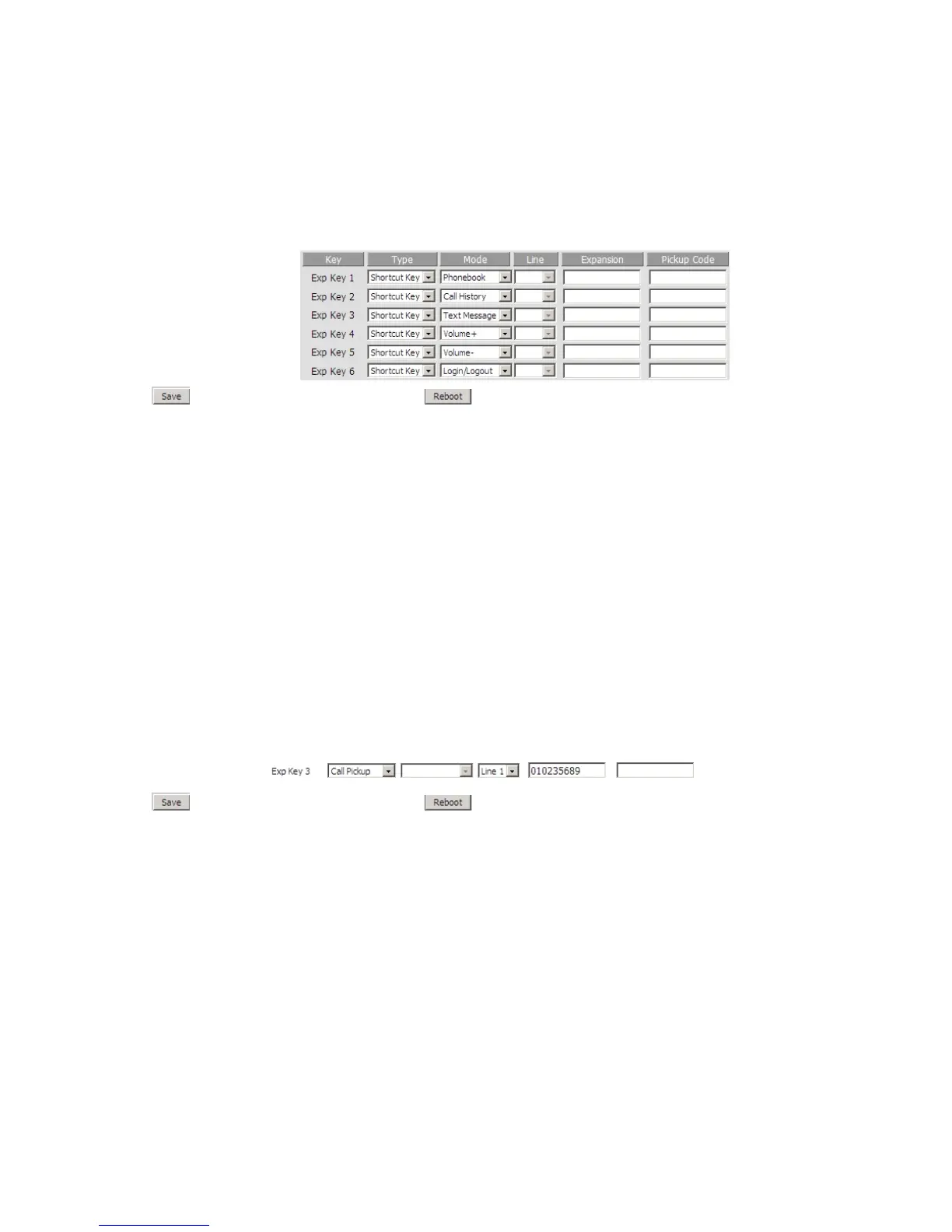
Step 3.Press button to save changes and then press button to make changes effective.
Using shortcut Key:
Press the Exp Key 1, then the LCD will display the phonebook item immediately, and user can configure it, the steps are same as configuring
from menu.
Press the next Exp Keys, and the LCD will display the corresponding item immediately, and user can also configure it.
The function of pickup is similar to the speed dial.
The example below describes the steps to configuration the pickup from Webpage, user can also configuration from MENU.
Adding pickup:
Step 1.Log in the web, open Phone/Multi-functional Key webpage.
Step 2.Choose one Exp key (assuming is Exp Key 3), and configure as follows, user can refer to 7.6.2 Multi-functional Key:
Step 3.Press button to save changes and then press button to make changes effective.
Using pickup:
Press the Exp Key 3 button (the configured multi-functional key) to ring 010235689 quickly.


 To Next Page