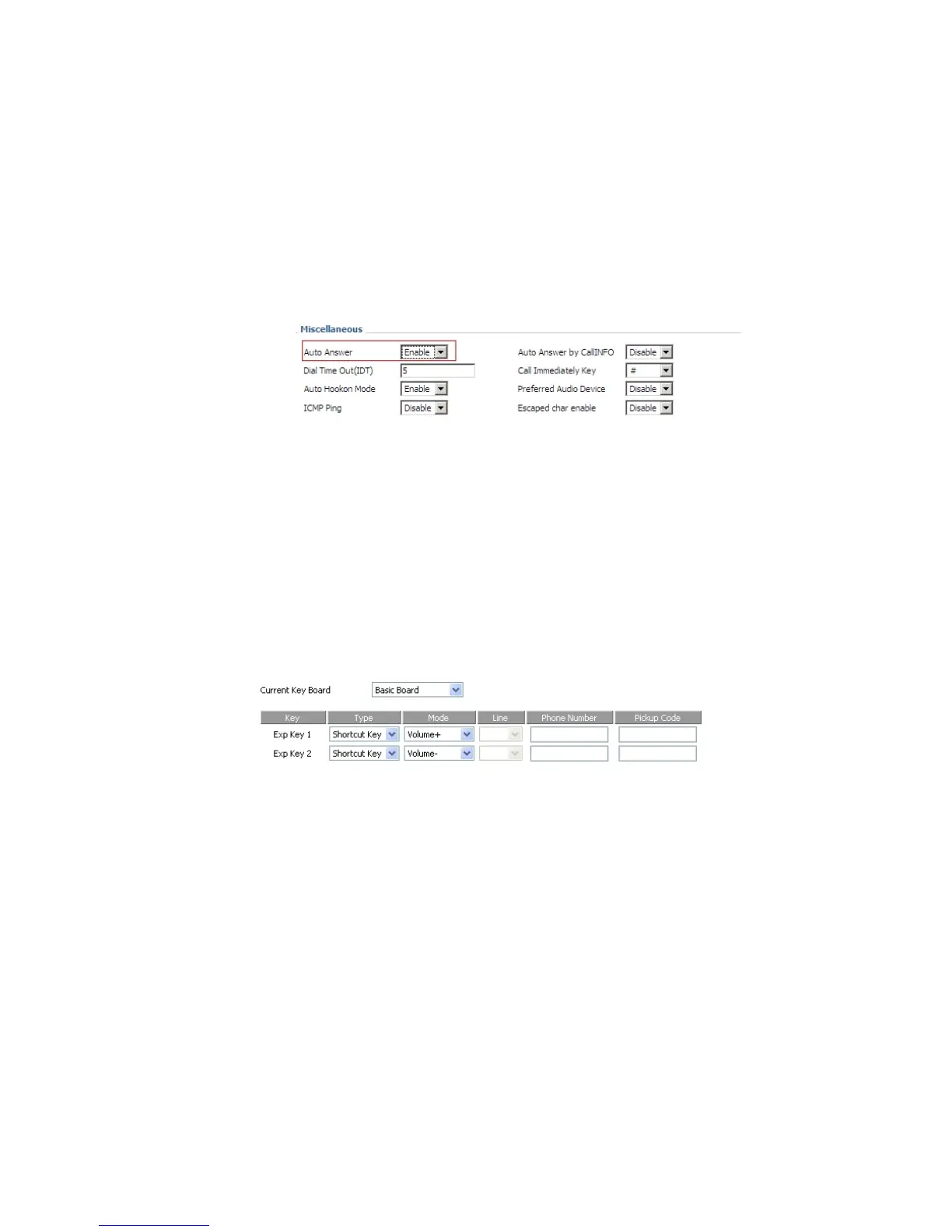
auto-answer enable according to the prompt.
Notice: user can also enable auto-answer in Phone/Preference webpage, miscellaneous column.
From menu:
Step 1.Press Menu button, and then choose volume.
Step 2.Press up and down button to turn up or turn down volume.
Using multi-function key:
Step 1.Choose two multi-function key (assuming the two multi-function keys are Exp Key 1 and Exp Key 2), and configure as
following:
Step 2.Press Save Settings to save changes and user can see the corresponding LED is solid green.
Step 3.Press the Exp Key1 button to turn up volume, press the Exp Key 2 button to turn down volume.
If user added a black list, IP622 will forbid the phone number incoming.
Adding a black list:
There are two ways to add black list, one is from menu, and the other is from your PC to use IP622’s webpage.


 To Next Page