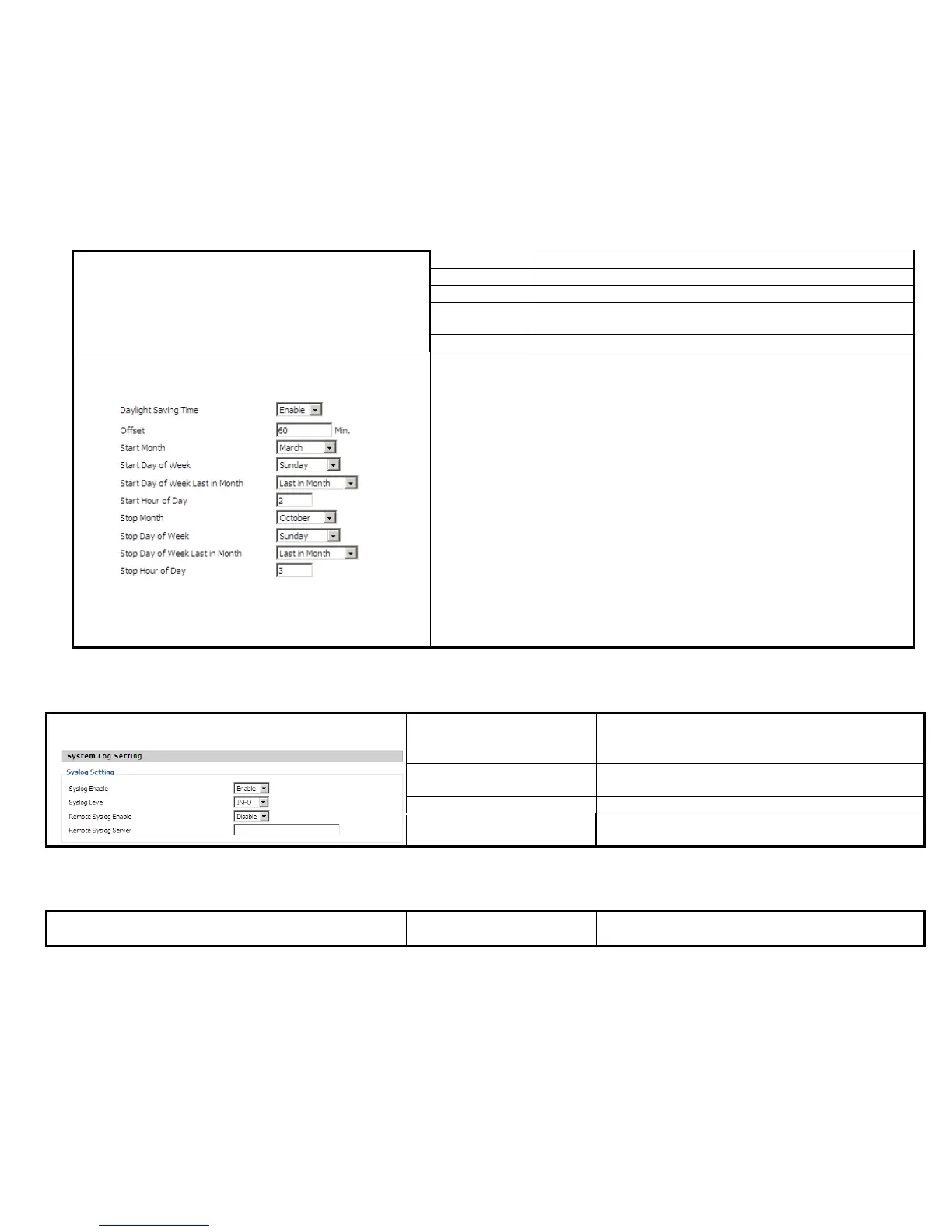
Choose stopping the function hour
Steps:
Daylight Saving Time:
Step 1. Enable Daylight Saving Time.
Step 2. Set value of offset, like Picture 2
Step 3: Set staring Month/Week/Day/Hour in Start Month/Start Day of
Week Last in Month/Start Day of Week/Start Hour of Day, analogously
set stopping Month/Week/Day/Hour in Stop Month/Stop Day of Week Last
in Month/Stop Day of Week/Stop Hour of Day.
Step 5.Press Saving button to save and press Reboot button to active changes.
If or not enable remote system log,
Remote Syslog Server Fill in remote system log server address.


 To Next Page