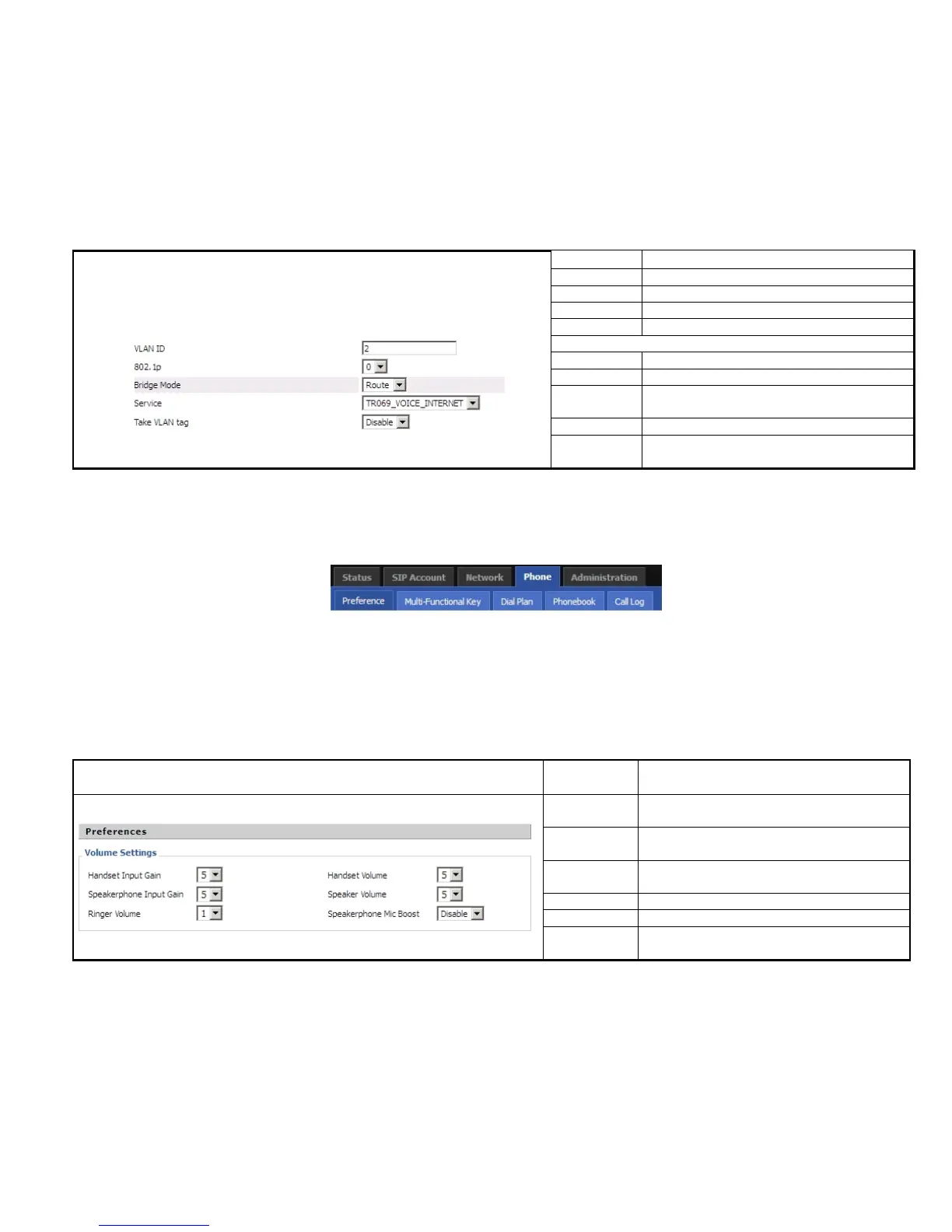
VLAN ID VLAN ID
802.1p 802.1p priority, user can choose from 0 to 7.
Edit Click edit to edit the current vlan.
Delete Click delete to delete the current vlan.
Add Click Add to add another vlan.
Click Edit, the webpage displays as left.
VLAN ID Set VID, it can be 2~4094.
802.1p 802.1p priority, user can choose from 0 to 7.
Bridge Mode
Set network connection type, it can be Route or
Bridge.
Service Select the service mode of this port.
Take VLAN
tag
If or not enable take VLAN tag.
User can configuration volume, call forward, multi-functional key, dial plan, phonebook and call log.


 To Next Page