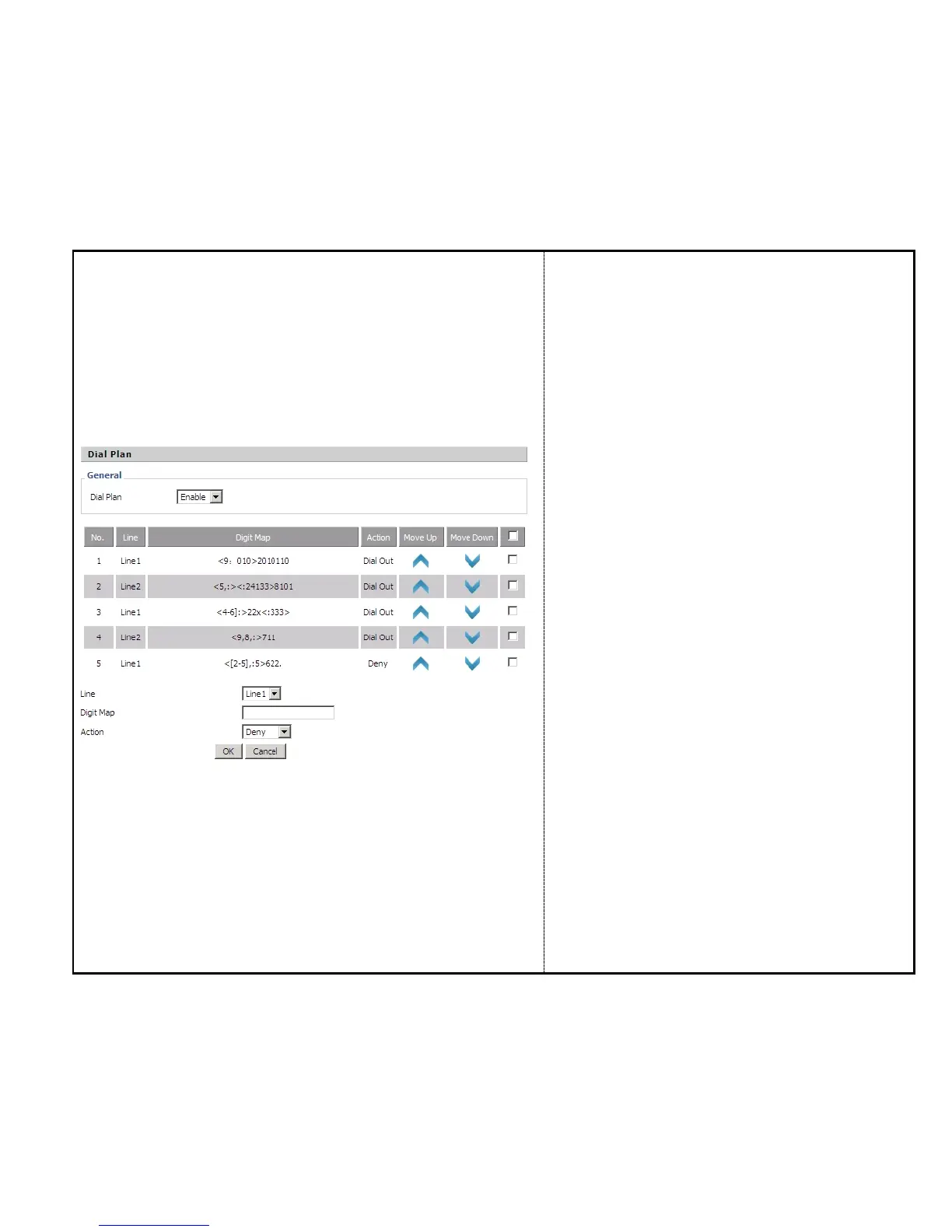
Steps :
Adding one dial plan:
Step 1. Enable Dial Plan
Step 2. Click Add button, and the configuration table like
Picture 1 will appear
Step 3. Fill in the value of parameters.
Step 4.Press OK button to end configuration.
Step 5. Press Save Settings button to save changes.
Editing one dial plan:
Step 1. Enable Dial plan
Step 2. Choose one dial plan
Step 3. Click Edit button, and the configuration table like
Picture 2 will appear
Step 4. Change the value of parameters.
Step 5.Press OK button to end configuration.
Step 6. Press Save Settings button to save changes.
Deleting one dial plan:
Step 1. Enable Dial plan
Step 2. Choose one dial plan
Step 3. Click Delete button to delete the dial plan


 To Next Page