focusrite.com Tell the world 16
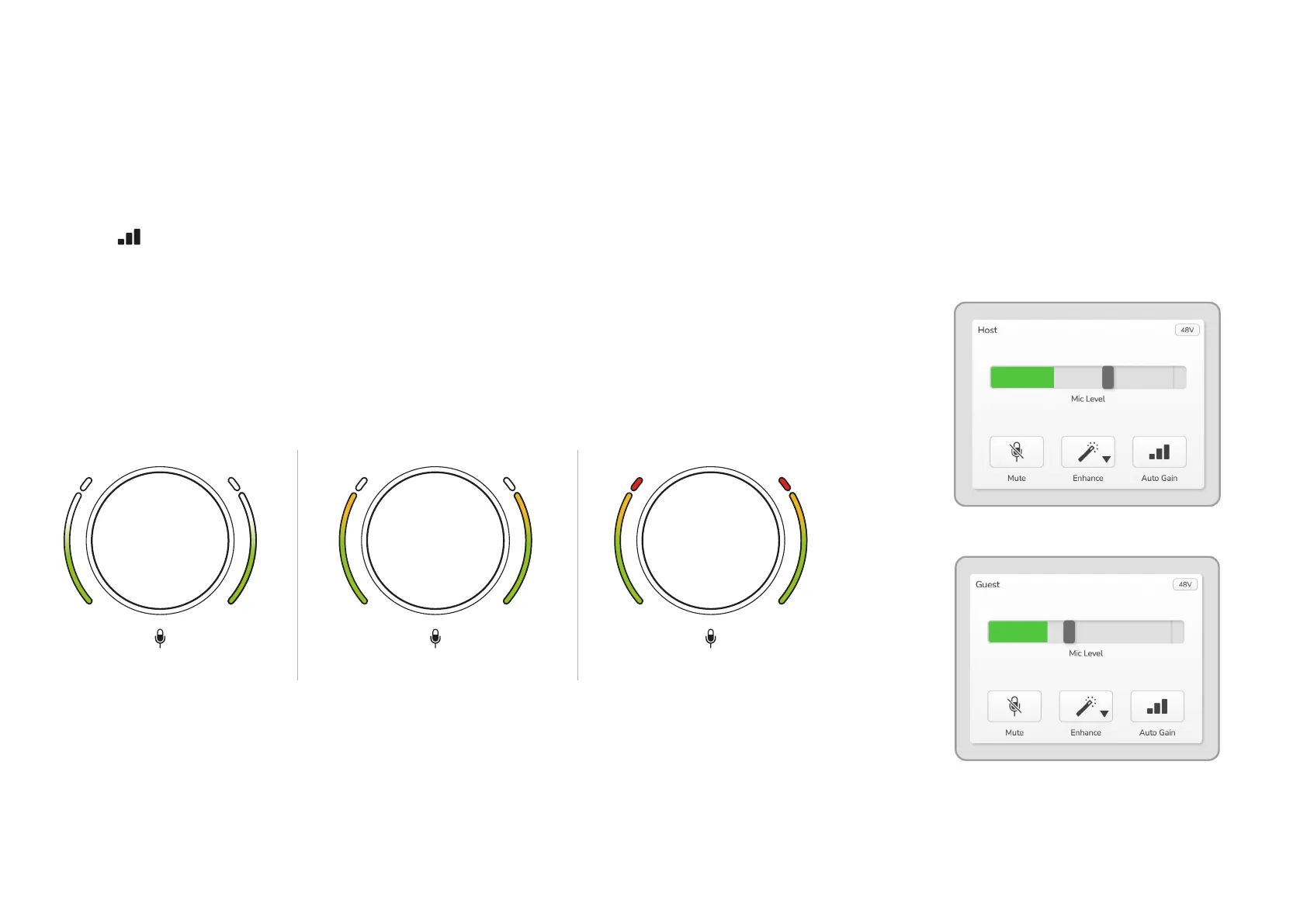
To set the gain for either microphone
preamp, select the input to be adjusted
with its button (a short press) and
speak into the microphone as if you were
recording, adjusting the gain knob until
the halo just starts to turn amber when
you speak at your loudest.
Good Level A bit too high
Your recording
will distort
At this point, turn the knob down a bit
until you don’t see any amber. If the
halos ever turn red at the tops, you will
denitely need to turn the gain knob
down: red means your recording is likely
to distort. (See diagram below.)
You can also adjust the gains from
Vocaster Hub by moving the on-screen
Mic Level sliders: drag them to the right
to increase the gain.
Vocaster Hub Host input
Vocaster Hub Guest input
EXAMPLES OF USE












 To Next Page