focusrite.com Tell the world 24
Vocaster Hub software
As part of the Easy Start registration process,
you’ll install Vocaster Hub software on your
computer. Vocaster Hub gives you access
to additional Vocaster Two features - most
importantly, it lets you balance your and your
guest’s voices against any other audio in your
mix.
IMPORTANT: A separate Vocaster Hub
User Guide can be downloaded from the
downloads area of the Focusrite website.
This describes the use of Vocaster Hub
in full detail. The following section of this
User Guide is limited to an overview of the
software’s primary features.
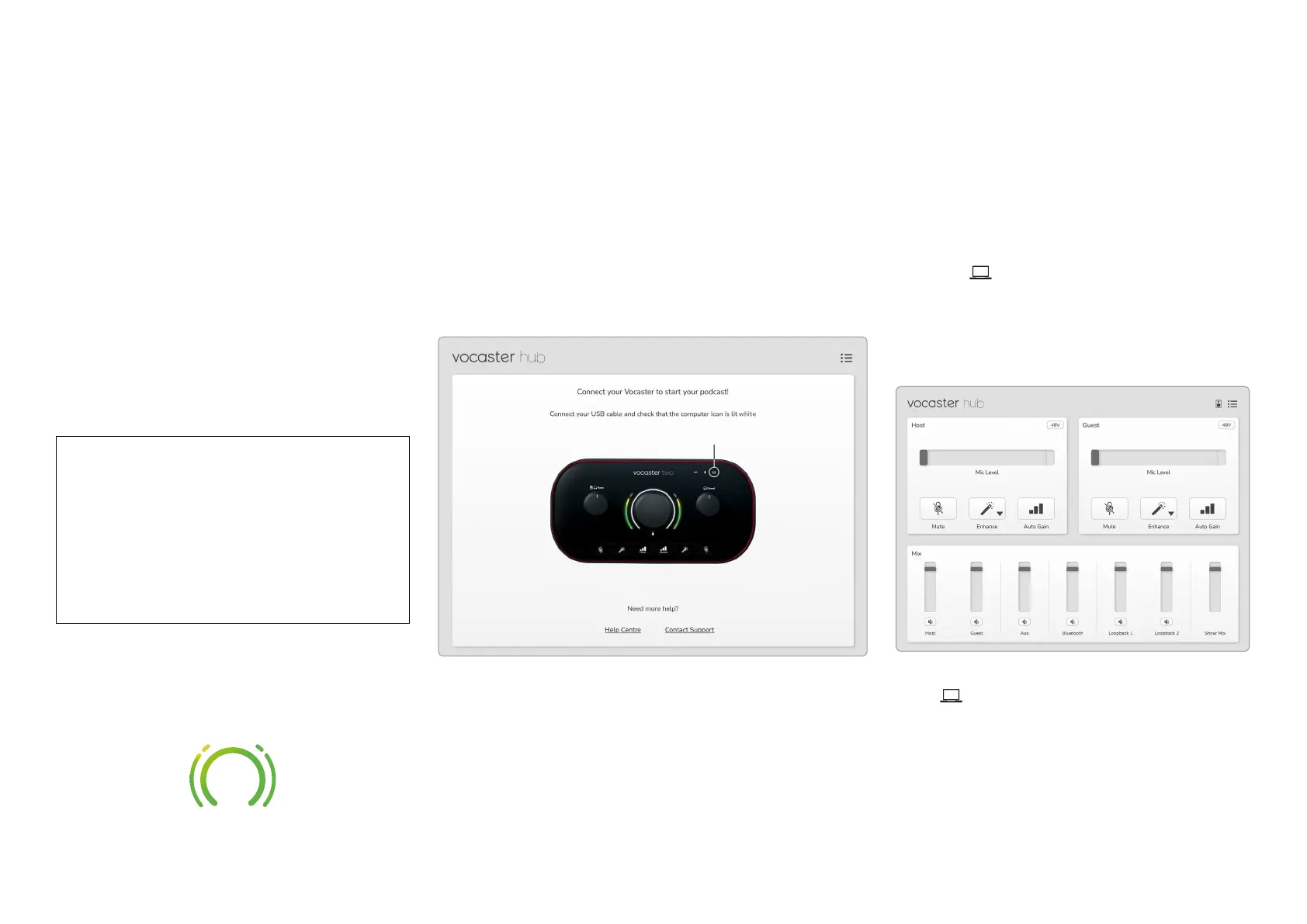
To open Vocaster Hub: After you install
Vocaster Hub on your computer this icon
appears in your applications:
Click it to open Vocaster Hub.
If your Vocaster Two interface is not
connected to your computer and powered
on, you will see a welcome page.
Note the Help Centre or Contact Support
links. You can always return to this page by
turning the interface off. More guidance on
using Vocaster Two, including tutorial videos,
are available at these links.
When you connect the interface and power
it on, the icon lights white to conrm
the interface is communicating with your
computer, and you’ll see Vocaster Hub’s
Control Page:
If the icon lights red, it shows Vocaster
Two has not been able to communicate with
your computer, and you should check the
cable is plugged in correctly.
VOCASTER HUB SOFTWARE












 To Next Page