focusrite.com Tell the world 23
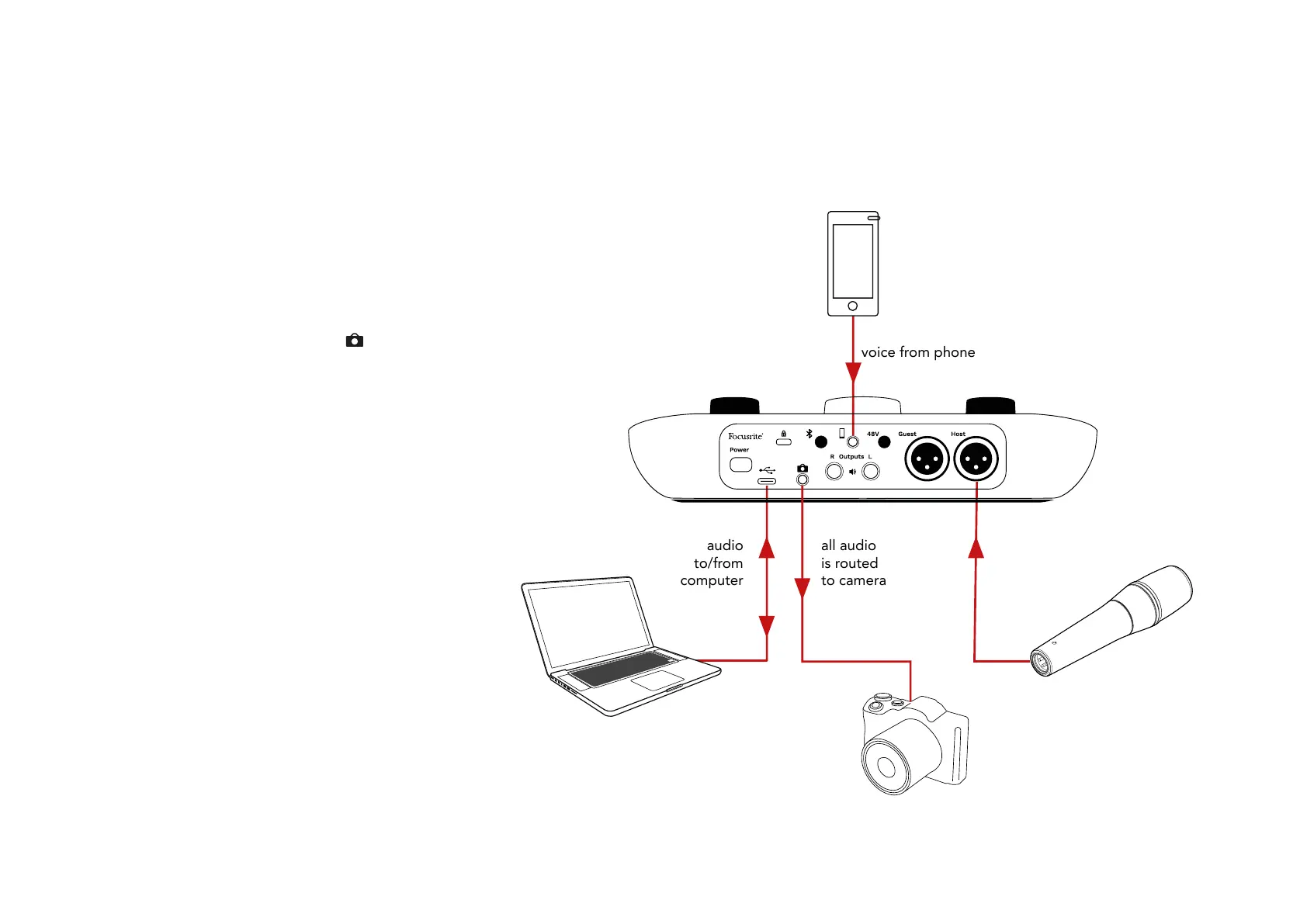
Recording to a video camera
If you are working with video, you may want
to record your audio into a video camera.
Vocaster Two has a dedicated output
connector for this purpose, the 3.5 mm TRS
jack socket on the rear panel marked
You can connect this output to the audio/
mic input on your camera using a 3.5mm
jack-to-jack cable.
If your camera input uses a different
connector, use a suitable adaptor cable.
Ensure you select your camera’s external
audio source rather than its internal
microphone.
The camera output carries the same mix as
the USB recording output, and what you
hear in your speakers and headphones.
You can set the mix and levels going to the
camera using the sliders in Vocaster Hub’s
mixer.
voice from phone
all audio
is routed
to camera
audio
to/from
computer
EXAMPLES OF USE












 To Next Page