10 01134592 – REF20/25 LB, PH, BB
Alarm or Alert Notications
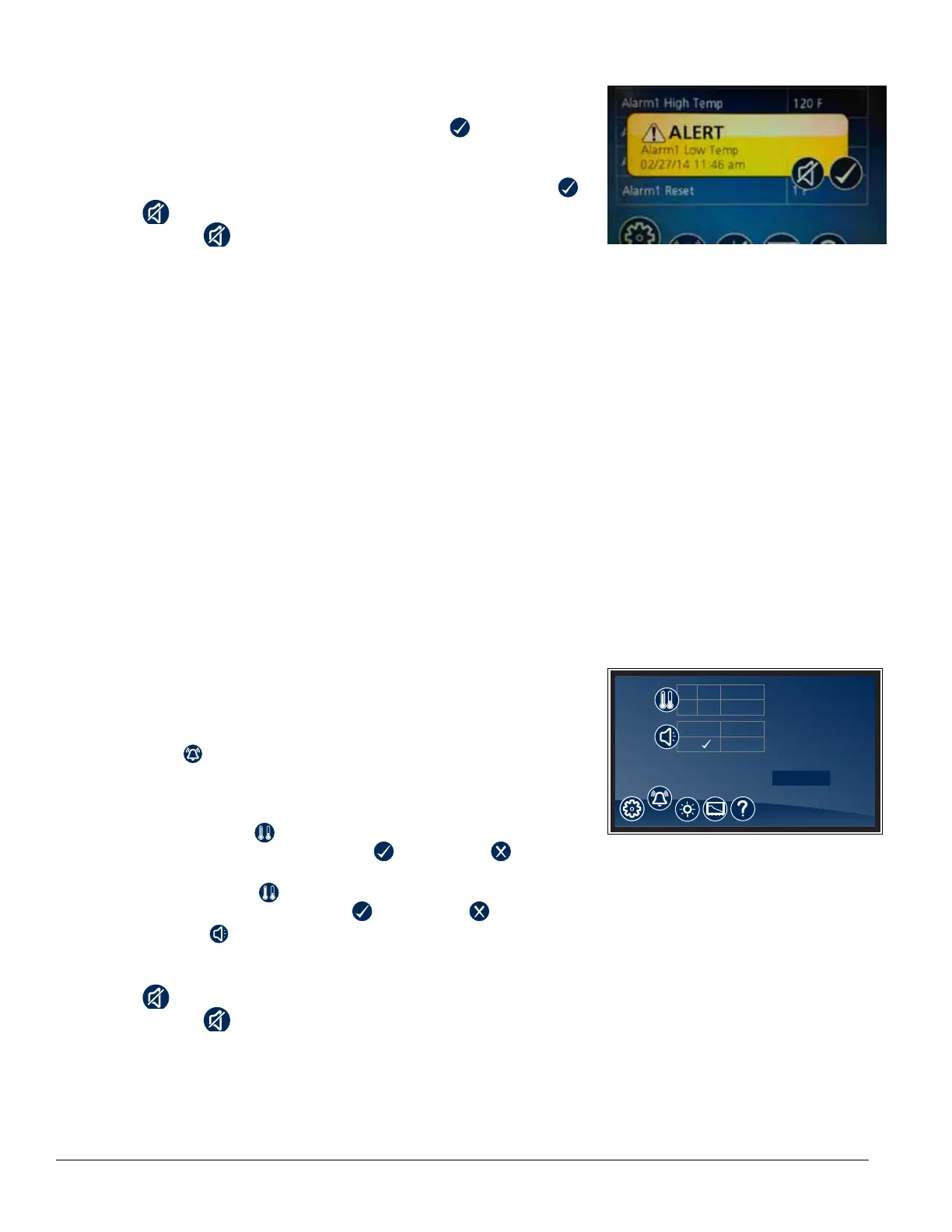
§ If an alarm or event condition is detected and an alarm is engaged,
an alert notication will appear in the left center of the screen with an
explanation of the alert condition and a checkbox at the bottom
right of the alert box.
§ No further action can be taken on the User Interface until the alert
condition is acknowledged and cleared by touching the checkbox .
§ Mute
– Touch the
icon to mute audible alarm for 15 minutes.
Door Switch
§ This unit is equipped with a door switch that is located in the façade,
and a magnet located on the top of the door. With the door closed, the
switch reads closed. When the door is opened, the switch contacts open
and turn on the LED lights.
Door Alarm
§ This unit is equipped with a door ajar alarm that is factory set for 1
minute. In the event the door switch reads open for longer than 60
seconds (default) an audible and visual alarm will occur. The alarm will
clear when the door is closed. The door alarm activation time can be
changed from 0-600 seconds in the Advanced Settings Menu under
Door Open Alarm Delay.
Power Alarm
§ This unit is equipped with a Power Alarm that will sound if the unit loses
power for more than ve minutes. The Power Loss Alarm box will display
every ve minutes, then the screen will sleep. An audible alarm will
sound every 30 seconds during the power failure. An alarm box will be
displayed when power is restored. The event log will record the exact
time and date of the power loss and when the power was restored.
Fig. 15
Start-up alarm delay
This unit has a 120 minute time delay between when the unit is energized to
when the temperature alarms become active. This delay can be changed in
parameters in the controller under Alarm Startup Delay.
Setting Alarms
§ Alarming Settings control the conditions and timing of event and alarm
conditions that result in audible and/or visual alerts.
§ To change the high alarm set point, touch the number displayed in the
box to the right of the icon and use the keypad or UP and DOWN
arrows to select an alarm value. Press to accept or to cancel.
§ To change the low alarm set point, touch the number displayed in the
box to the right of the icon and use the keypad or UP and DOWN
arrows to select alarm value. Press to accept or to cancel.
§ Audible Alarm
– Toggle between ON and OFF to engage and disengage the audible
alarm function.
§ Mute
– Touch the
icon to mute audible alarm for 15 minutes.
Fig. 16
HIGH
LOW
41.5 F
35.1 F
(1 - 10)
ON
3
OFF
Advanced Settings




 To Next Page