AUTO REFILL CONTROL (ARC) OPTION cont...
QUESTIONS ? Help Hotline: 1-800-893-6723
W.25
File: T4\NEW O&M 2007\W25 WIZ NEW PR328 ARC TRANSFER.tcw
Set your transfer begin (empty tank) and end (full tank) values in SETUP Menu "10 AUTO REFILL,
Page W.2.204.
SET TRANSFER ON & OFF VALUES
Even though the Wizard 4000 is a highly stabile and sophisticated device, a secondary form of tank
overfill protection is always recommended. EXAMPLE : A high level switch mounted in the tank or a
sealed day tank with vent line routed back into bulk tank.
OVERFILL PROTECTION
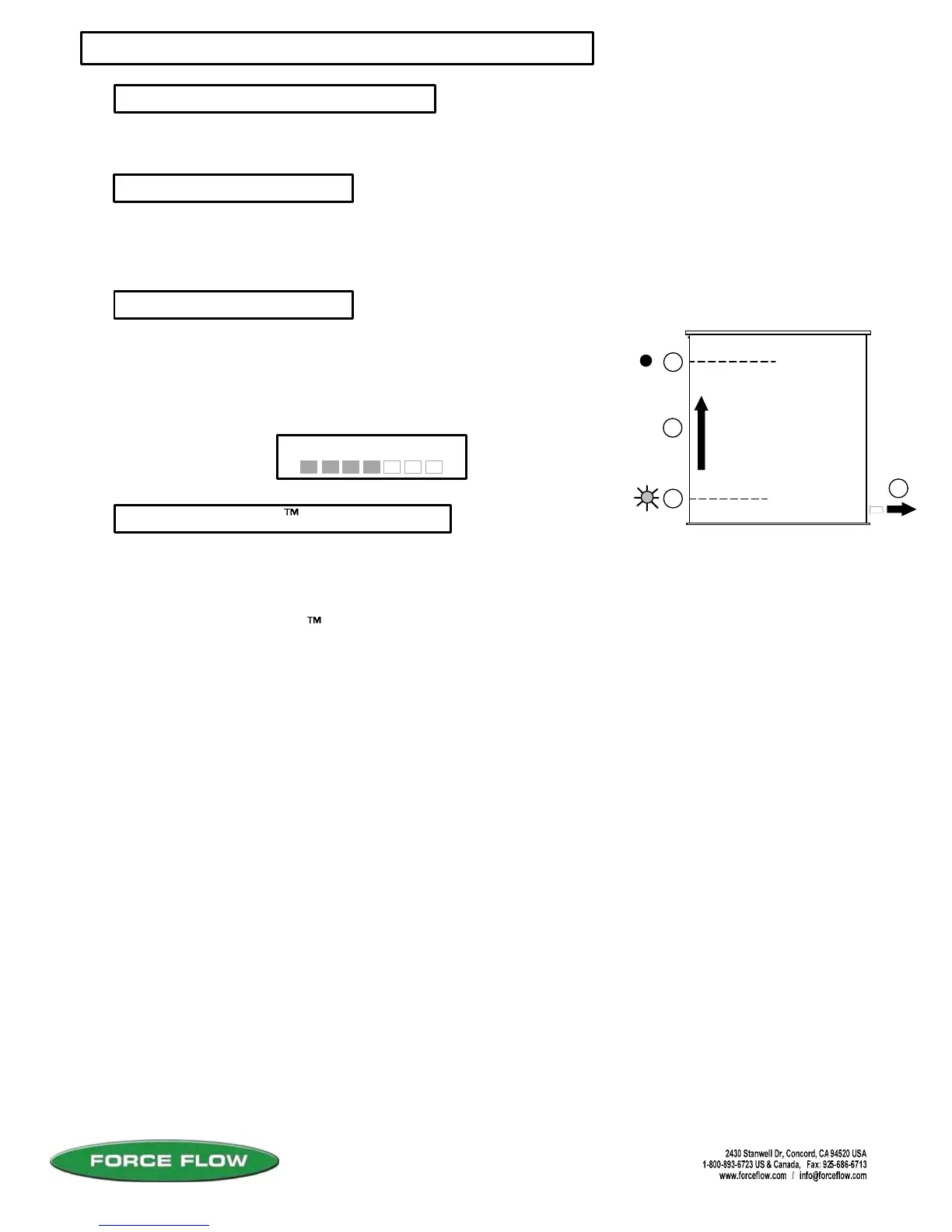
1. Tank feeds down to refill start value.
2. Relay closes and refill event begins.
3. Chemical continues to be fed during refill process.
4. Tank level reaches refill stop value and relay opens.
5. During refill, Wizard displays "ARC" (instead of "NET").
NORMAL ARC CYCLE
In order to keep DALY (24 hr), USED (cumulative) and FEED RATE values correct, the Wizard
4000 must lock these values out during the refill event. If you feed during the refill process, the
amount fed during refill will not be reflected in DALY or USED.
PAUSE & PROJECT logic allows an estimated amount of chemical fed during the refill process to
be added into the DALY and USED values.
PAUSE & PROJECT (Patent Pending)
Pause & Project can be turned on in SETUP Menu "7 SYSTEM TIME BASE".
Pause & Project works by sampling the feed rate value at the moment before the refill event begins.
The length of the refill event is then timed and based on that time and the feed rate, a calculated
amount of chemical fed during the refill process is added to the DALY USED and AMOUNT USED.
The accuracy of this feature depends on the accuracy of the displayed FEED RATE value. To
optimize the accuracy of the feed rate function, the update period can be adjusted (Setup Menu
"7 SYSTEM TIME BASE"). The update period is factory set to 2 hrs. That means once every two
hours, the loss in weight or volume during that 2 hr. period is recorded and based on that value, the
daily or hourly feed rate is calculated and the displayed feed rate value is updated.
The update period can be set from 24 hours down to 1 minute. The shorter the update period,
the more "real-time" the displayed feed rate will be. Trial and error will indicate just how short of
an update period your application will allow. If your feed rates are high, you will likely be able to
use a small update period successfully. We suggest you decrease the update period until the
displayed feed rate begins showing obvious errors, and then increase it until feed rate stabilizes.
IMPORTANT: After changing the update period the Wizard 4000 initially may take up to 2 times
the new update period before the displayed feed rate actually shows you a realistic value.
LIGHT ON
LIGHT OFF
1
2
4
3
STOP VALUE
START VALUE
#1 ARC 435.6 LB
E F
EXAMPLE:



 To Next Page