Forcepoint Next Generation Firewall Hardware Guide | Models 330, 331, 335, 335W
9
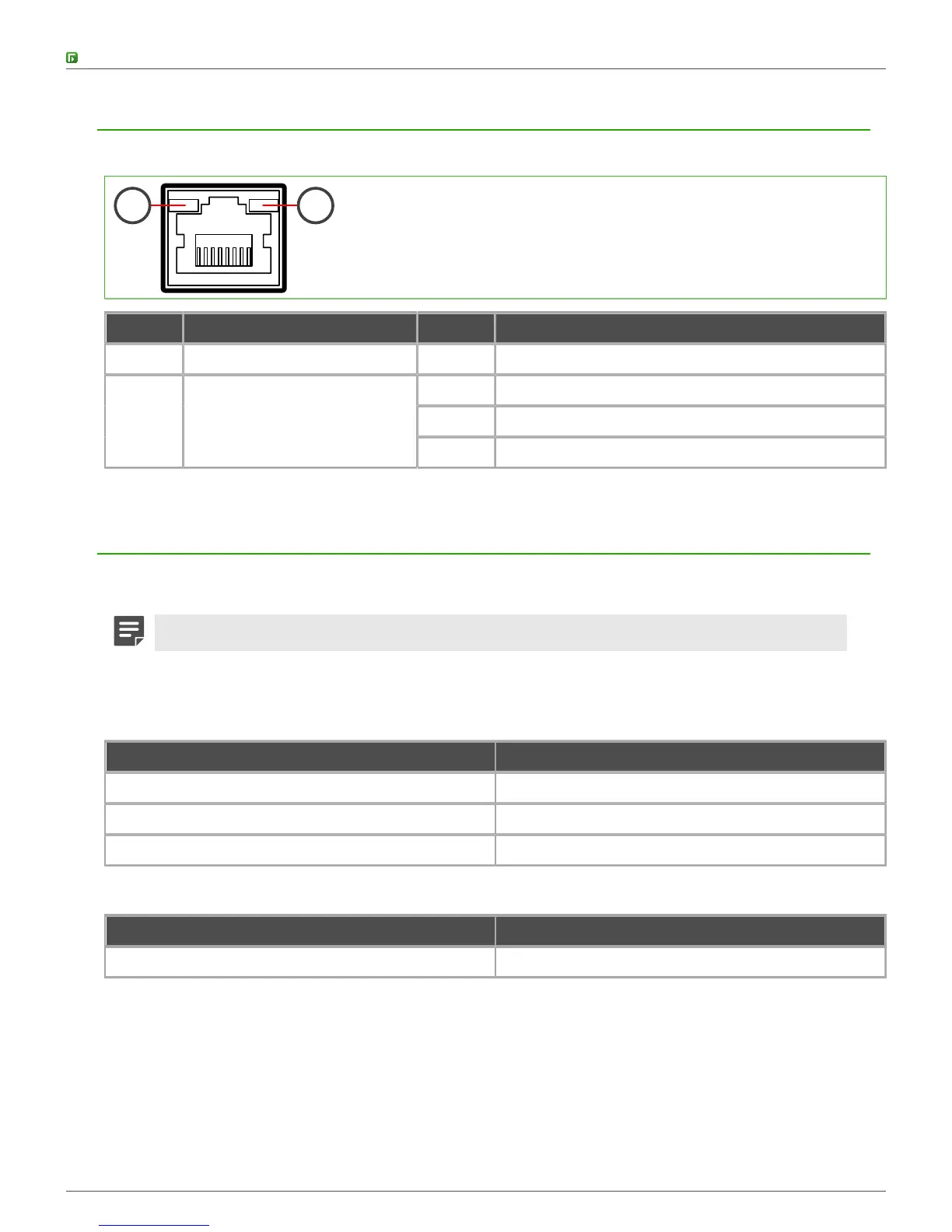
Ethernet port indicators
Ethernet port indicators show the status and speed of the network ports.
1 2
Number Indicator Status Description
1 Activity/link indicator Green Link OK. Flashes on activity.
Unlit 10 Mbps link.
Amber 100 Mbps link.
2 Link speed indicator
Green 1 Gbps link.
Supported interface modules
Model 335 and 335W Forcepoint NGFW appliances support copper and small form-factor pluggable (SFP)
modules.
Note: Do not remove any stickers from modules — they contain important information.
For a list of all available interface modules and compatibility information, see Knowledge Base article 10245.
Table 1: Copper modules
Module Identifier
2 port gigabit Ethernet bypass mini module MMGE2B
4 port gigabit Ethernet mini module MMGE4
4 port Fast Ethernet Switch mini module MMFESW4
Table 2: SFP modules
Module Identifier
1 port gigabit Ethernet SFP mini module MMGESFP



 To Next Page