Features
161
%
*
[FV15425(ALL)05/95] Remote Entry System (If equipped)
*
[FV15500( X)02/95]
If your vehicle has the remote entry system, you can lock or
unlock the vehicle doors and liftgate without using a key. The
remote also has a personal alarm feature. The buttons for the
system are located on the two hand held transmitters that came
with your vehicle.
*
[FV15600( X)06/95]
The system will work with up to four transmitters. Your vehicle
came with two transmitters. Additional transmitters can be
ordered from your dealer.
*
[FV15700(ALL)02/95]
The remote entry features only operate with the ignition in the
OFF position.
[FV15800(ALL)04/94]
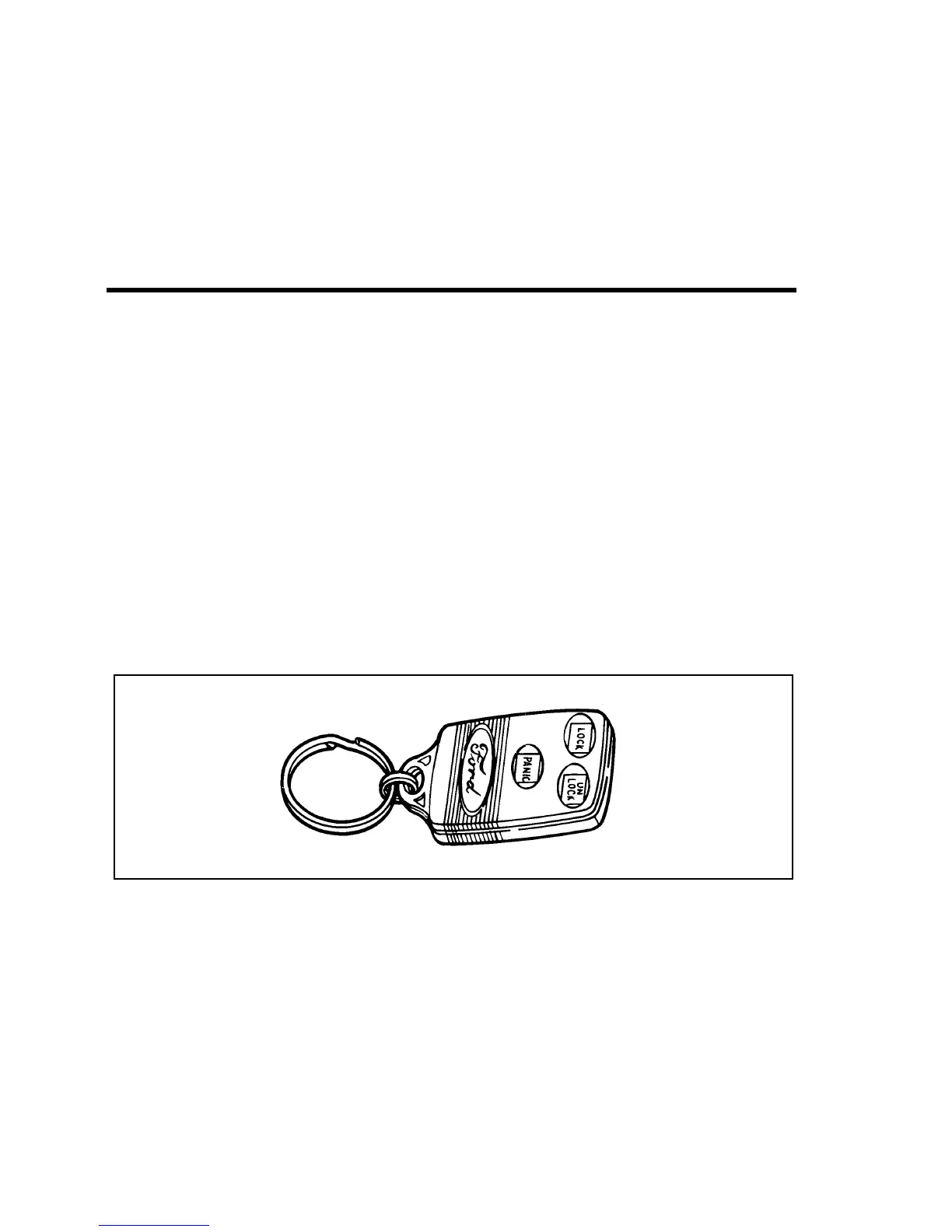
7-1/2 pica art:0021159-A
The remote entry transmitter
%
*
[FV15901(ALL)02/95]
Unlocking the doors with the remote entry system
*
[FV16001(ALL)02/95]
To unlock the driver’s door, press the UNLOCK button.
*
[FV16201( X)02/95]
To unlock the other doors and liftgate, press the UNLOCK
button a second time, within five seconds after the first
UNLOCK.
*
[FV16300(ALL)02/95]
Locking the doors with the remote entry system
*
[FV16450( X)02/95]
To lock all the doors and liftgate, press the LOCK button. This
will also arm the factory installed Anti-Theft system.
[FV16490( X)02/95]
If you would like a signal that the doors are being locked, press
the LOCK button again within five seconds. If all doors, liftgate
File:08unfvx.ex
Update:Thu Feb 29 13:56:40 1996





 To Next Page