Electronic Sound Systems
211
*
[AS02700( X)08/95] 1. Select a band, then select a frequency.
*
[AS02800( X)01/95] 2. Press one of the memory buttons and hold until the sound
returns and the lamp above the memory button lights up.
That memory button is now set.
*
[AS02900( X)01/95] 3. Follow the above steps for each memory preset button.
*
[AS03000( X)01/95]
Using the Automatic Memory Store feature
(“AUTOSET”)
*
[AS03100( X)01/95]
If the memory buttons have been set, either by using the Auto
Memory Load feature or if you have set them manually, the
system is prepared to let you use a convenient feature called
Automatic Memory Store.
*
[AS03200( X)01/95]
With Auto Memory Store, you can continually set strong
stations into your memory buttons without losing your
originally set stations. Your radio will automatically set your
memory buttons to the strong local stations.
*
[AS03300( X)01/95]
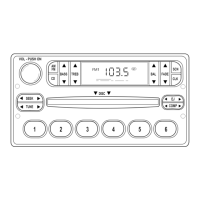
Activate Auto Memory Store by pushing the “AUTOSET”
button once. Your radio will set the first six strong stations of
the band you are in (AM, FM1 or FM2) into the memory
buttons. The display will flash “AUTO” and display the autoset
icon “A” while the stations are being set in the memory
buttons.
*
[AS03400( X)07/95]
NOTE: If there are less than six strong stations in the
frequency band, the remaining unfilled buttons will
store the last strong station detected on the band.
After all stations have been filled, the radio will begin
playing the station stored on memory button 1.
*
[AS03500( X)01/95]
To deactivate the Auto Memory Store mode and return to the
manually-set memory button stations, simply push the
“AUTOSET” button. Display will show “AUTO” then “OFF”.
The next time Auto Memory Store is activated on that band, the
radio will store the next set of six strong stations.
File:09unasx.ex
Update:Thu Feb 29 09:08:53 1996










 To Next Page