Electronic Sound Systems
229
*
[AS29680(ALL)08/95]
■ Loose labels on cassette tapes can become lodged in the
mechanism. Remove any loose label material before inserting
cassette.
*
[AS29685(ALL)08/95]
■ Do not leave a tape in the cassette tape player. High heat in
the vehicle can cause the cassette to warp.
%
*
[AS29690(ALL)08/95]
Clock Operation
*
[AS29695(ALL)08/95]
How to view the clock mode
[AS29705(ALL)09/94]
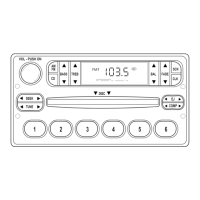
Press the “CLK” button to display time. The time will continue
to be displayed until a radio or tape function is chosen. After
approximately 10 seconds, the time will again appear in the
display. To display radio or tape information only, press the
“CLK” button a second time.
[AS29710(ALL)09/95]
NOTE: With the ignition off, the clock will display for
approximately 5 seconds once the “CLK” button is
depressed and released.
*
[AS29715(ALL)08/95]
How to set the clock
*
[AS29720(ALL)08/95] 1. Turn the radio on.
[AS29725(ALL)04/95] 2. Press and hold the “CLK” button, press the right (
a
) side of
the “SEEK” button to increase hours. Press the left (
b
) side
of the button to decrease hours. Press the right (
a
) side of
the “TUNE” button to increase minutes. Press the left (
b
)
side of the button to decrease minutes.
*
[AS29730(ALL)09/95]
NOTE: The clock displays 12-hour time with no AM/PM
indications.
File:09unasx.ex
Update:Thu Feb 29 09:08:53 1996










 To Next Page