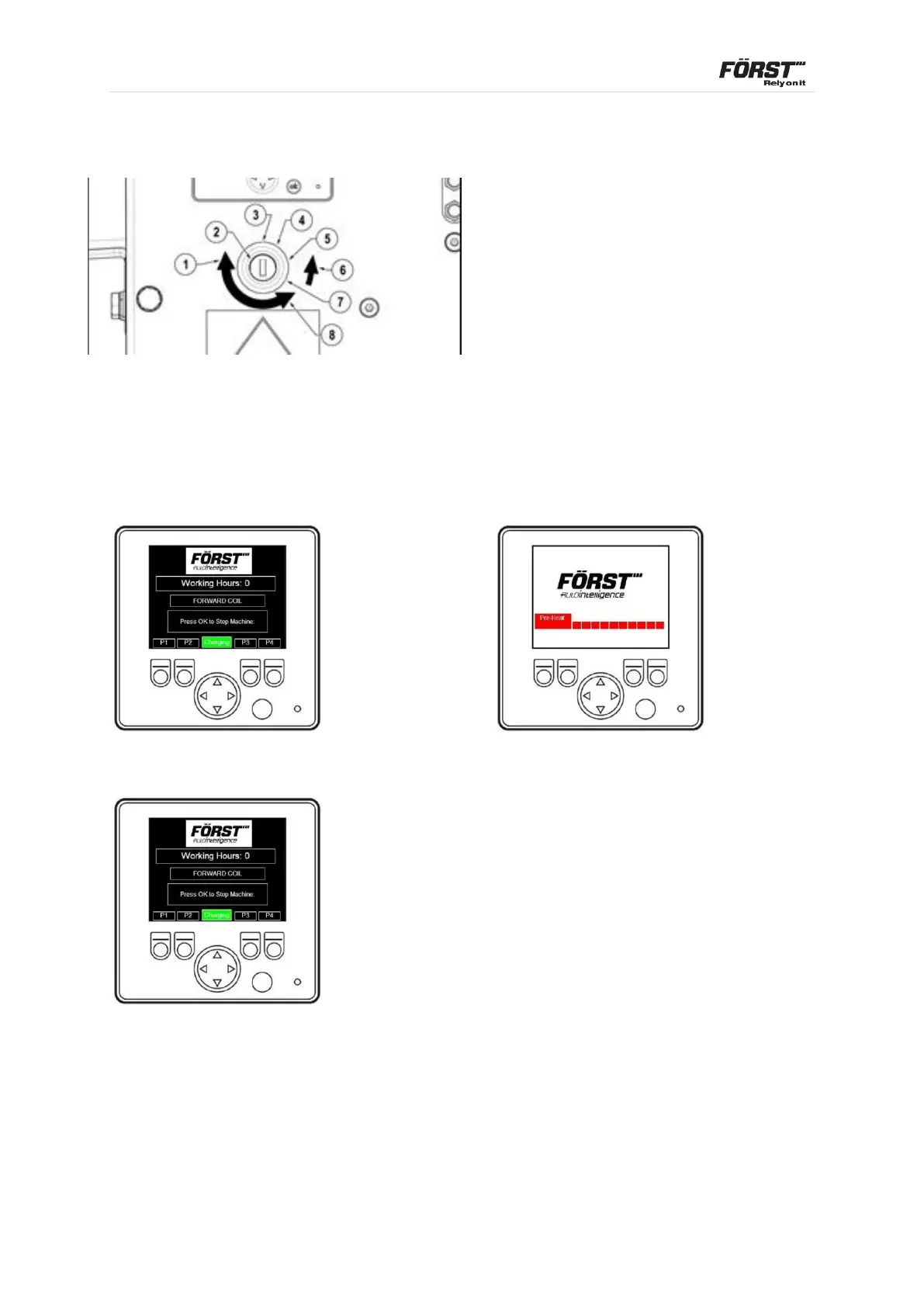
1. Key rotation in switch to start
2. Ignition switch positions & function
3. Off
4. Ignition
5. Pre-Heat
6. Spring biased to pre-heat when released
7. Start
8. Key rotation in switch to stop
Turn ignition key clockwise to first position, then to pre-heat, start display will show,
enables pre-heat automatically showing start display + pre-heat.
4.1.3 Control Panel
OR with Pre-heat
Turn ignition key fully clockwise to crank engine. Display will automatically go to P1
If engine fails to start, turn key to off position and start process again. P1 shows
Working Hours and charging indicator text at the screen bottom centre.



 To Next Page