the bit rate. By reducing the bit rate, so that the camera can obtain a better image at low bandwidth.
4.5.2 On Screen Display
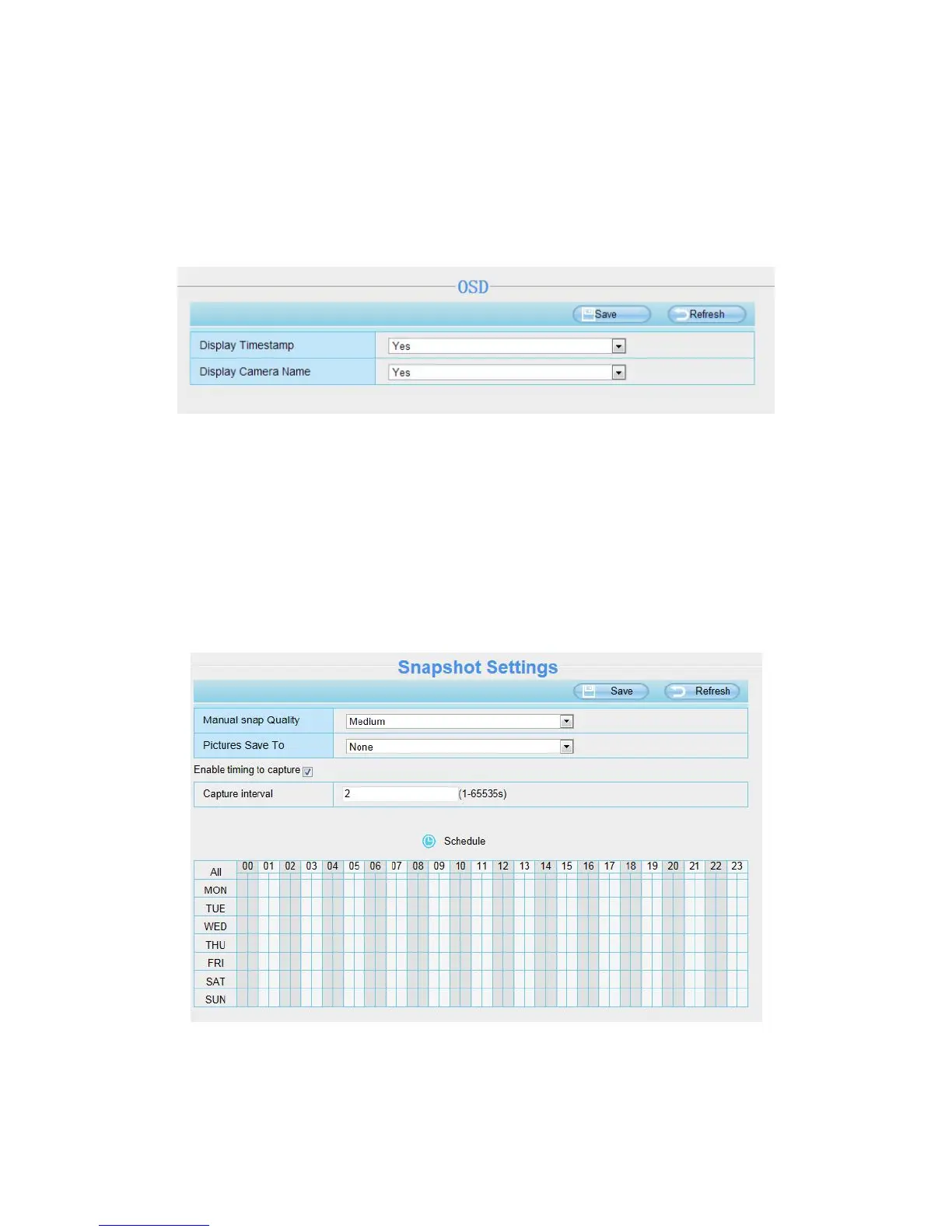
This page is used to add timestamp and device name on the video.
Display Timestamp
There are two options: Yes or NO. Select Yes and you can see the system date on the video.
Display Camera Name
There are two options: Yes or NO. Select Yes and you can see the device name on the video.
4.5.3 Snapshot Settings
On this page you can set the snapshot pictures’ image quality and the storage path.
Manual snap Quality: Low, Middle and High. The higher the quality, the picture will be clearer.
Pictures Save To: FTP or SD card. If you have done FTP and Alarm settings, when alarming, the
camera will snap pictures to the FTP or SD card automatically.



 To Next Page