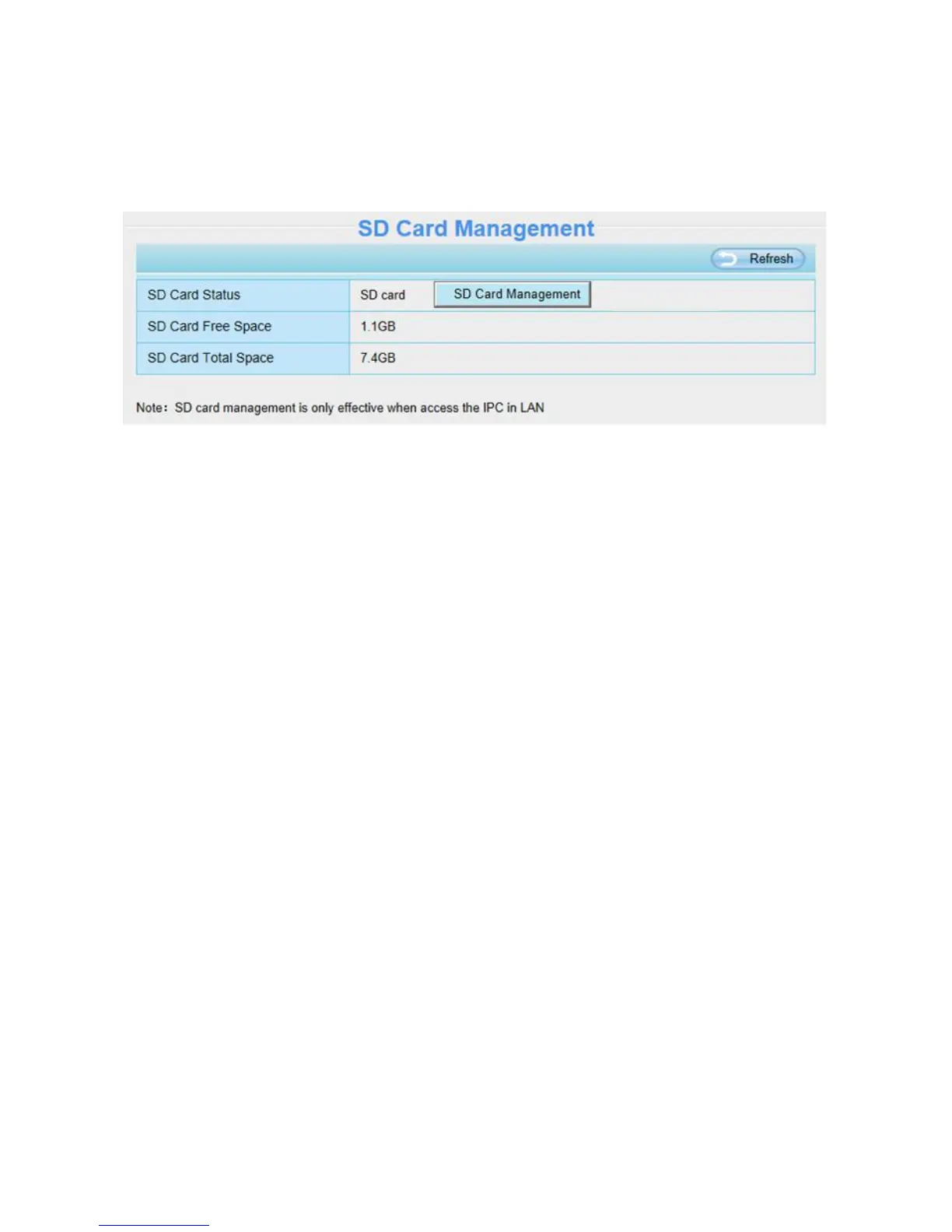
4.7.5 SD Card Management
This camera supports SD Card. When you plug in the SD card during the camera work process, please
reboot the camera again, or else the SD Card may be cannot work well.
The default storage path of alarm record files is SD card, when the available size of SD card is less than
256M, the old record files will be deleted automatically.
SD Card Management: After click the button, you should enter the username and password of the
camera. Then you can manage the recording files of the camera in the SD card. The SD card
management is only effective when access the camera in LAN.
4.8 Firewall
This section explains how to control the access permission by checking the client PC’s IP addresses. It
is composed of the following columns: Block access from these IP addresses and Only allow access
from these IP addresses.


 To Next Page