w
w
w
w
w
w
.
.
f
f
o
o
s
s
c
c
a
a
m
m
.
.
c
c
o
o
m
m
27
S
S
h
h
e
e
n
n
z
z
h
h
e
e
n
n
F
F
o
o
s
s
c
c
a
a
m
m
I
I
n
n
t
t
e
e
l
l
l
l
i
i
g
g
e
e
n
n
t
t
T
T
e
e
c
c
h
h
n
n
o
o
l
l
o
o
g
g
y
y
C
C
o
o
.
.
,
,
L
L
i
i
m
m
i
i
t
t
e
e
d
d
T
T
e
e
l
l
:
:
8
8
6
6
7
7
5
5
5
5
2
2
6
6
7
7
4
4
5
5
6
6
6
6
8
8
F
F
a
a
x
x
:
:
8
8
6
6
7
7
5
5
5
5
2
2
6
6
7
7
4
4
5
5
1
1
6
6
8
8
27
Http Port: The default Lan port is 80.You can set another port number, such as port 8005,
8100.etc.
User: Default administrator user name is admin
Password: Default administrator password is admin.
If the prompt “Subnet doesn’t match, dbclick to change!” appears, please enable DHCP set
camera’s IP address and gateway once again.
3
3
.
.
5
5
W
W
i
i
r
r
e
e
l
l
e
e
s
s
s
s
S
S
e
e
t
t
t
t
i
i
n
n
g
g
s
s
Please view how to set Wireless Settings in Quick Installation Guide.
3
3
.
.
6
6
R
R
e
e
m
m
o
o
t
t
e
e
A
A
c
c
c
c
e
e
s
s
s
s
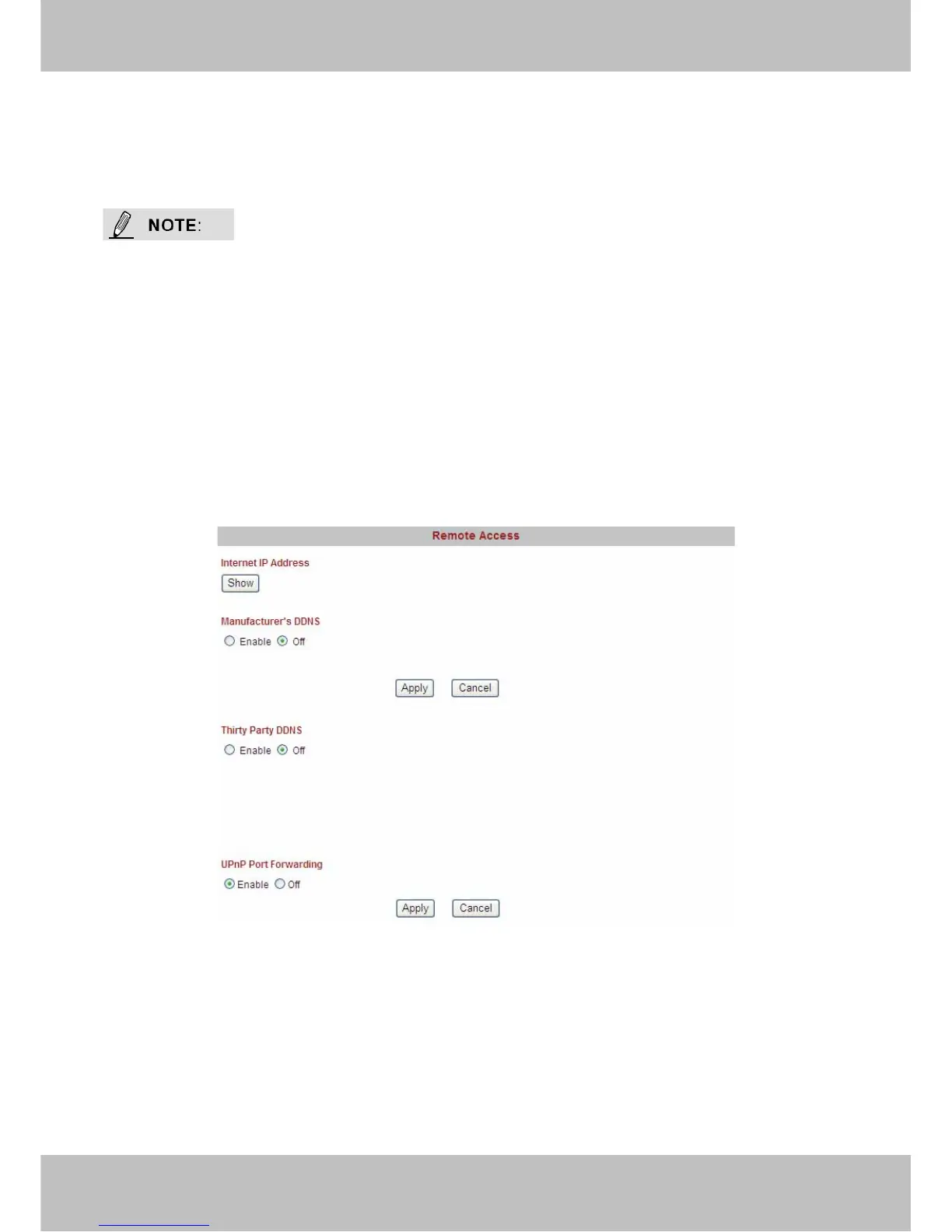
Please view how to set DDNS Settings in Quick Installation Guide.
Figure 3.17
Upnp Port Forwarding: If you select Enable, that means you allow the IPCAM to open ports on
the router automatically so that the video streams can be sent out form a LAN. To utilize of this
feature, make sure that your router supports UPNP and it is activated. Usually, we recommend
you do it manually. . (for more details: see Figure5.16 in Appendix)
Please click Apply after filling in all the information.



 To Next Page