w
w
w
w
w
w
.
.
f
f
o
o
s
s
c
c
a
a
m
m
.
.
c
c
o
o
m
m
33
S
S
h
h
e
e
n
n
z
z
h
h
e
e
n
n
F
F
o
o
s
s
c
c
a
a
m
m
I
I
n
n
t
t
e
e
l
l
l
l
i
i
g
g
e
e
n
n
t
t
T
T
e
e
c
c
h
h
n
n
o
o
l
l
o
o
g
g
y
y
C
C
o
o
.
.
,
,
L
L
i
i
m
m
i
i
t
t
e
e
d
d
T
T
e
e
l
l
:
:
8
8
6
6
7
7
5
5
5
5
2
2
6
6
7
7
4
4
5
5
6
6
6
6
8
8
F
F
a
a
x
x
:
:
8
8
6
6
7
7
5
5
5
5
2
2
6
6
7
7
4
4
5
5
1
1
6
6
8
8
33
1 If you select QVGA as the resolution, the camera cannot alarm anytime even when there is
something moving.
2 If you add the date&time to the video,don’t put the detection window on the time area or else
the camera will alarm when the time change.
3 If you have not set the motion detection area,the camera will not alarm at any time.
4 Firefox, Google chrome and Safari doesn’t have this function because the activex doesn’t
support it.
5 Right click on the screen, there are two graphic display modes: Direct Draw and GDI. Under
the GDI mode, you cannot see the four detection regions when you select the window1/window2/
window3/ window4.
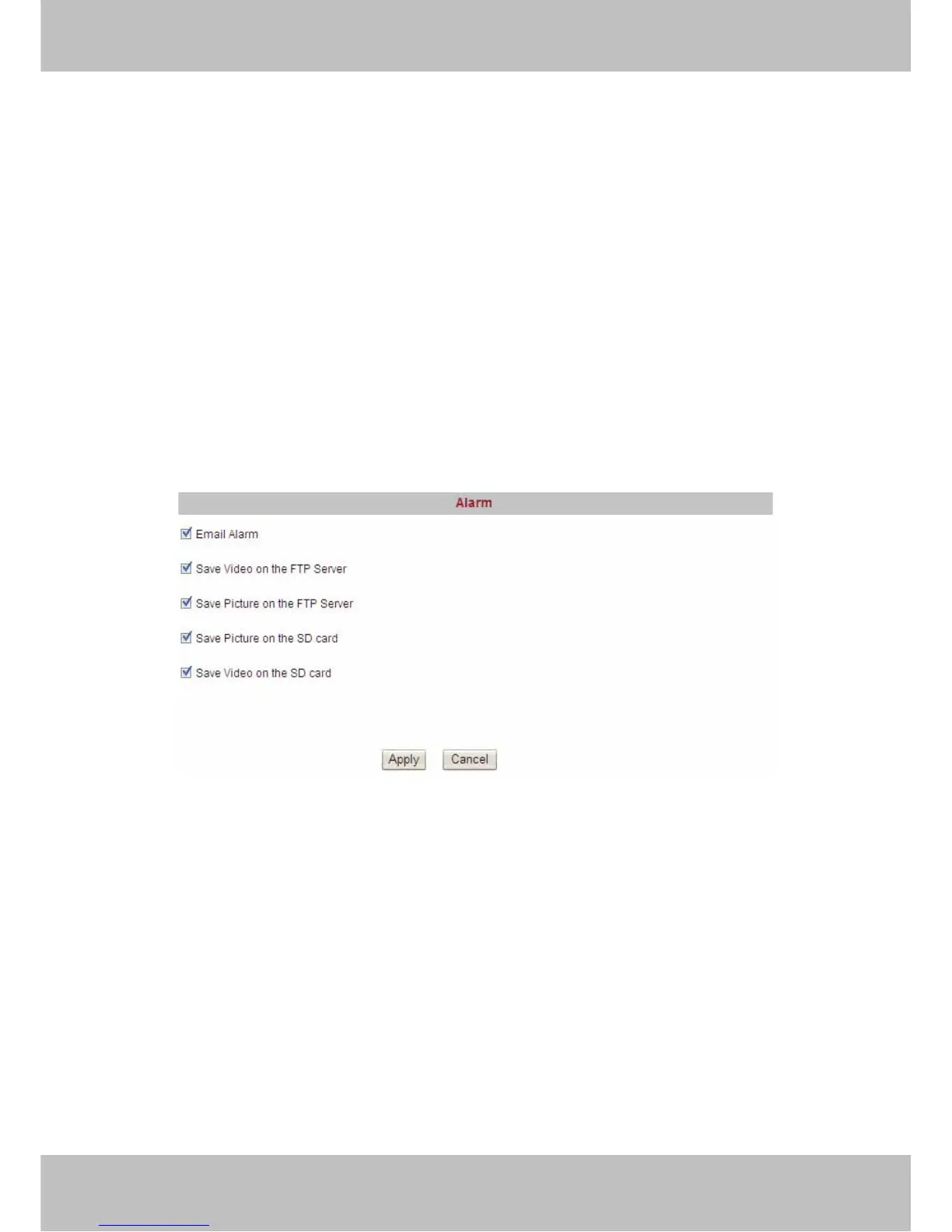
3.11 Alarm
Set alarm and It will send email or upload images when motion has been detected.
Figure 3.27
Email Alarm: Select it and camera will send emails when motion is activated. Make sure you
have set Email Settings first.
Save Video on the FTP Server: To upload videos to an FTP server when motion is detected.
The camera must have plugged SD card,or else you cannot save videos to FTP server because
the camera will save videos to SD card first and then the videos on the SD card will be loaded up
to FTP server.
Save Picture on the FTP Server: To upload pictures to FTP server when motion is detected.
Save Picture on the SD Card: Save pictures on the SD card when motion is detected. Make
sure the camera has plugged in the SD card.
Save Video on the SD card: Save videos on the SD card when motion is detected. Make sure
the camera has plugged in the SD card.
Click Apply after settings.



 To Next Page