w
w
w
w
w
w
.
.
f
f
o
o
s
s
c
c
a
a
m
m
.
.
c
c
o
o
m
m
53
S
S
h
h
e
e
n
n
z
z
h
h
e
e
n
n
F
F
o
o
s
s
c
c
a
a
m
m
I
I
n
n
t
t
e
e
l
l
l
l
i
i
g
g
e
e
n
n
t
t
T
T
e
e
c
c
h
h
n
n
o
o
l
l
o
o
g
g
y
y
C
C
o
o
.
.
,
,
L
L
i
i
m
m
i
i
t
t
e
e
d
d
T
T
e
e
l
l
:
:
8
8
6
6
7
7
5
5
5
5
2
2
6
6
7
7
4
4
5
5
6
6
6
6
8
8
F
F
a
a
x
x
:
:
8
8
6
6
7
7
5
5
5
5
2
2
6
6
7
7
4
4
5
5
1
1
6
6
8
8
53
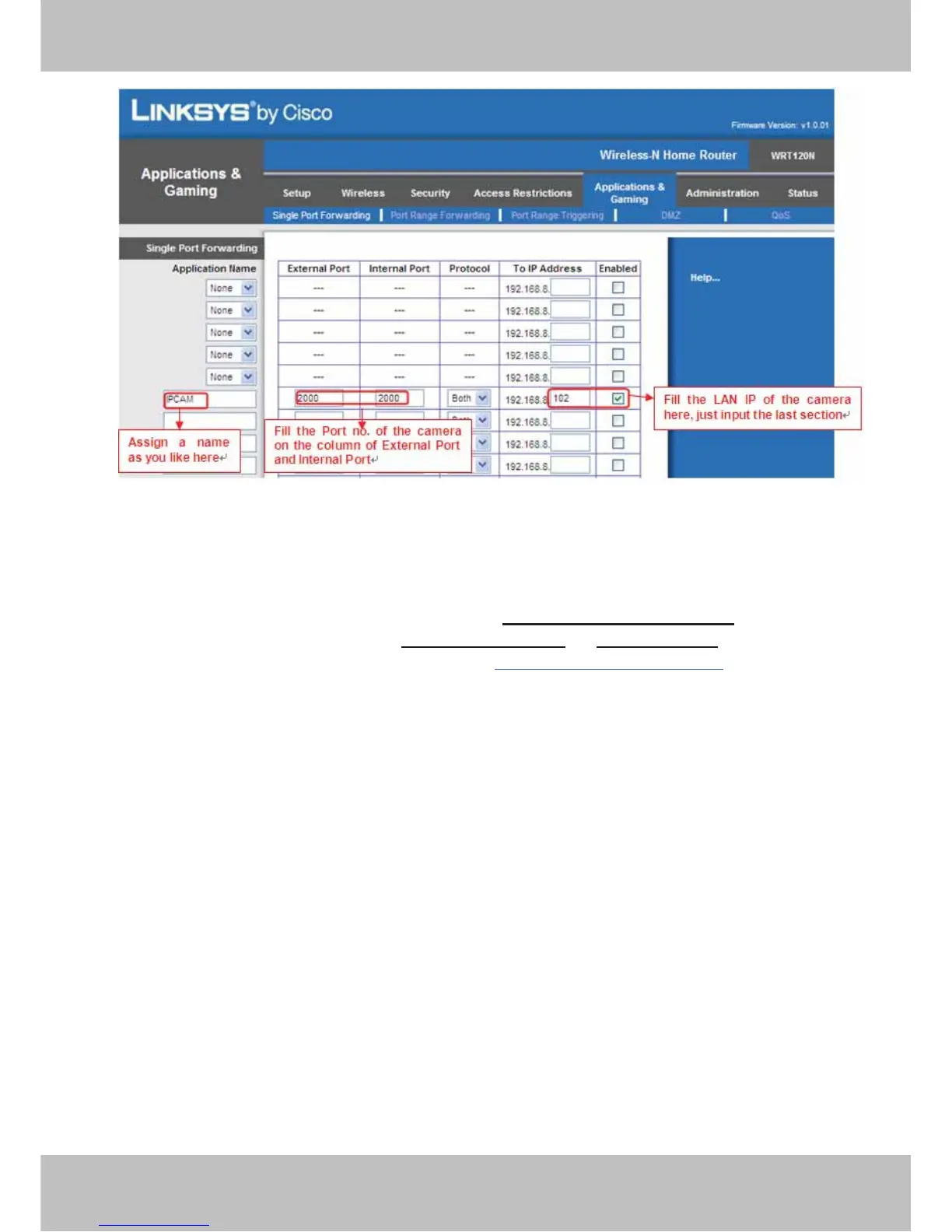
Figure 5.16 Port Forwarding
ʳ
ĹUse domain name to access the camera via internet
After the port forwarding is finished, you can use the domain name+ http no. to access the
camera via internet. Take hostname ycxgwp.no-ip.info
and http no. 2000for example, the
accessing link of the camera via internet would be http:// ycxgwp.no-ip.info:2000
5.3 Default Parameters
Default network Parameters
IP address: obtain dynamically
Subnet mask: obtain dynamically
Gateway: obtain dynamically
DDNS: Embedded FOSCAM domain name
Username and password
Default admin username: admin Default password: admin
Default user username: user Default password: user
Default guest username: guest Default password: guest



 To Next Page