w
w
w
w
w
w
.
.
f
f
o
o
s
s
c
c
a
a
m
m
.
.
c
c
o
o
m
m
41
S
S
h
h
e
e
n
n
z
z
h
h
e
e
n
n
F
F
o
o
s
s
c
c
a
a
m
m
I
I
n
n
t
t
e
e
l
l
l
l
i
i
g
g
e
e
n
n
t
t
T
T
e
e
c
c
h
h
n
n
o
o
l
l
o
o
g
g
y
y
C
C
o
o
.
.
,
,
L
L
i
i
m
m
i
i
t
t
e
e
d
d
T
T
e
e
l
l
:
:
8
8
6
6
7
7
5
5
5
5
2
2
6
6
7
7
4
4
5
5
6
6
6
6
8
8
F
F
a
a
x
x
:
:
8
8
6
6
7
7
5
5
5
5
2
2
6
6
7
7
4
4
5
5
1
1
6
6
8
8
41
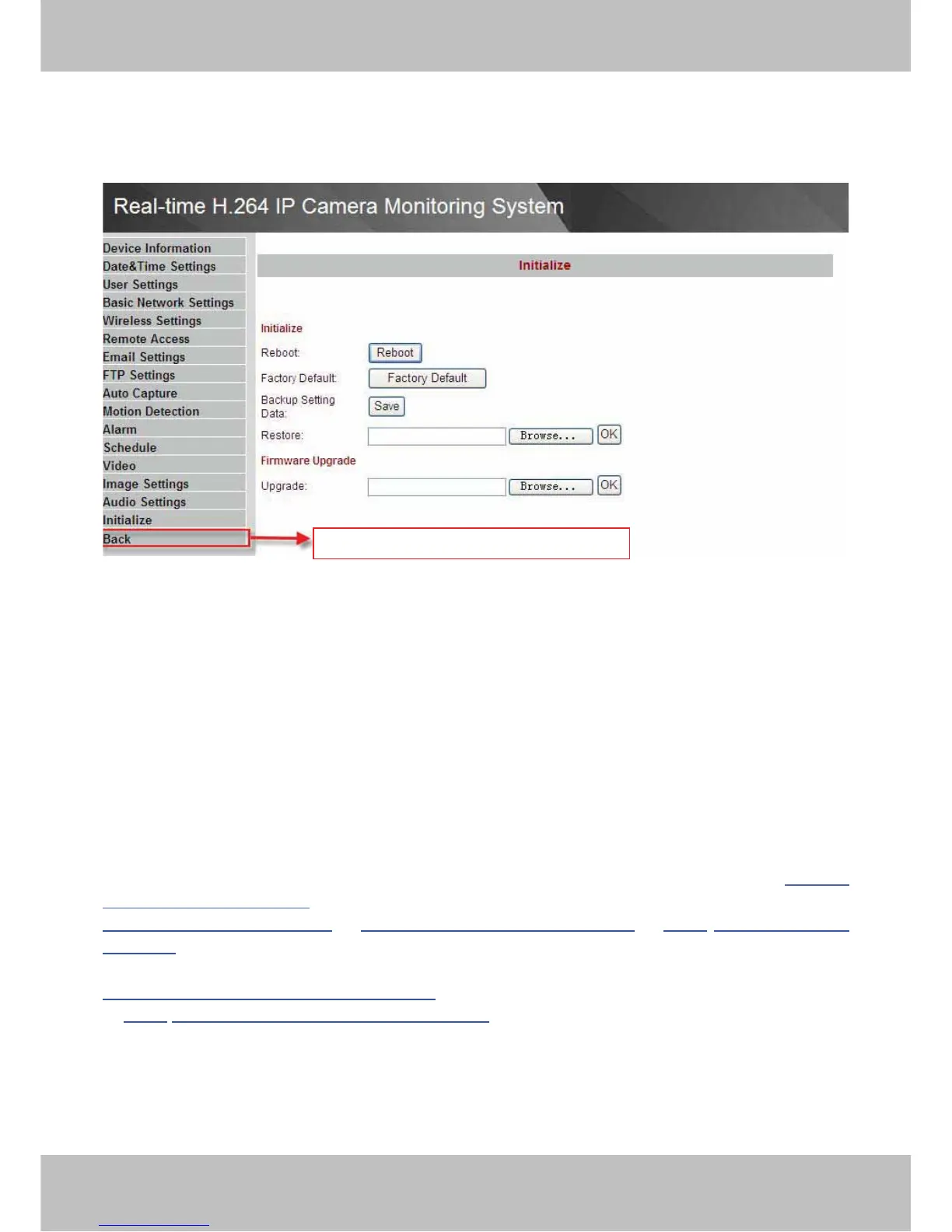
3.17 Back
This will take you back to the video window.
Figure 3.36
4
4
O
O
t
t
h
h
e
e
r
r
S
S
e
e
t
t
t
t
i
i
n
n
g
g
s
s
If the camera has been linked to Internet, set the parameters of the camera and router. Make
sure the camera can be accessed by domain name and WAN IP.
For example, the WAN IP is183.37.54.137, the domain name is ycxgwp.no-ip.info. Then open
the mobile IE, enter the following URL, you can login the camera. http://
183.37.54.137/mobile.html or
http://183.37.54.137/wap.wml
or http://ycxgwp.no-ip.info/mobile.html or http:// ycxgwp.no-ip.info
/wap.wml
.
If the HTTP port num isn’t 80, you should add the port num to the URL:
http://183.37.54.137˖portnum/mobile.html
or http://
ycxgwp.no-ip.info˖port num/mobile.html
Back to surveillance window



 To Next Page