w
w
w
w
w
w
.
.
f
f
o
o
s
s
c
c
a
a
m
m
.
.
c
c
o
o
m
m
40
S
S
h
h
e
e
n
n
z
z
h
h
e
e
n
n
F
F
o
o
s
s
c
c
a
a
m
m
I
I
n
n
t
t
e
e
l
l
l
l
i
i
g
g
e
e
n
n
t
t
T
T
e
e
c
c
h
h
n
n
o
o
l
l
o
o
g
g
y
y
C
C
o
o
.
.
,
,
L
L
i
i
m
m
i
i
t
t
e
e
d
d
T
T
e
e
l
l
:
:
8
8
6
6
7
7
5
5
5
5
2
2
6
6
7
7
4
4
5
5
6
6
6
6
8
8
F
F
a
a
x
x
:
:
8
8
6
6
7
7
5
5
5
5
2
2
6
6
7
7
4
4
5
5
1
1
6
6
8
8
40
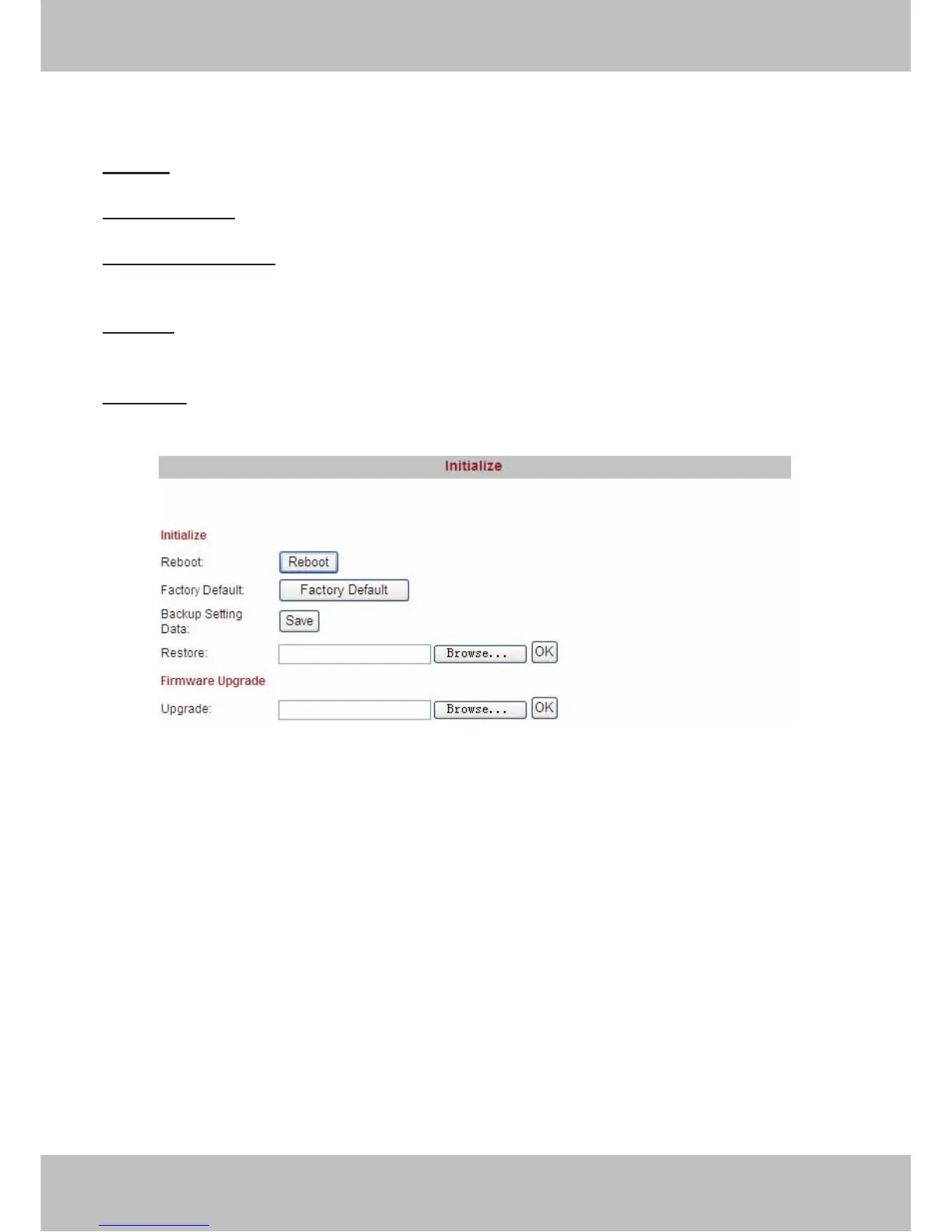
3.16 Initialize
Reboot: Click reboot, the infection is the same as plug the power and re-plug it.
Factory default:
Click it, all parameters will return to factory settings.
Backup setting data:
If you don’t want to quit all parameters that you’ve set. You can click save
and all the parameters you set will be stored as a parameters bin file.
Restore:
Click browse, choose the correct bin file and then click ok to get all parameters which
you set before.
Upgrade:
Click Browse, choose the correct bin file and then click OK to upgrade. Don’t shut
down the power during upgrade.
Figure 3.35



 To Next Page