w
w
w
w
w
w
.
.
f
f
o
o
s
s
c
c
a
a
m
m
.
.
c
c
o
o
m
m
29
S
S
h
h
e
e
n
n
z
z
h
h
e
e
n
n
F
F
o
o
s
s
c
c
a
a
m
m
I
I
n
n
t
t
e
e
l
l
l
l
i
i
g
g
e
e
n
n
t
t
T
T
e
e
c
c
h
h
n
n
o
o
l
l
o
o
g
g
y
y
C
C
o
o
.
.
,
,
L
L
i
i
m
m
i
i
t
t
e
e
d
d
T
T
e
e
l
l
:
:
8
8
6
6
7
7
5
5
5
5
2
2
6
6
7
7
4
4
5
5
6
6
6
6
8
8
F
F
a
a
x
x
:
:
8
8
6
6
7
7
5
5
5
5
2
2
6
6
7
7
4
4
5
5
1
1
6
6
8
8
29
3.8 FTP Settings
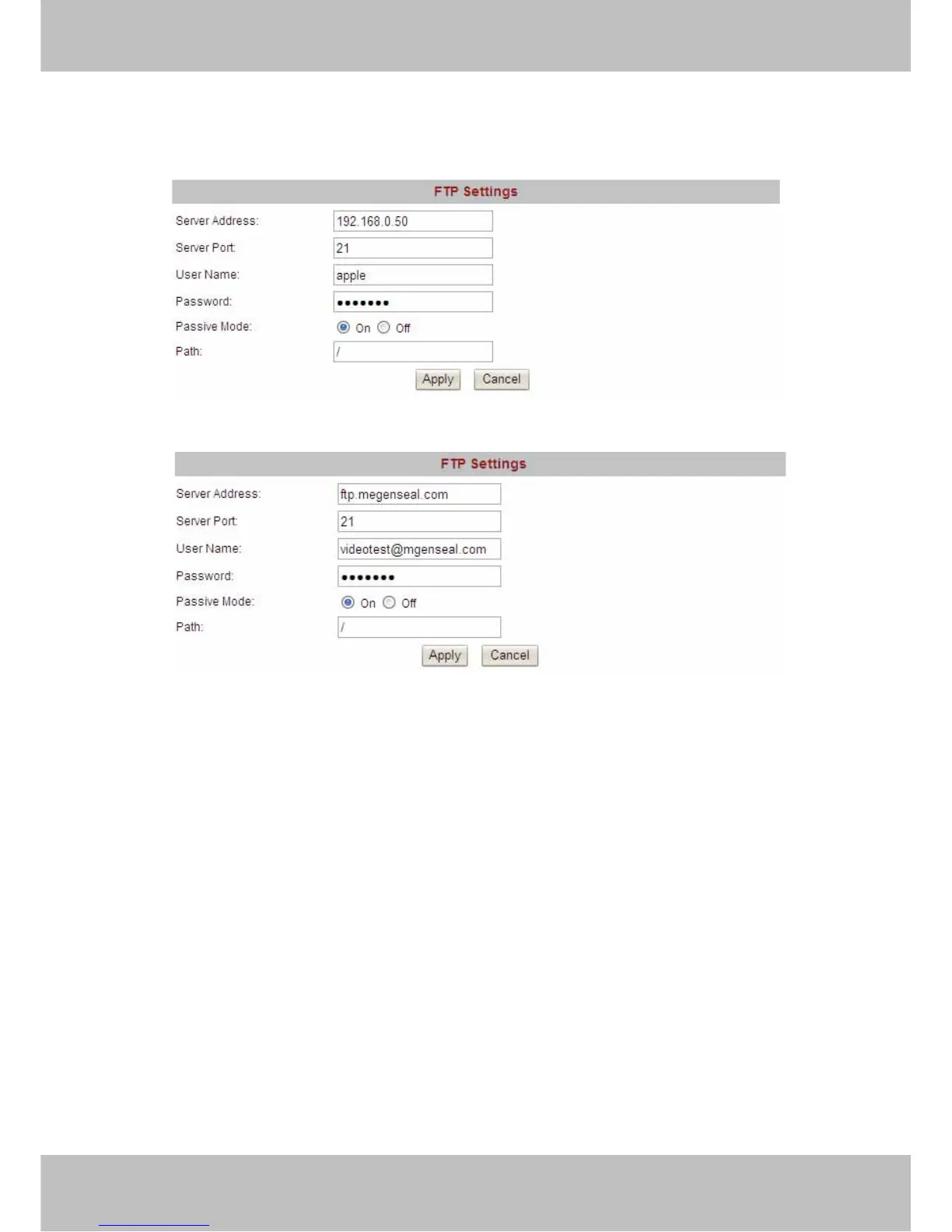
If you want to upload images to your FTP server, you can set FTP Settings.
Figure 3.19
Figure 3.20
FTP server: If your FTP server is set up in LAN, you can set as Figure 3.19
If you have a FTP server which you can access on the internet, you can set as Figure 3.20.
FTP Port: Usually the port is 21
Path: The path of FTP that you plan to store images.
If the FTP server mode is passive, choose on, or else, choose off.
Click Apply after settings
.



 To Next Page