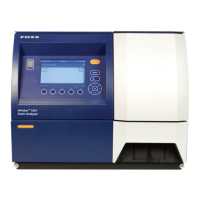
NIRS™ DA1650
User Manual 6008 1286 / Rev. 8 4:21
If the correct Address/Port number is entered and interconnection is OK, you will
get the message “Connection to FossConnect server was successful” next to tbe
button.
Fig. 4:37
Fig. 4:38
On the Reporting tab you set the paths for Manual/Automatic reports and for LIMS
export. If the NIRS DA1650 is not connected to a local network, then the
recommendation is to set these paths to point to a USB memory connected to the
instrument, allowing easy access to the reports and exported files.
Format of the reports and the frequency of the reporting is configured in
FossManager and initiated manually via the Report button in the main view of
ISIscan Nova.
On the Backup tab you set the destination path for storage of database backup. A
backup of the database can be created automatically (based on the settings in this
view) and it can be created manually in the menu Care / Maintenance (see section
4.3.5).



 To Next Page