39
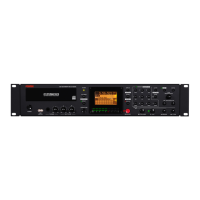
CD-R/RW MASTER RECORDER CR500 (Recording)
Chapter-5: Recording
This chapter describes how to record audio data using the CR500.
The CR500 can record audio to a BWF formatted or CD-DA formatted disc. To a BWF
formatted disc, you can record WAV audio files. You can then export files to a Windows
computer after closing the disc. To a CD-DA formatted disc, you can record audio tracks.
After finalizing a CD-DA formatted disc, you can play it back by a normal CD player or
export tracks to a Windows or Mac OS computer.
<Note>:
With a BWF formatted disc, each time you make recording, an "audio
file" is created. You can make up to 97 audio files on a disc as long as there is disc
remaining space (note that closing the disc affects the maximum number of
recordable audio files).
With a CD-DA formatted disc, each time you make recording, an "audio track" is
created. You can make up to 99 audio tracks on a disc as long as there is disc
remaining space.
Table of contents
Before starting recording ..............................................................................................40
Closing and finalizing ..........................................................................................40
Preparation for recording ..............................................................................................41
Connecting a sound source .................................................................................41
Selecting the input ...............................................................................................42
Adjusting recording levels ..................................................................................42
Recording a WAV file .......................................................................................................44
Starting recording ................................................................................................44
Stopping recording ..............................................................................................44
Checking the recorded audio file .......................................................................45
Playing back a recorded audio file .....................................................................45
Closing a disc .........................................................................................................46
Recording a CD-DA track (Creating an audio CD) ......................................................47
Starting recording ................................................................................................47
Stopping recording ..............................................................................................47
Checking the recorded audio track ...................................................................48
Playing back a recorded audio track .................................................................48
Finalizing a disc ....................................................................................................49
Selecting a song to be played back ..............................................................................50
<Method 1>: Using the [SKIP/CURSOR ] keys ......................................50
<Method 2>: Using the [MEMORY/


 To Next Page