51
CD-R/RW MASTER RECORDER CR500 (Recording)
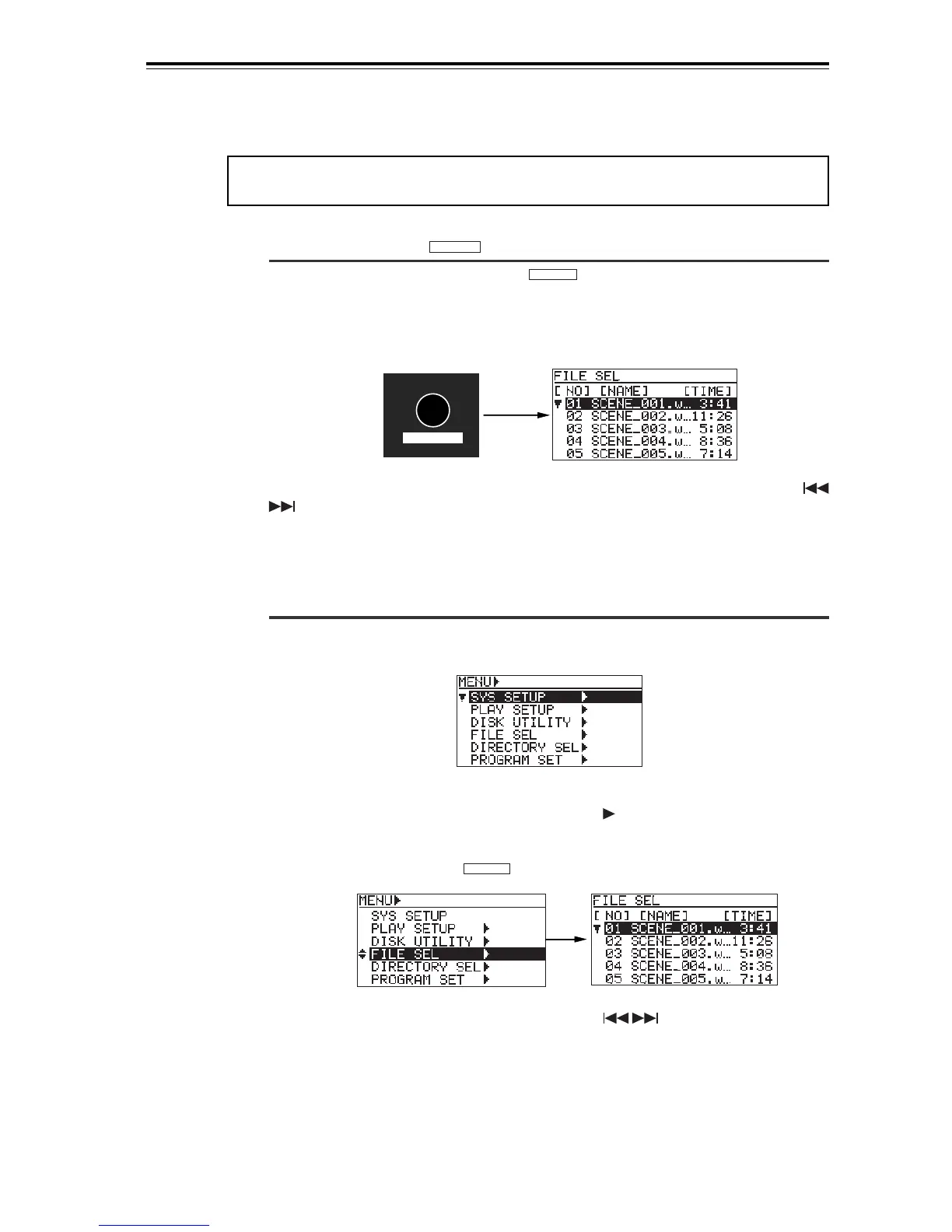
FILE SEL
DIR SEL
While the "FILE SEL" screen is shown, use the [MENU] dial (or the [SKIP/CURSOR
] keys) to select a desired song and press the [ENTER/YES] key. The display changes
to show the Home screen of the selected song and you can now play back the song.
• Go down the menu to the "FILE SEL" menu.
(1) While stopped, press the [ENTER/YES] key.
The unit enters the menu mode. The display shows the MENU list screen.
<MENU list screen>
(2) Use the [MENU] dial to highlight "FILE SEL " and press the [ENTER/YES]
key.
The display shows the "FILE SEL" screen, the same one which appears by
pressing the [FILE SEL/
DIR SEL
] key as described above.
(3) Use the [MENU] dial (or the [SKIP/CURSOR ] keys) to select a desired
song and press the [ENTER/YES] key.
The display changes to show the Home screen of the selected song and you can
now play back the song.
<Method 3>: Using the "FILE SEL" screen
You can bring up the "FILE SEL" screen by the following two methods.
• Press the [FILE SEL/
DIR SEL
] key to bring up the "FILE SEL" screen directly.
While stopped, pressing the [FILE SEL/
DIR SEL
] key brings up the "FILE SEL" screen,
on which the songs on the current disc are listed. The currently selected song is
highlighted.
(The screen example below shows the "FILE SEL" screen of a BWF formatted disc.
When a CD-DA disc is set, the "FILE SEL" screen shows the track number and record-
ing time.)
<Note>:
When you select a file from the "FILE SEL" screen, the recorder does not start
playback automatically.


 To Next Page