DMT-8 Ver 2.0 Supplement to the Owner’s Manual
21
After digital recording is complete, or during the time when you are not
performing digital recording, set the digital input L/R channels to " -" (no
assing).
If the digital input channels remain assigned to the tracks and you set the
tracks in recording mode (or in input monitoring mode), abnormal digital
signals ("DIGITAL IN" is blinking) may cause the digital signals to from loops
and oscillate internally, leading to possible damage to the external speakers.
After completing digital recording, if you wish to continue a different digital
recording session, make sure to supply correct digital signals to the DMT-8
unitl a series of digital recording sessions is finished. (Do not remove the
optical cable or turn the power to the external device during the session.)
When you are performing a new digital recording session (or input
monitoring), abnormal digital signals ("DIGITAL IN" is blinking) may cause
the digital signals to from loops and oscillate internally, leading to possible
damage to the external speakers.
It is prohibited by law to record and use any piece of music for which
copyright is possessed by a third party for commercial purpose - such as
contents, broadcasting, and sales - any purpose other than for your personal
pleasure.
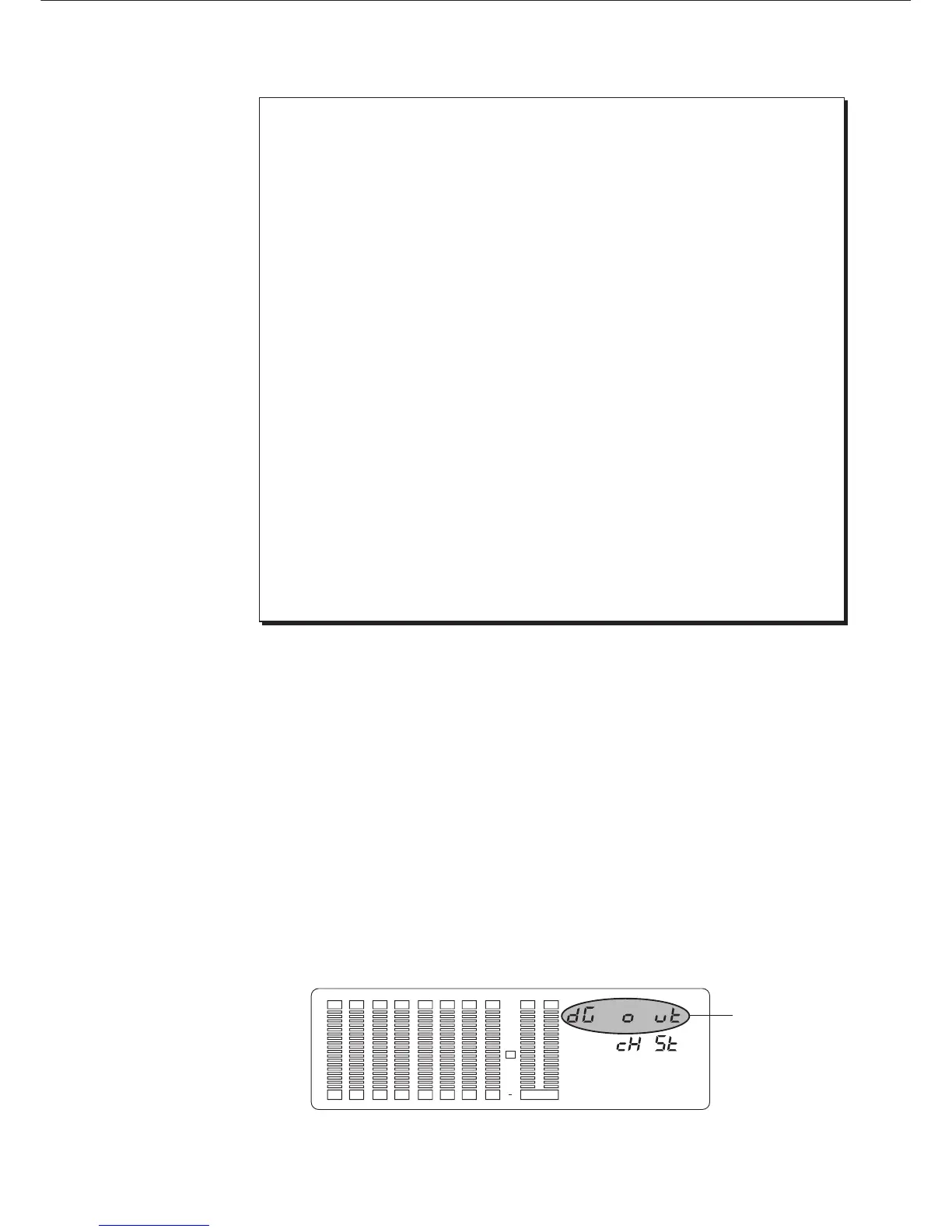
Using "dG out" of Setup menu, you can assign any of analog outputs 1-8 to
digital output L or R. Select any one combination from "1-2", "3-4", "5-6",
"7-8", and "s t" (DMT-8 stereo output L/R).
This assignment will allow you to record digital data from the DMT-8’s
DATA OUT to an external digital device (such as CD, MD, etc.)
This setting will be shared by all Programs. The dealt setting is "s t"
(DMT-8 stereo output L/R). Tuning the power off will set this setting to
default.
3-4. Setting a digital output channel ("dG out")
1. Press the DISP SEL key to select "SETUP" and press the EXECUTE/YES
key. (The "SETUP" indicator will light up.) Turn the JOG dial to select
blinking "dG out".
The display will change to something like this, and the current value will appear.
(The default setting is "cH s t".)
< WARNING >
< Note >
* Important !*
* Important !*
Blink
12 34 567 8 LR
SET UP
OVER
0
3
6
9
12
18
24
30



 To Next Page