EasyManua.ls Logo

Fostex FD-8 - Rear Panel Input;Output Section; Front Panel Input;Output Section

Fostex FD-8
28 pages
Print Icon
To Next Page IconTo Next Page
To Previous Page IconTo Previous Page
Loading...
FQSTQX
Recording
while
effects
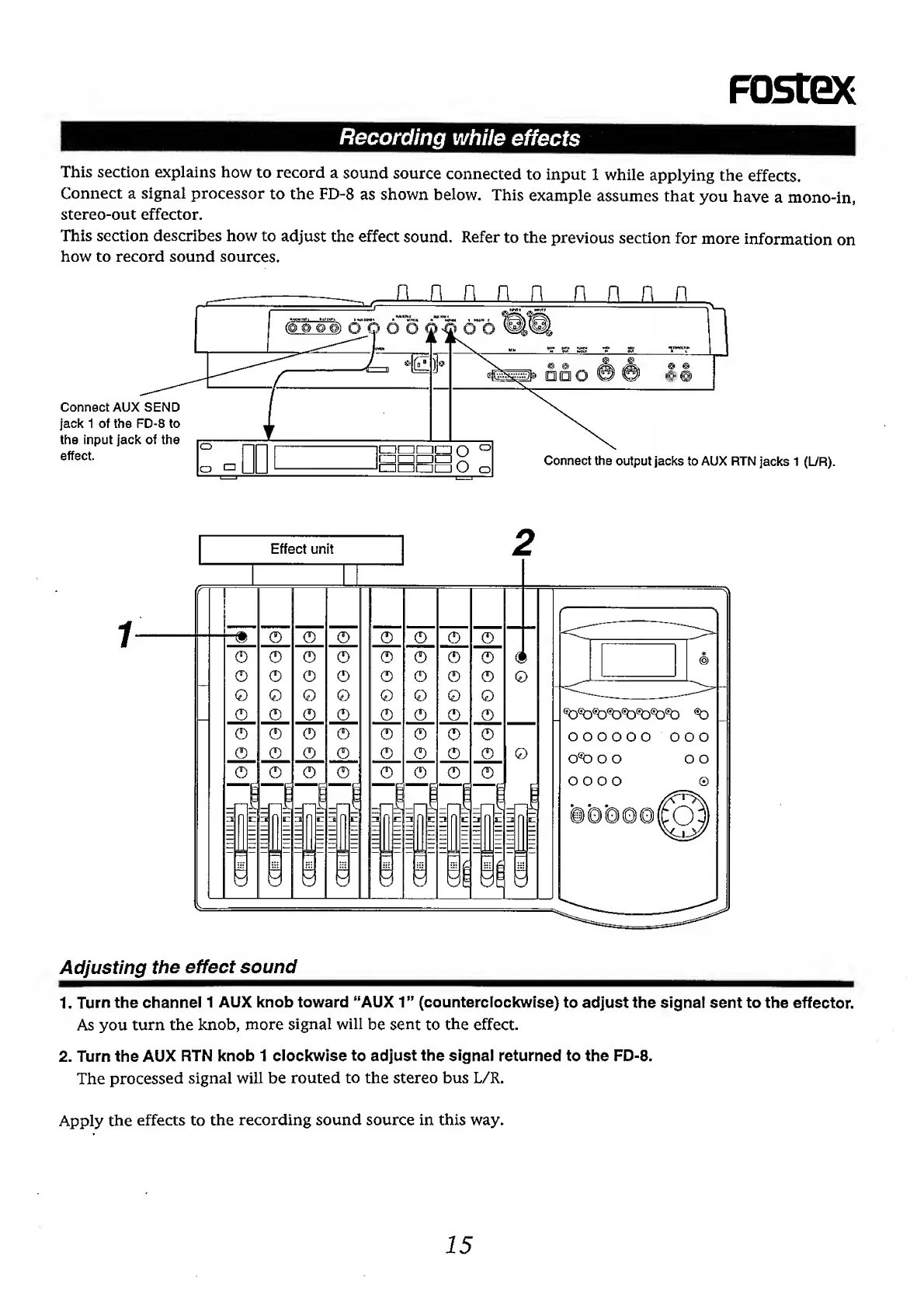
This
section
explains
how
to
record
a
sound
source
connected
to
input
1
while
applying
the
effects.
Connect
a
signal
processor
to
the
FD-8
as
shown
below.
This
example
assumes
that
you
have
a
mono-in,
stereo-out
effector.
This
section
describes
how
to
adjust
the
effect
sound.
Refer
to
the
previous
section
for
more
information
on
how
to
record
sound
sources.
Adjusting
the
effect
sound
1.
Turn
the
channel
1
AUX
knob
toward
“AUX
1”
(counterclockwise)
to
adjust
the
signal
sent
to
the
effector.
As
you
turn
the
knob,
more
signal
will
be
sent
to
the
effect.
2.
Turn
the
AUX
RTN
knob
1
clockwise
to
adjust
the
signal
returned
to
the
FD-8.
The
processed
signal
will
be
routed
to
the
stereo
bus
L/R.
Apply
the
effects
to
the
recording
sound
source
in
this
way.
15