18
Press the [+] key
Press the [+] key
Press the [+] key
Press the [-] key
Press the [-] key
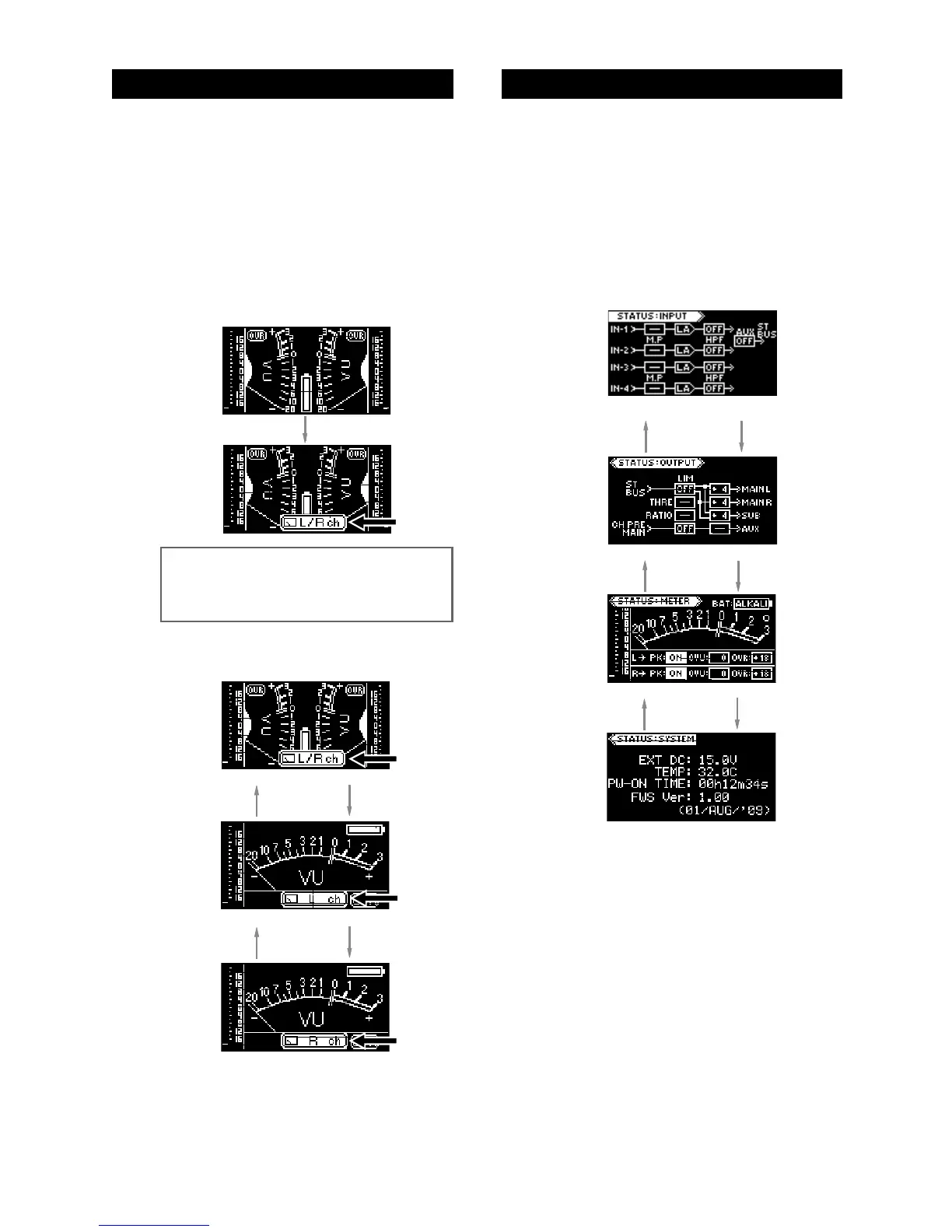
In the status display mode, not only you can check
the status for the input, output, meter and system,
but also you can edit setting.
(1) Press the [STATUS] key long enough to enter
the status display mode.
The display shows the input status display.
(2) Press the [+] or [-] key to select the desired
status display.
(3) Press the [EDIT] key to exit the status display
mode.
For details about the contents of each status dis-
play and parameter setting, see the next page.
Press the [+] key
Press the [-] key
You can select the meter mode from stereo, mono
L and mono R. By default, it is set to the stereo
mode.
The meter mode setting remains even after you
turn off the unit. If you initialize the flash memory
using the system status display, it is reset to the
default setting (see page 24).
(1) Press the [METER] key long enough to enter
the meter select mode.
The meter mode icon is shown at the bottom of the
display.
(2) Press the [+] or [-] key to select the desired
meter mode.
(3) Immediately after selecting the desired meter
mode, press the [EDIT] key to exit the meter
select mode.
Press the [+] key
Press the [-] key
Selecting the meter mode
Selecting the status display
Press the [-] key
System status display
Meter status display
Output status display
Input status display
Stereo meter mode
Mono meter (L) mode
Mono meter (R) mode
<Memo>: If you do not press any key for ap-
proximately five seconds while the meter mode
icon is shown, the icon automatically disap
-
pears and the unit exits the meter select mode.



 To Next Page