20
(3) Press the [EDIT] key to exit the status display
mode.
The display changes to the meter display.
<Note>: If you need to supply the T12 power,
set the T12 power supply function to “ENA” by
the similar procedure as above.
If you set the microphone power supply switch
of INPUT 1 to “T12” and set the microphone
power supply switches of INPUT 2 through IN
-
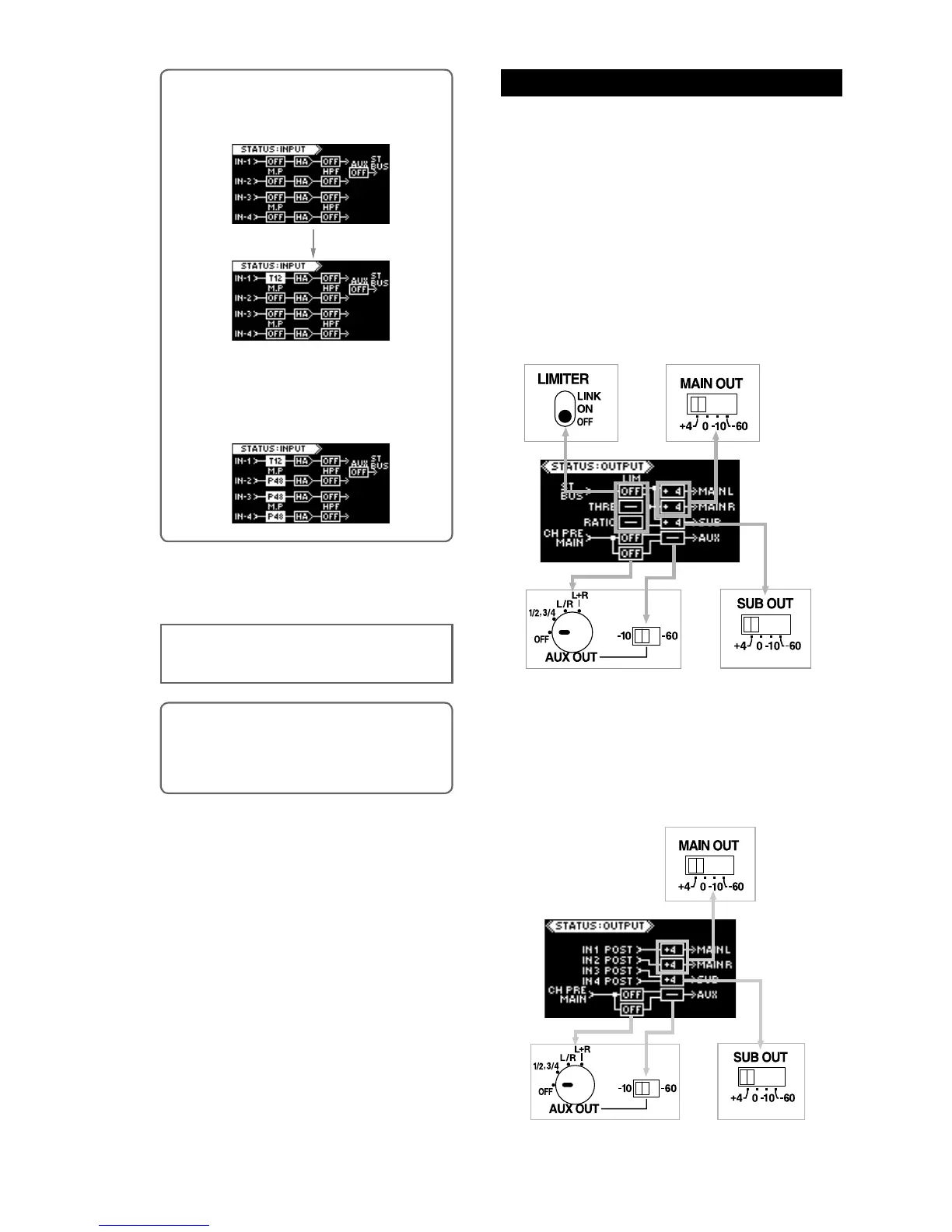
PUT 4 to “P48”, the input status display looks
as follows.
<Memo>: If you switch the microphone power
supply switch of INPUT 1 to “T12”, the input
status display changes as below.
On the output status display, you can see the current
status of the switches related to the outputs as well
as the output sources.
Depending on the [SOURCE SEL] switch setting, the
display looks as below.
When the [SOURCE SEL] switch is set to “MIX”
The display shows the status of the switches shown
below, as well as the output sources. The following
shows the default setting when the unit is shipped.
You can set the threshold and ratio of the limiter from
this display.
Output status display
<Memo>: The T12 disabled/enabled setting re-
mains even after you turn off the unit. However,
if you initialize the flash memory using the sys
-
tem status display, it is reset to the default “ENA”
setting (see page 24).
Right side panel
Right side panel
Right side panel
Front panel
When the [SOURCE SEL] switch is set to “DIRECT
OUT”
The display shows the status of the switches shown
below, as well as the output sources. The following
shows the default setting when the unit is shipped.
Right side panel
Right side panel
Right side panel



 To Next Page