22
(3) While the THRE value (“ ”) or the RATIO
(“ ”) is flashing, use the [+] or [-] key to
select the desired value.
You can set the THRE value to “ ”, “ ” or
“ ”, while you can set the RATIO value to “ ”
or “
”.
Flashing
(4) After selecting the desired value, press the
[EDIT] long enough to stop flashing.
(5) Press the [EDIT] key to exit the status display
mode.
To select the threshold value:
To select the ratio:
Press the [-] keyPress the [+] key
Press the [-] keyPress the [+] key
<Memo>: The limiter parameter setting re-
mains even after you turn off the unit. If you
initialize the flash memory using the system
status display, it is reset to the default setting
(see page 24).
Flashing
Flashing
Flashing
Flashing
Press the [-] keyPress the [+] key
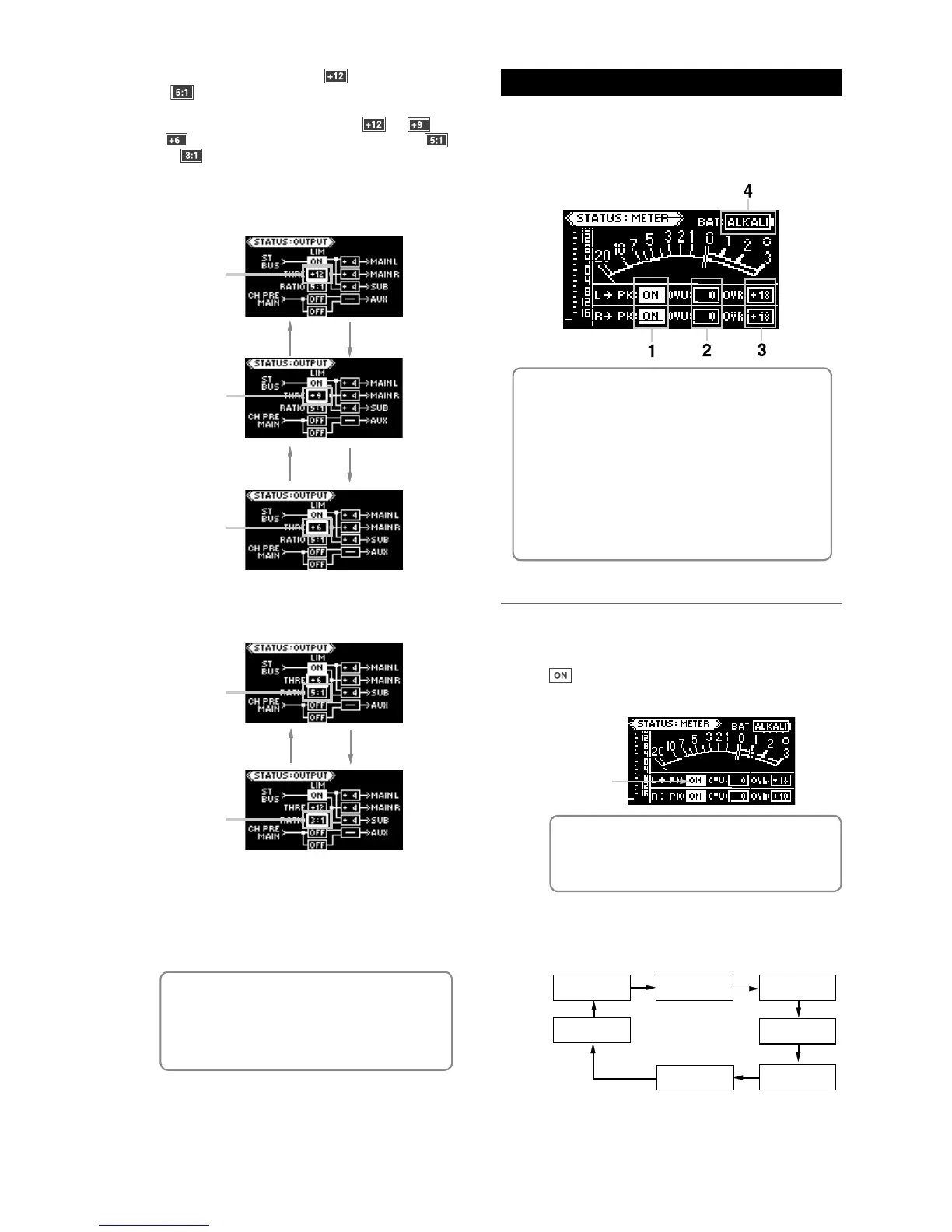
On the meter status display, not only you can see the
current status of the metering, but also you can set
parameters. The following shows the default setting
when the unit is shipped.
(1) Peak meter ON/OFF
You can enable or disable the peak meter function for the left and right
channels independently.
(2) VU meter reference (0 VU) level
You can set the reference level for the left and right channels indepen-
dently.
(3) Threshold level of the peak over indicator
You can set the peak threshold level for the left and right channels
independently.
(4) Internal battery type
You can set the battery type between alkaline or nickel hydride.
Parameter setting procedure
(1) While the meter status display is shown,
press the [EDIT] key long enough.
The peak meter on/off setting of the left channel (“
”) starts flashing. You can now edit the peak
meter on/off setting of the left channel.
(2) While any parameter is flashing, press the
[EDIT] key to select the flashing parameter.
Pressing the [EDIT] key selects the flashing pa-
rameter in the following order.
Lch “PK”
<Memo>: By bringing up the meter status
display while the unit is receiving a signal, you
can edit parameters while checking move-
ment of the VU and peak meters.
Meter status display
Lch “0VU” Lch “OVR”
Rch “PK”
Rch “0VU”Rch “OVR”
BAT TYPE
Flashing



 To Next Page