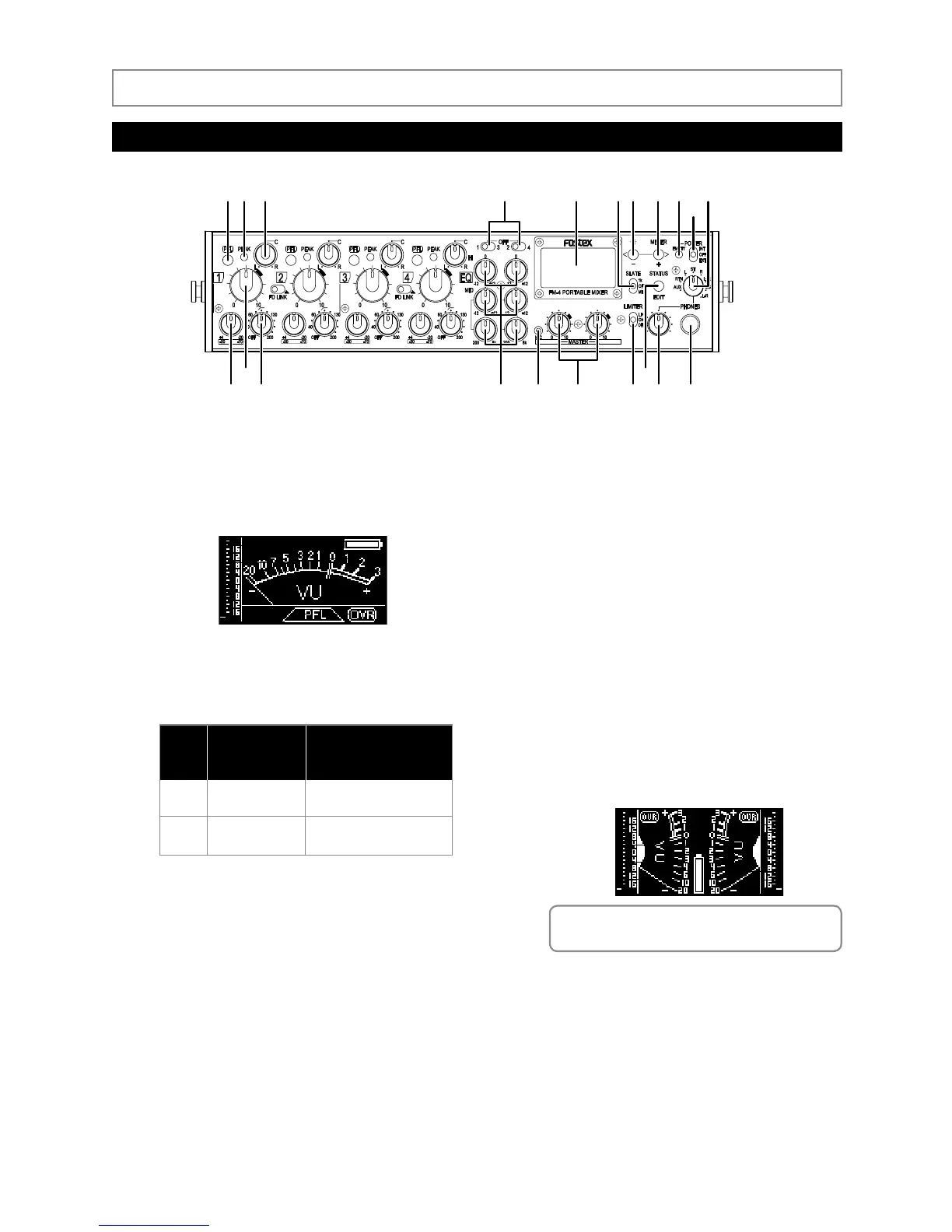
2. PEAK indicators (1 through 4)
Each indicator lights according to the signal level of
the corresponding input channel as follows.
4. EQ switches (1-3, 2-4)
The unit features a couple of EQ channels. Each EQ
switch selects the input channel to which the cor
-
responding EQ is to be applied.
• 1-3 switch: By setting it to the left position, you can
apply EQ to input channel 1. By setting it to the
right position, you can apply EQ to input channel 3.
By setting it to the center position, this EQ channel
is disabled.
• 2-4 switch: By setting it to the left position, you can
apply EQ to input channel 2. By setting it to the
right position, you can apply EQ to input channel 4.
By setting it to the center position, this EQ channel
is disabled.
5. Display
The 128 x 64 dot-matrix display using organic LED
devices shows the VU (needle) and peak (bar-graph)
meters, battery status, etc. When you first turn on
the unit after purchasing, the stereo VU and peak
meters are shown.
1. [PFL] (Pre Fader Listen) keys (1 through 4)
While pressing down the key, the pre-fader signal
(before the input channel fader) is output from
the [PHONES] jacks. In this condition, the display
shows the PFL signal
level metering as below.
3. Pan controls (1 through 4)
Each pan control determines the position of the
corresponding input signal in the stereo image.
A pop-up type knob is used for each pan control.
It pops up when you push it once. Pushing it again
makes it locked on the same level as the panel.
Color
Green
Red
Lighting level
(compared with the
reference level)
Details
+8dB
+17dB
Approximately -12dB below
the internal maximum level
Approximately -3dB below
the internal maximum level
<Memo>: For details about the contents of the
display, see “Display details” on page 17.
Names and functions
Front panel



 To Next Page