17
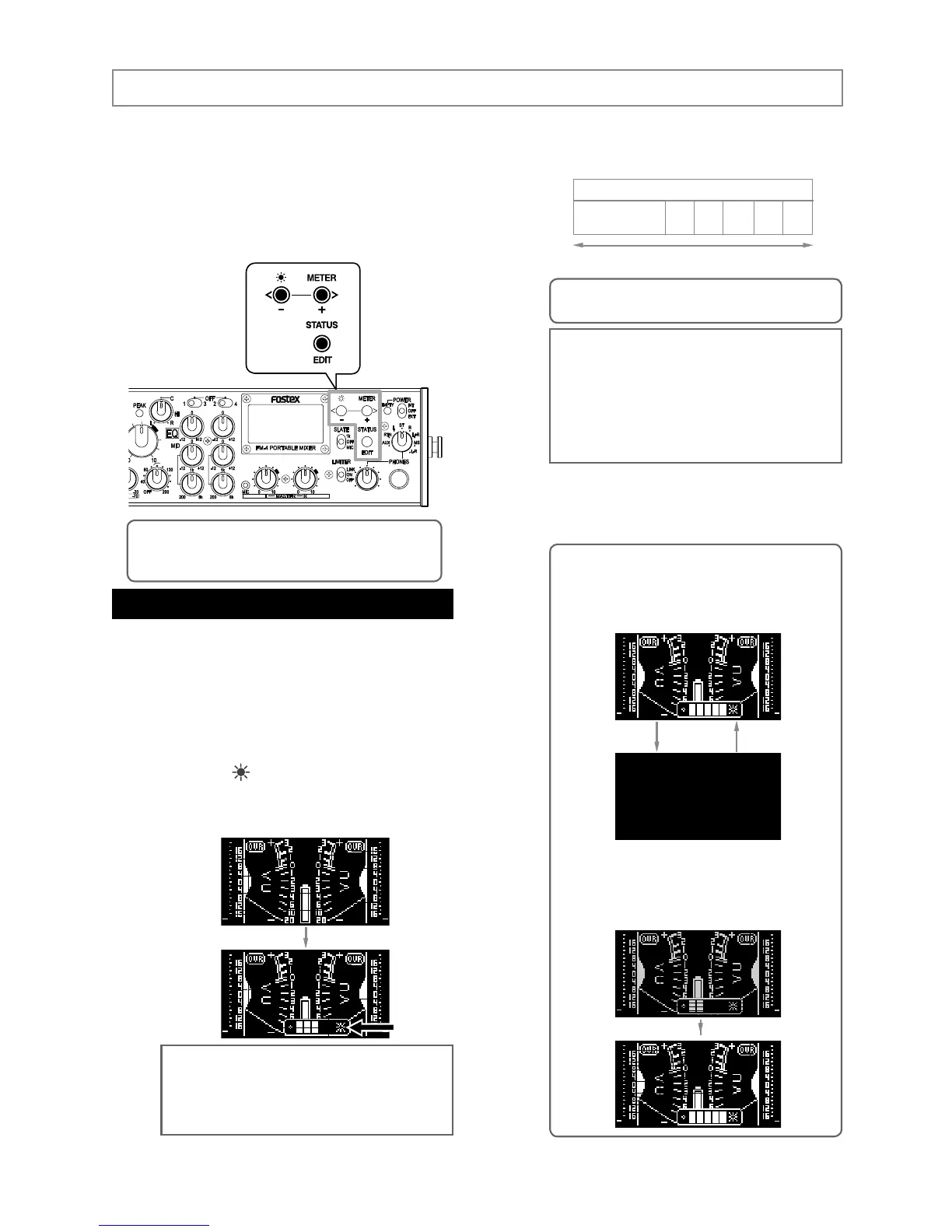
(1) Press the [ ] key long enough to enter the
display brightness adjustment mode.
The brightness adjustment bar appears, showing
the current brightness level.
<Memo>: If you do not press any key for ap-
proximately five seconds while the brightness
adjustment bar is shown, the bar automatically
disappears and the unit exits the display bright
-
ness adjustment mode.
Adjusting the display brightness
(3) By pressing the [EDIT] key immediately after
adjusting the brightness level, the brightness
adjustment bar disappears and the unit exits
the display brightness adjustment mode.
The display on the front panel of the unit normally
shows the VU and peak meters. You can select
stereo or mono metering. The display also can
show the status of inputs, outputs, etc., which you
can edit. You can also adjust the display bright
-
ness to match the circumstance.
For display-related operation, the following three
keys are used.
You can set the display brightness to match the
circumstance (by default, it is set to level 3).
The display brightness setting remains even af
-
ter you turn off the unit. If you initialize the flash
memory using the system status display, it is reset
to the default setting (see page 24).
Display
<Memo>: When the brightness adjustment bar
is shown, pressing the [-] key long enough sets
the brightness to OFF, while pressing the [+] key
returns the brightness to the previous level be
-
fore entering the brightness adjustment mode.
When the brightness is set to any level lower
than the maximum level, pressing the [+] key
long enough directly sets the brightness to the
maximum level.
1
2 3 4 5
Turning off the
display
Brightness
[-] key (darker)
<Memo>: If you press the [+] key when the
brightness is set to OFF, the display gets brighter.
[+] key (brighter)
<Note>: If you set the brightness level to any
level between 1 through 5, the setting is stored to
the flash memory. However, if you set it to OFF,
the setting is not stored to the flash memory, and
when you turn on the unit the next time, the dis
-
play is shown at the brightness level that was set
before entering the brightness setting mode last
time.
<Memo>: In the following description, “press the key
long enough” means “hold down the key for more than
one second”.
(2) Press the [-] key to lower the brightness or
press the [+] key to increase the brightness.
You can select from OFF and 1 through 5.
Turning off the display



 To Next Page