24
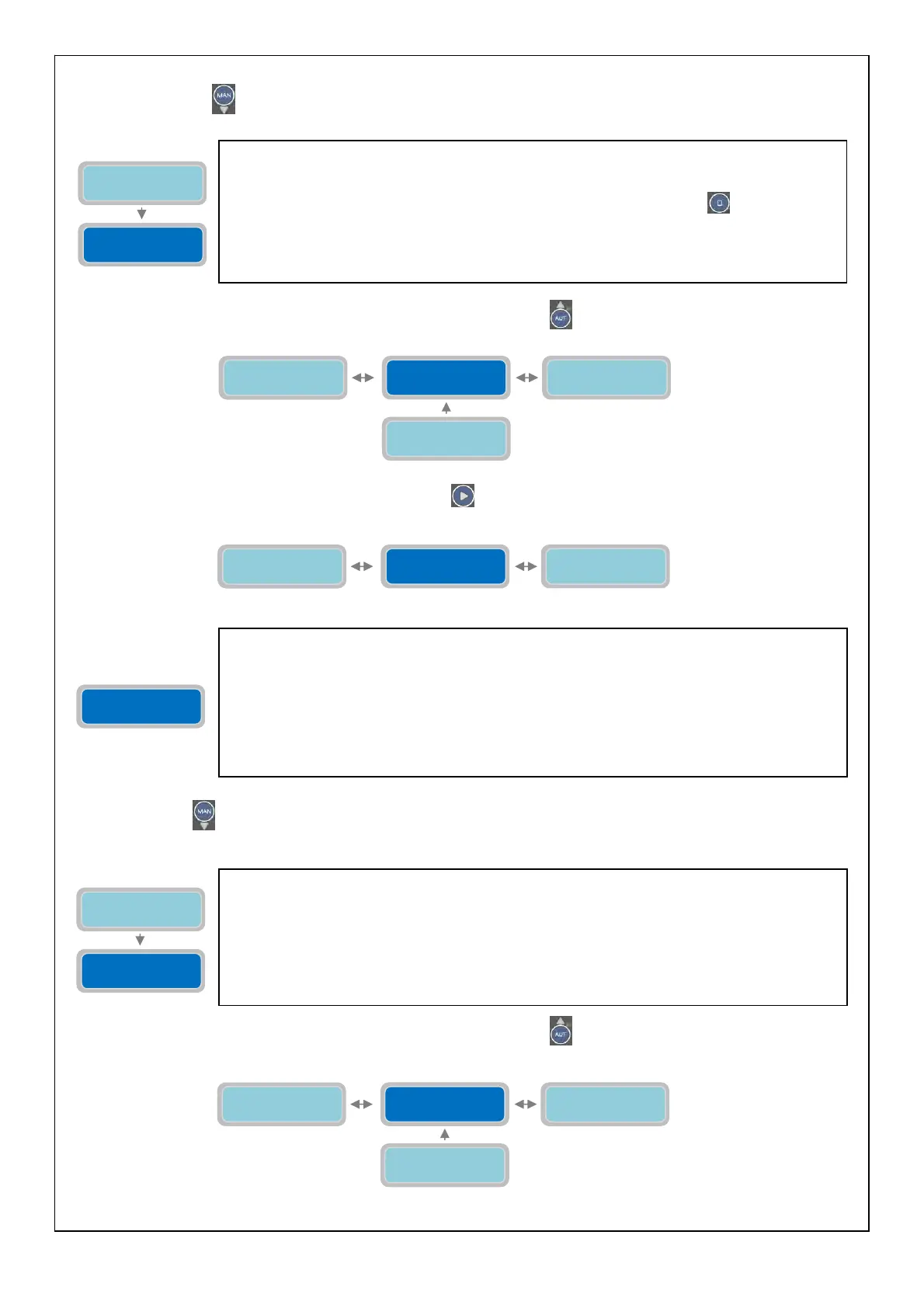
To set the maximum time of continuous operation of the pump is necessary to pass to the parameter "Max Continuous
working" by pressing
:
To continue programming the parameters of the pump press the button
to go back to the parameter “Enable Max
Cont. working”:
To move to the next horizontal parameter press the button
:
Press the button
to move to the menu for setting the maximum number of starts per minute (“Max Starts per
Minute”):
To continue programming the parameters of the pump press the button
to go back to the parameter “Enable Max
Start Minute”:
The parameter “Max Continuous working” will set maximum time of continuous working
operation of the pump. If the pump works continuously for a period of time longer than the set
value then the pump will be stopped and the alarm will trigger. The functional operation of the
pump will be inhibited until the reset of the alarm (pressing the button
of the pump in
status of alarm).
The “X” indicates the setting of the parameter to modify.
The range of value is from 1 to 9999 minutes.
Factory default setting: 1440 minutes (24hours).
Enable Max Cont.
Working
0=NO X
P1 Alarm Delay
Cosφ XXsec
Enable Max Start
Minute
0=NO X
Max Continuous
working XXXXmin
Enable Max Start
Minute 0=NO X
Enable Max Cont.
Working 0=NO X
Enable Max Start
Hour 0=NO X
Enable Max Start
Minute 0=NO X
The parameter “Enable Max Start Minute” will enable/disable the alarm for the maximum
number of starts per minute of the pump. When enabled and the pump executes a number of
starts per minute higher than the set value “Max Starts per Minute” the alarm will activate and
the pump will stop. The functional operation of the pump will be inhibited until the reset of the
alarm. The reset of the alarm will happen automatically at the end of the minute.
The “X” indicates the setting of the parameter to modify.
0=NO: setting “0” will disable the alarm for max number of starts per minute of the pump.
1=YES: setting “1” will enable the alarm for max number of starts per minute of the pump.
Factory default setting: 0 (disable).
Enable Max Start
Minute
0=NO X
Max Starts
per Minute X
The parameter “Max Starts per Minute” will set the pump’s maximum number of starts per
minute. If the pump executes a number of starts per minute higher than the set value it will be
stopped and an alarm will activate. The functional operation of the pump will be inhibited until
the reset of the alarm. The reset of the alarm will happen automatically at the end of the
minute.
The “X” indicates the setting of the parameter to modify.
The range of value is from 1 to 9.
Factory default setting: 5.
Enable Max Start
Minute 0=NO X
Enable Max Cont.
Working 0=NO X
Enable Max Start
Hour 0=NO X
Max Starts
per Minute X
Enable Max Cont.
Working 0=NO X
Max Continuous
working XXXXmin



 To Next Page