26
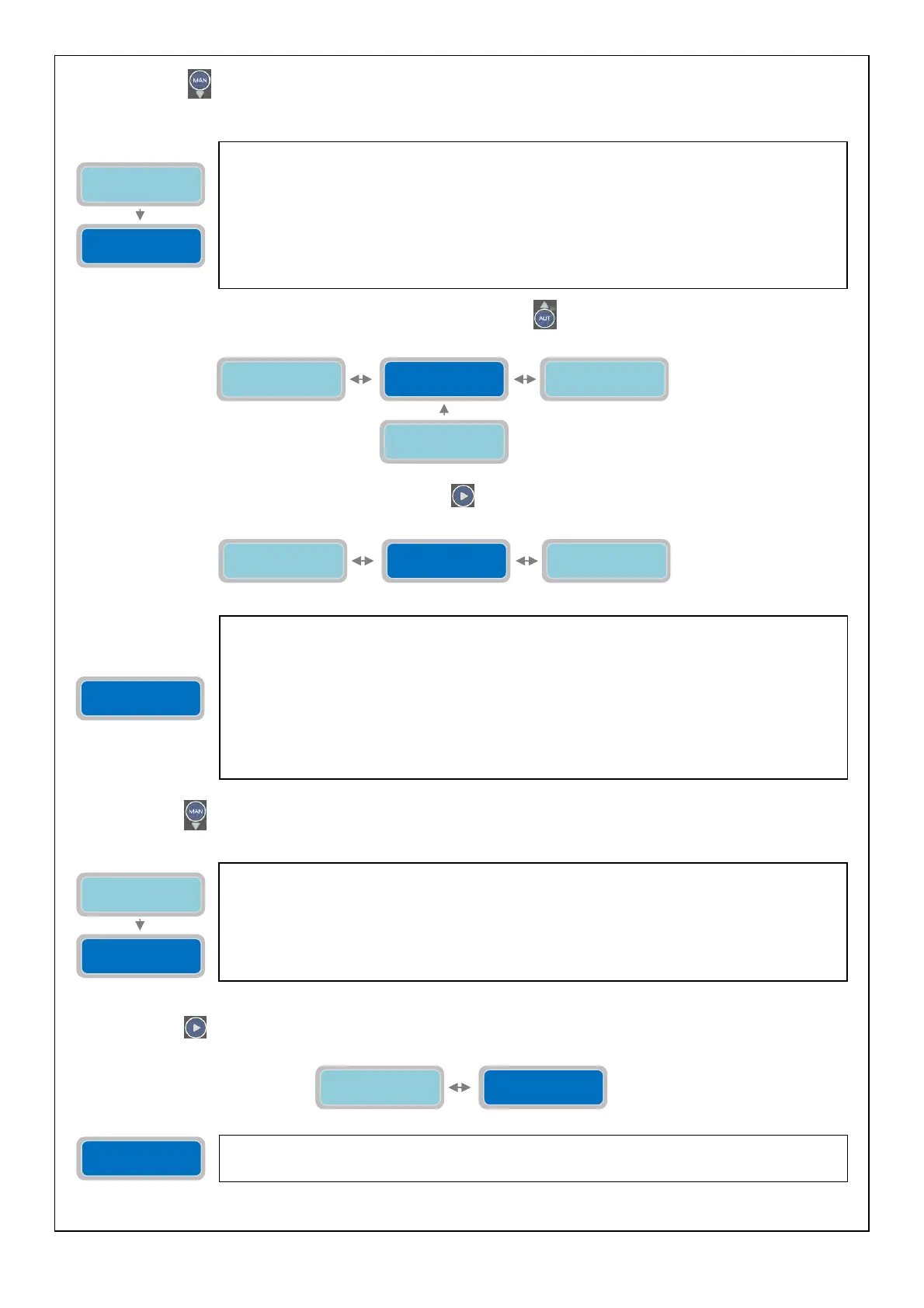
Press the button
to move to the menu for setting the maximum number of interventions Klixon (“Max Intervention
Klixon P1”):
To continue programming the parameters of the pump press the button
to go back to the parameter “Enable Max Int.
Klixon”:
To move to the next horizontal parameter press the button
:
Press the button
to move to the menu for setting the maximum number of working hours (“P1 Request Service”):
Press the button
to move to the next horizontal parameter “Reset Service P1”:
Reset
Service P1 XXXX
The parameter “Reset Service P1” will show the number of hours until the for maintenance
service request alarm will be activated.
The parameter “Max interventions Klixon P1” will set the max number of Klixon events that the
pump can handle. If the number of Klixon events is higher than the set value the pump will be
stopped and therefore the alarm will activate (full-app will sum the Klixon events independently
from the frequency of starts over time; the alarm will happen even if the number of events is
reached over a long period of time). The functional operation of the pump will be inhibited until
the reset of the alarm.
The “X” indicates the setting of the parameter to modify.
The range of value is from 1 to 10.
Factor
default settin
: 10.
Enable Max Int.
Klixon 0=NO X
Enable Max Start
Hour 0=NO X
Enable Service
Request 0=NO X
Max Intervention
Klixon P1 nXX
Enable Service
Request 0=NO X
Enable Max Int.
Klixon 0=NO X
Auto Setting
Pump1 (I&Cosφ)
Enable Service
Request 0=NO X
The parameter “Enable Service Request” will enable/disable the alarm for the service
maintenance of the pump. When it is enabled the pump will work and the pump works for a
number of hours higher than the set value in the parameter “P1 Request Service” there will be
an alarm for maintenance/substitution of the pump. The pump will not be stopped and it will
continue to work normally. The alarm will be displayed and it will be possible to activate one or
more alarm outputs (based on the setting in the menu “Alarms Setting”).
The “X” indicates the setting of the parameter to modify.
0=NO: setting “0” will disable the alarm for service request.
1=YES: setting “1” will enable the alarm for service request.
Factory default setting: 0 (disable).
Enable Service
Request 0=NO X
P1 Request
Service XXXXh
The parameter “P1 Request Service” will set the maximum number of working hours for the
pump before the service request alarm is activated. The alarm will be displayed and it will be
possible to activate one or more alarm output (based on the setting in the menu “Alarms
Setting”).
The “X” indicates the setting of the parameter to modify.
The range of value is from 1 to 9999 hours.
Factory default setting: 1000h.
Reset
Service P1 XXXX
P1 Request
Service XXXXh
Enable Max Int.
Klixon 0=NO X
Max Intervention
Klixon P1 nXX



 To Next Page