5
74
Create RAID Volume
Create RAID 0 (1st Volume)
1. Select “
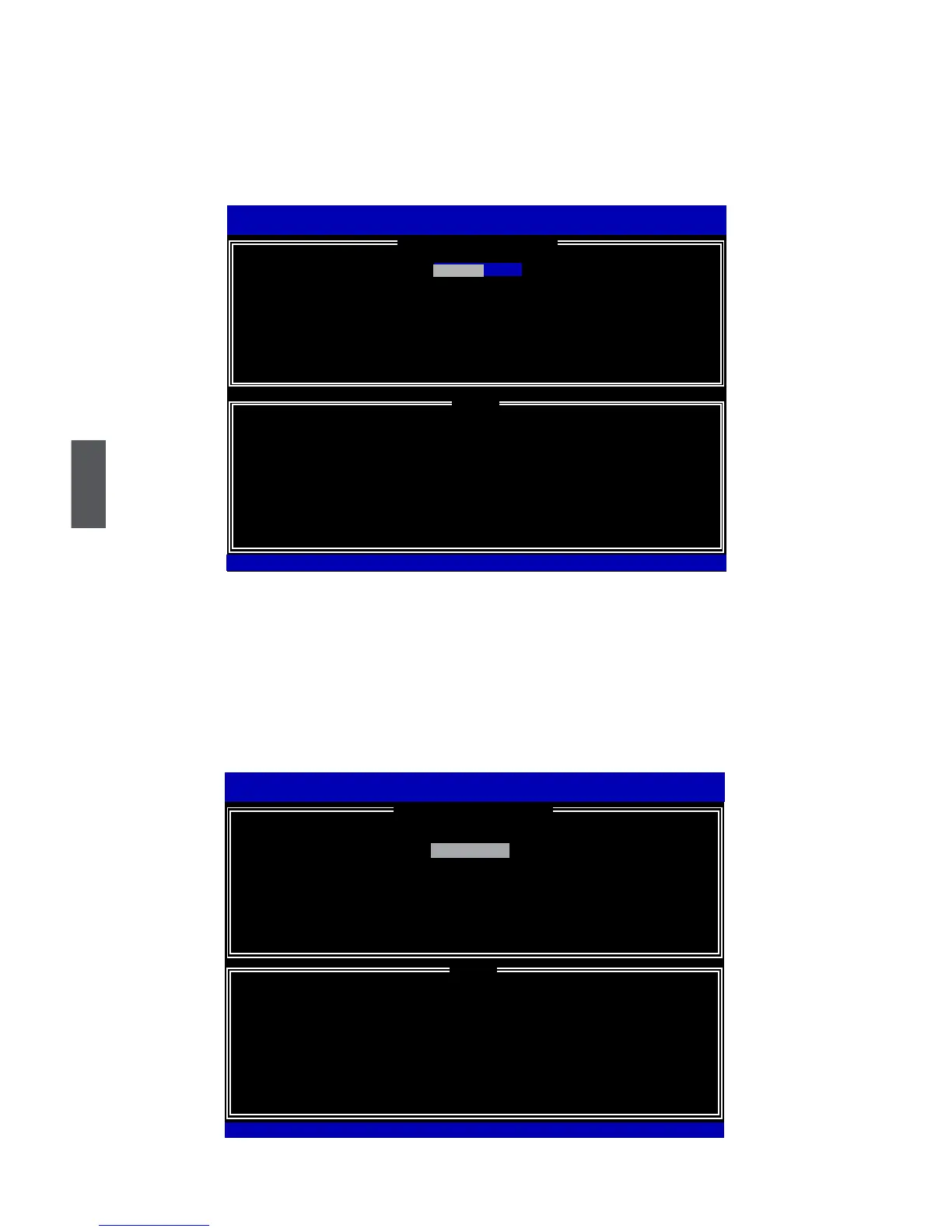
1. Create RAID Volume” from the menu and press <Enter>.
The menu appears :
2.In"Name"item,youcaninputadevicenamefortheRAID0systemandpress<Enter>
to apply it. Here, we name it as TryRAID0 to replace the default Volume0.
3. In “RAID Level” item, you can use Up or Down arrow key to make a selection. Select
RAID0 (Stripe) and press <Enter>.
Intel(R)MatrixStorageManageroptionROMv5.0.0.1011ICH9RwRAID5
Copyright(C)2003-04IntelCorporationAllRightsReserved.
RAID 0: Stripes data (performance).
Intel(R)RapidStorageTechnology-OptionROM-10.0.0.1032
Copyright(C)2003-10IntelCorporation.AllRightsReserved.
[ HELP ]
Name:
RAID Level:
Disks:
Strip Size:
Capacity:
Sync:
TryRAID0
RAID0(Stripe)
Select Disks
128KB
0.0 GB
N/A
Create Volume
RAID0(Stripe)
[↑↓]-Change[TAB]-Next[ESC]-PreviousMenu[ENTER]-Select
[ CREATE VOLUME MENU ]
Intel(R)MatrixStorageManageroptionROMv5.0.0.1011ICH9RwRAID5
Copyright(C)2003-04IntelCorporationAllRightsReserved.
Enter a unique volume name that has no special characters and is
16 characters or less.
Intel(R)RapidStorageTechnology-OptionROM-10.0.0.1032
Copyright(C)2003-10IntelCorporation.AllRightsReserved.
[ CREATE VOLUME MENU ]
[ HELP ]
Name:
RAID Level:
Disks:
Strip Size:
Capacity:
Sync:
Volume0
RAID0(Stripe)
Select Disks
128KB
0.0 GB
N/A
Create Volume
[↑↓]-Change[TAB]-Next[ESC]-PreviousMenu[ENTER]-Select
Volume0












 To Next Page